

Add new booking details from Zeeg to Google Sheets
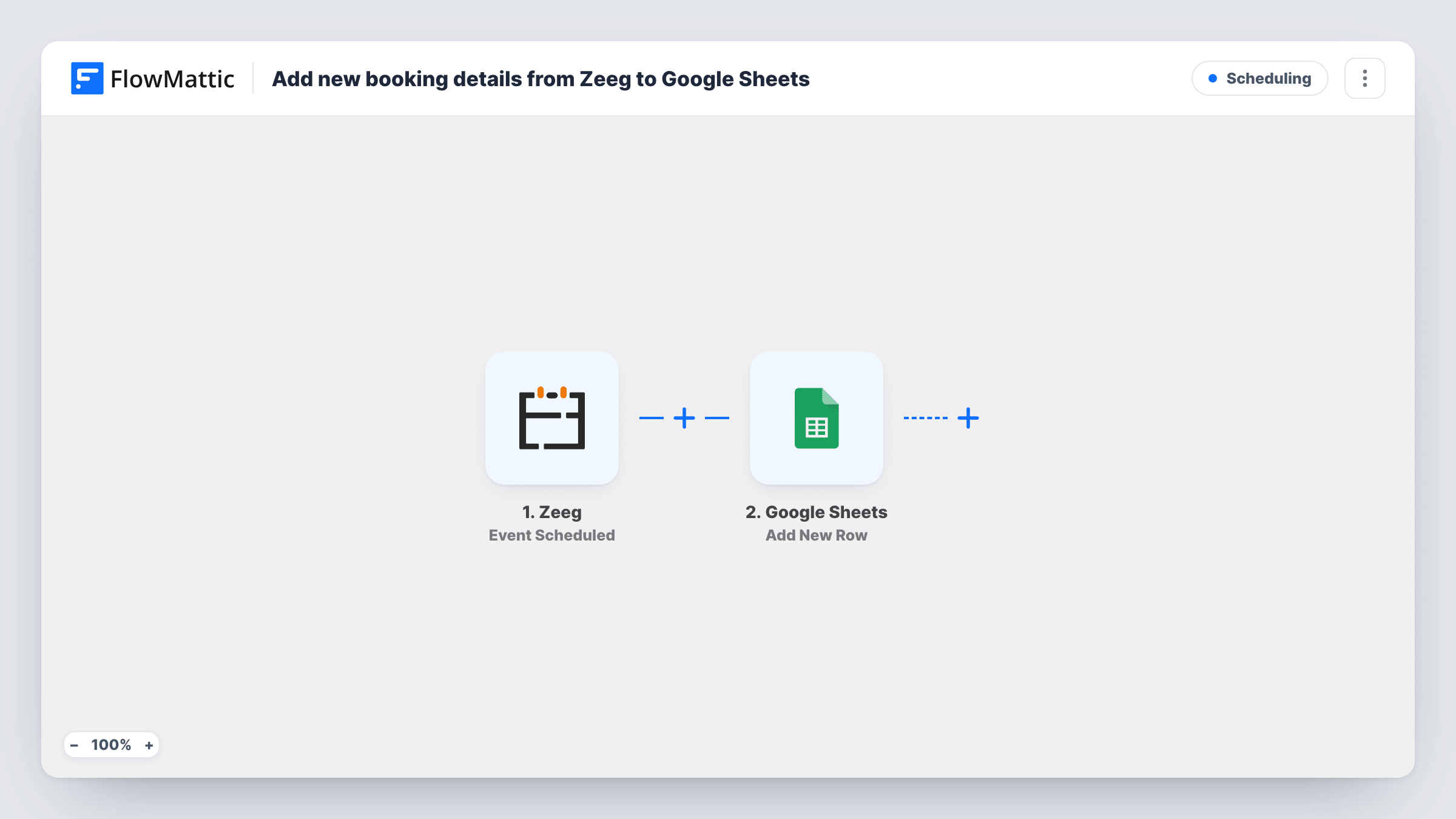
Each time someone books with you through Zeeg, this workflow adds the booking details to a new Google Sheets row, so you keep a running list of scheduled meetings you can sort, share and report on.
 Zeeg
Zeeg
 Google Sheets
2 steps Setup ~5 min Used on 3.2k sites Free to import
What this workflow does
Zeeg handles the booking, but a list of every meeting in one place is useful for more than the calendar: tracking how many calls you take, seeing who booked which meeting type, or sharing the schedule with someone who doesn't use Zeeg. This workflow builds that list in a spreadsheet as bookings come in.
The Zeeg trigger fires when an event is scheduled, meaning someone books a slot with you. FlowMattic receives the booking data Zeeg sends. The Google Sheets step then adds a new row to the spreadsheet you pick, with columns filled from the values you map, such as the invitee's name and email, the meeting type and the start time.
The sheet is a log of bookings as they were made. If someone reschedules or cancels in Zeeg, the original row stays as it was. Task History keeps a record of every booking the workflow handled.
Weekly sales call report
A sales lead counts the rows added each week to see how many discovery calls were booked, and by which meeting type.
Shared schedule for an assistant
Your assistant prepares notes for each meeting from the Google Sheet without needing access to your Zeeg account.
Coaching client list
A coach keeps every booked session in one spreadsheet, with a column added by hand to note whether the session went ahead.
How this workflow runs
What happens at each step once the workflow is on, and what you need before you import it.
 Zeeg Event Scheduled
Runs when an event is scheduled in Zeeg, which happens when someone books a slot with you. The booking data is passed on for mapping into the sheet.
- Google Sheets Add New Row
Adds a row per Zeeg booking to the Google Sheets file and tab you pick. Connect your Google account and map booking values like invitee, meeting type and time to columns.
What you need
- FlowMatticCore
- Zeeg AccountAccount
- Google Sheets AccountAccount
After importing, map your own data. To keep the template universal, not every step is pre-filled. Open each step in the builder and connect your accounts and fields (channels, lists, sheets, recipients) before you switch the workflow on.
Make it yours
Changes worth making after you import it.
- Make a test booking on your own Zeeg page after import so FlowMattic captures the booking data, then map the columns you want.
- Build a second workflow on Zeeg's Event Cancelled trigger that adds rows to another tab, so cancelled bookings sit next to the scheduled list.
- Add a Filter after the trigger on the meeting type if you only want certain kinds of bookings in this sheet.
Questions about this workflow
Does the sheet update if a Zeeg booking is rescheduled or cancelled?
No. The workflow adds a row when the event is scheduled and doesn't change it afterwards. Zeeg's Event Cancelled trigger can feed a separate workflow if you want cancellations logged.
Are my existing Zeeg bookings copied to Google Sheets?
No. Only bookings made after you turn the workflow on start a run.
Which Zeeg booking details can I log?
Whatever Zeeg sends with the Event Scheduled event. After a test booking, the captured values appear in the Google Sheets step for mapping.
Do bookings from all my Zeeg meeting types get logged?
Yes, as imported. Every scheduled event starts a run. Add a Filter on the meeting type to keep only some.
More Scheduling workflows
Other ready-to-import templates from the same category.






Import this workflow into your WordPress site
Download the JSON, import it from the Workflows screen and connect your accounts. Every run stays on your server, with no per-task fees.
30-day money-back guarantee Unlimited workflows and runs Self-hosted