

Add new Serviceform leads to an ActiveCampaign list for nurturing
Each lead your Serviceform chatbot collects is created or updated as an ActiveCampaign contact by email, then subscribed to the ActiveCampaign list you pick for nurturing.
 Serviceform
 ActiveCampaign
3 steps Setup ~5 min Used on 3.1k sites Free to import
What this workflow does
A chatbot lead is warm for a short time. If it sits in Serviceform until someone exports it, the moment passes. This workflow sends each chatbot submission to ActiveCampaign and onto a nurturing list, so your automations there can take over from the conversation.
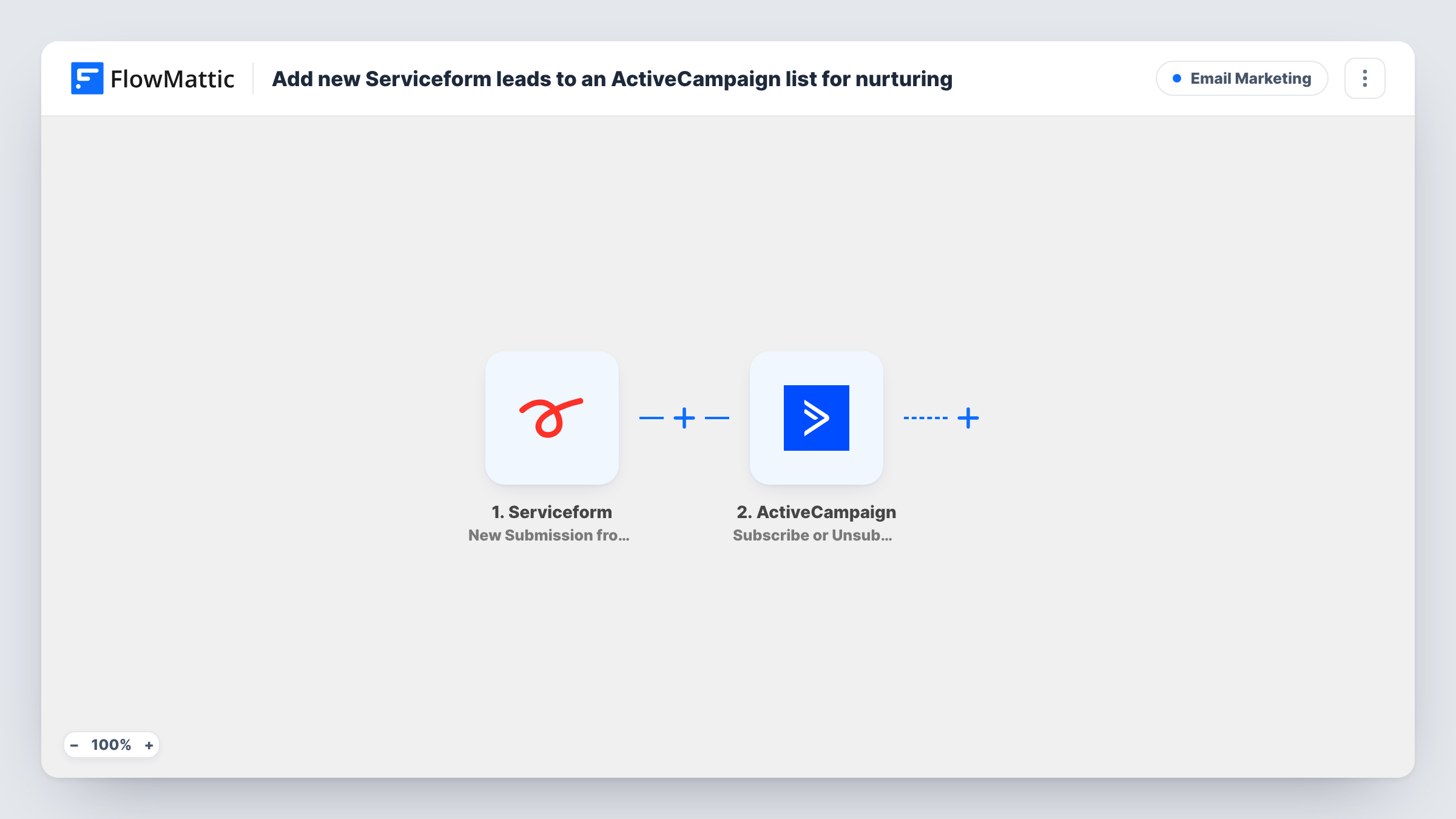
The Serviceform trigger fires for each new submission from your chatbot and passes on the answers the visitor gave. The first ActiveCampaign step creates a contact, or updates the existing one, using the lead's email, which the template already maps from Serviceform. You can add more details, such as name and phone, after import.
After that, ActiveCampaign puts the chatbot lead on one of your lists. It already uses the contact ID returned by the step before, so the right person is added. You pick the list after import, and that list can start an ActiveCampaign automation for new subscribers.
Because the contact step updates people who are already in ActiveCampaign, a returning lead isn't duplicated; they are simply subscribed to the list. Send a test conversation through the chatbot and check Task History for each step's result.
Quote requests into a sales sequence
A renovation company's Serviceform chatbot collects project details, and each lead joins an ActiveCampaign list that sends a follow-up series about pricing and booking a visit.
Trial interest from a website bot
A software firm's chatbot asks visitors about their team, and every lead lands on a nurturing list with onboarding tips before sales calls them.
Clinic enquiries kept in one list
A dental clinic gathers appointment enquiries through its chatbot and keeps them on one ActiveCampaign list for reminders and offers.
How this workflow runs
What happens at each step once the workflow is on, and what you need before you import it.
 Serviceform New Submission from Chatbot
Fires for each new submission from your Serviceform chatbot. The lead's answers, including their email, are passed on to ActiveCampaign.
- ActiveCampaign Create or Update Contact
Creates the lead as an ActiveCampaign contact, or updates the existing contact. The email is already mapped from the Serviceform submission; add name or phone if you want them.
- ActiveCampaign Subscribe or Unsubscribe Contact From List
Subscribes the contact from step 2 to an ActiveCampaign list, using the contact ID that step returned. Pick the nurturing list after import.
What you need
- FlowMatticCore
- Serviceform AccountAccount
- ActiveCampaign AccountAccount
After importing, map your own data. To keep the template universal, not every step is pre-filled. Open each step in the builder and connect your accounts and fields (channels, lists, sheets, recipients) before you switch the workflow on.
Make it yours
Changes worth making after you import it.
- Build an ActiveCampaign automation that starts when a contact subscribes to this list, so the nurturing emails begin without anyone touching the lead.
- Map the chatbot's answers about the visitor's need into ActiveCampaign custom fields in step 2, so you can segment the list later.
- If some chatbot leads leave no email, put a Filter between the Serviceform trigger and the Create or Update Contact step that continues only when the email is not empty.
Questions about this workflow
What if the Serviceform lead is already an ActiveCampaign contact?
Create or Update Contact matches by email and updates that contact, then the list step subscribes them. You don't get a second contact for the same address.
Which ActiveCampaign list do the leads join?
The one you choose in the subscribe step after import. The template maps the contact ID but leaves the list for you to pick.
Does this send emails to the lead?
Not by itself. It adds the contact and subscribes them to a list. Any emails come from the ActiveCampaign campaigns or automations you set up for that list.
More Email Marketing workflows
Other ready-to-import templates from the same category.






Import this workflow into your WordPress site
Download the JSON, import it from the Workflows screen and connect your accounts. Every run stays on your server, with no per-task fees.
30-day money-back guarantee Unlimited workflows and runs Self-hosted