

When a webhook response is received, Delete a subscriber in Campaign Monitor
Send a request to a FlowMattic webhook URL and this workflow deletes the matching subscriber from your Campaign Monitor list, so another system or script can remove people from your list.
 Webhook
 Campaign Monitor
2 steps Setup ~5 min Used on 3.3k sites Free to import
What this workflow does
Removal requests often start outside your email tool: a data-deletion form, an account closed in your app, a support ticket. Logging into Campaign Monitor to delete each person by hand is easy to forget. This workflow lets any system that can send a webhook do the deletion.
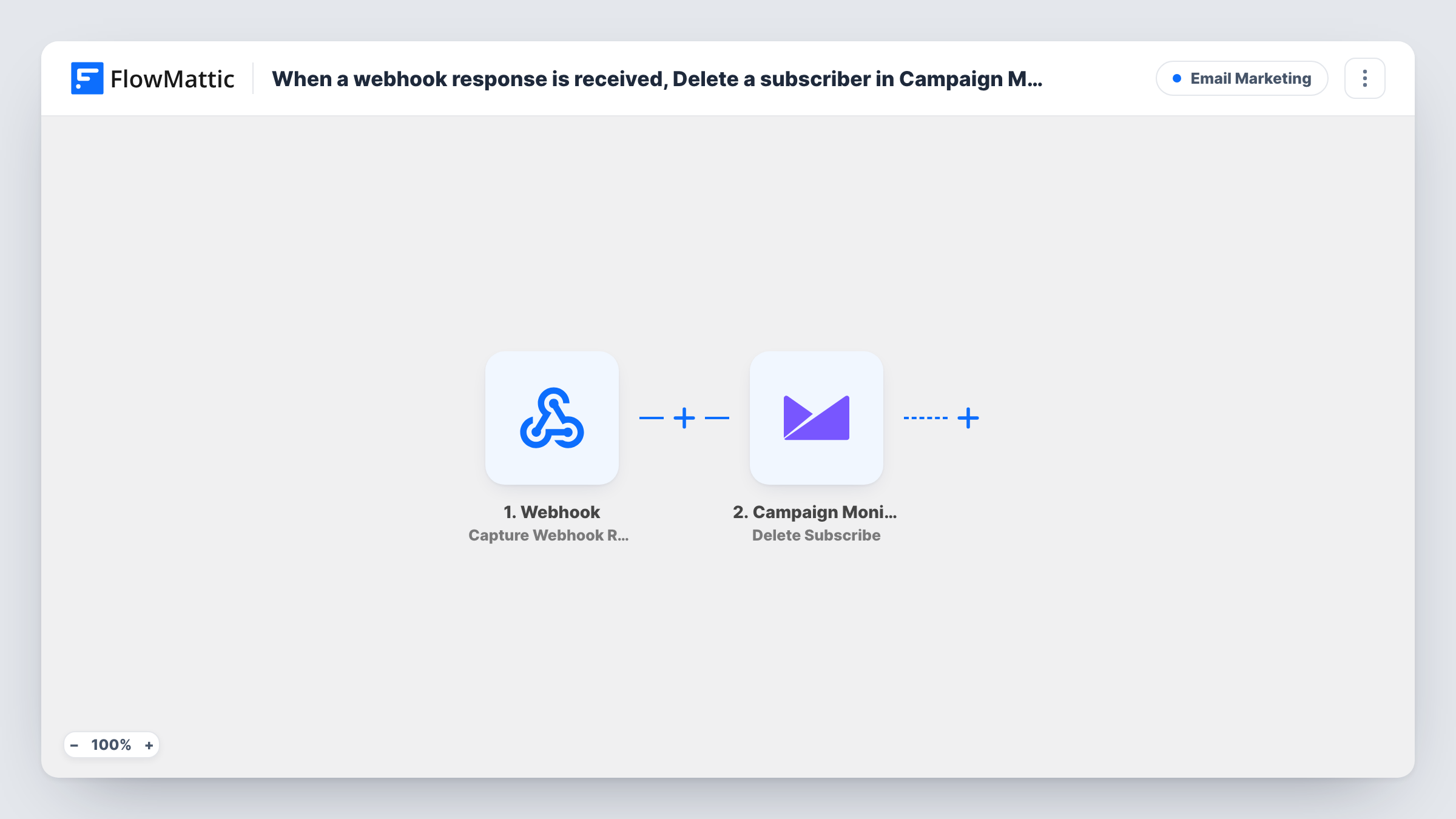
The Webhook trigger gives you a FlowMattic URL. Whatever the sender posts to it, such as an email address, becomes data you can map. The next step is Campaign Monitor with its Delete Subscribe action, which deletes the subscriber contact. You map the address from the payload so Campaign Monitor knows whom to remove.
Deleting is not the same as unsubscribing. Campaign Monitor has a separate Unsubscribe action that sets an active subscriber as unsubscribed. Pick Delete Subscribe only when you want the contact removed. Each run shows in Task History, with the reply Campaign Monitor sent back.
Data deletion requests
Your privacy request form posts to the webhook, and the person's subscriber record is deleted from your Campaign Monitor list without a manual step.
Closed customer accounts
When a customer closes their account in your app, the app sends their email to the webhook so the subscriber no longer sits on your marketing list.
Removing test sign-ups
A cleanup script posts the addresses your team used while testing a form, and each one is deleted from the list.
How this workflow runs
What happens at each step once the workflow is on, and what you need before you import it.
 Webhook Capture Webhook Response
Provides a FlowMattic URL, and every request posted to it starts a run. The fields in the request, such as the subscriber's email, are passed on to the Campaign Monitor step.
- Campaign Monitor Delete Subscribe
Deletes the subscriber contact in Campaign Monitor. Connect your Campaign Monitor account, then map the email from the webhook data so the right person is removed.
What you need
- FlowMatticCore
- Campaign Monitor AccountAccount
After importing, map your own data. To keep the template universal, not every step is pre-filled. Open each step in the builder and connect your accounts and fields (channels, lists, sheets, recipients) before you switch the workflow on.
Make it yours
Changes worth making after you import it.
- Turn on the Webhook trigger's "Require authentication on incoming requests" setting so only callers with your key can trigger a deletion.
- Swap Delete Subscribe for Campaign Monitor's Unsubscribe action if you want to keep the record but stop sending to the person.
- Send a test request with an address you own before you connect the real sender, then check Task History for Campaign Monitor's reply.
Questions about this workflow
What should the webhook request contain?
At least the email address of the subscriber you want removed. Send one test request after import so FlowMattic captures the fields, then map the address in the Campaign Monitor step.
Can anyone with the webhook URL delete my Campaign Monitor subscribers?
Without authentication, a request from anyone holding the link will start a deletion run. Turn on "Require authentication on incoming requests" in the Webhook trigger and give the key only to the systems that should call it.
What happens if the address is not on my list?
Campaign Monitor has nobody to delete, and the response it returns shows in Task History for that run.
Is deleting a Campaign Monitor subscriber the same as unsubscribing them?
No. This template deletes the subscriber contact. Campaign Monitor's Unsubscribe action, also available in FlowMattic, marks an active subscriber as unsubscribed instead.
More Email Marketing workflows
Other ready-to-import templates from the same category.







Import this workflow into your WordPress site
Download the JSON, import it from the Workflows screen and connect your accounts. Every run stays on your server, with no per-task fees.
30-day money-back guarantee Unlimited workflows and runs Self-hosted