

Add new Uscreen members to a Mailchimp audience for onboarding
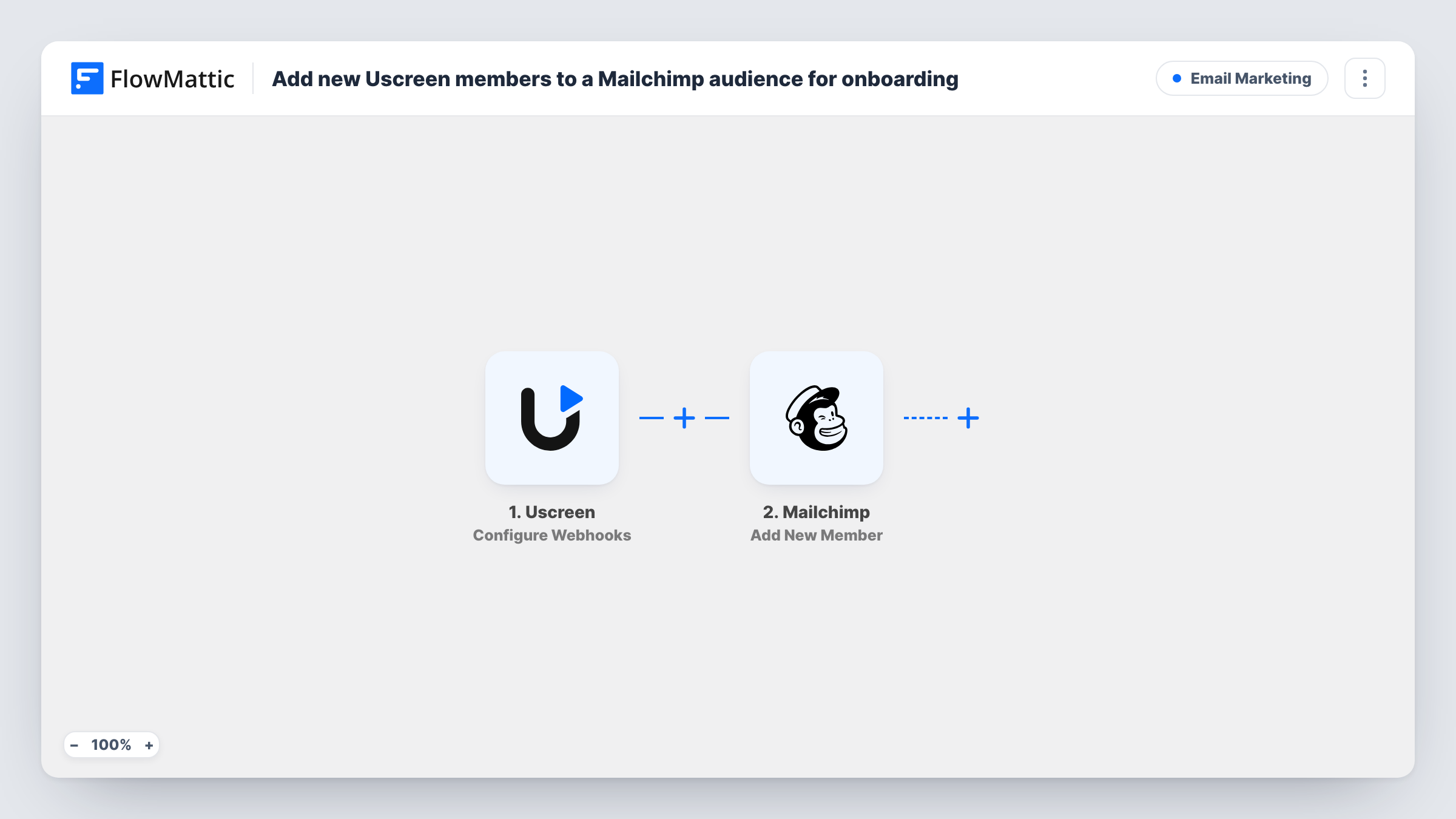
When Uscreen reports a new member through the webhook event you select, FlowMattic adds that person to your Mailchimp audience, or updates them if they are already on it, ready for your onboarding emails.
 Uscreen
 Mailchimp
2 steps Setup ~5 min Used on 526 sites Free to import
What this workflow does
People who join your Uscreen video membership need a welcome and a few pointers on where to start. If your onboarding emails live in Mailchimp, each new member has to reach your audience first. This workflow moves them there as Uscreen reports the sign-up.
The Uscreen trigger is Configure Webhooks, where you select the event type that starts the workflow. Pick the event for a new member or sign-up so that only joins come through. Uscreen then sends the member's data to FlowMattic, ready to map into the next step.
The Mailchimp step is Add New Member. FlowMattic describes it as adding a new member to the list, or updating them if they already exist, so a returning member is updated rather than added twice. Your onboarding emails can then start from Mailchimp's own automations for new audience members. Task History lists each run, with what Uscreen sent and Mailchimp's reply.
Fitness video membership welcome series
A yoga or workout channel on Uscreen sends every new member into a Mailchimp audience whose welcome emails point them to the beginner classes.
Course creator's onboarding sequence
An online teacher selling a Uscreen subscription adds each new member to Mailchimp, where emails explain how to find the course library and live sessions.
Church or community streaming site
A ministry streaming services through Uscreen keeps its Mailchimp audience in step with new members, so they receive the weekly newsletter.
How this workflow runs
What happens at each step once the workflow is on, and what you need before you import it.
 Uscreen Configure Webhooks
Receives events from Uscreen through the webhook you set up. Select the event type for new members here, so the workflow runs for sign-ups and not for other Uscreen activity.
- Mailchimp Add New Member
Adds the member to the Mailchimp audience you choose, or updates their details if the address is already there. Map the email from the Uscreen event, plus a name if you want one, and connect your Mailchimp account.
What you need
- FlowMatticCore
- Uscreen AccountAccount
- Mailchimp AccountAccount
After importing, map your own data. To keep the template universal, not every step is pre-filled. Open each step in the builder and connect your accounts and fields (channels, lists, sheets, recipients) before you switch the workflow on.
Make it yours
Changes worth making after you import it.
- Join as a test member in Uscreen after you set the event type, then check the captured fields in FlowMattic to find the email before you map it in Mailchimp.
- Add Mailchimp's Add Member Tag step after Add New Member if your onboarding automation starts from a tag rather than from joining the audience.
- Want a plain list of new members as well? Add a Google Sheets Add New Row step after the Mailchimp step and map the same Uscreen fields to its columns.
Questions about this workflow
Which Uscreen event should I choose for new members?
Choose the event type that Uscreen sends when someone joins or signs up. If you pick a broader event, every one of those events adds or updates a Mailchimp member, so a test run is the best way to confirm you have the right one.
What if the Uscreen member is already in my Mailchimp audience?
Add New Member adds a new member to the list, or updates them if they already exist. The person is not duplicated, and their details are refreshed from the Uscreen event.
Does this send the onboarding emails itself?
No. The workflow only puts the member into your Mailchimp audience. The welcome emails come from whatever automation or journey you have set up in Mailchimp for new members.
More Email Marketing workflows
Other ready-to-import templates from the same category.





Import this workflow into your WordPress site
Download the JSON, import it from the Workflows screen and connect your accounts. Every run stays on your server, with no per-task fees.
30-day money-back guarantee Unlimited workflows and runs Self-hosted