

Automate student onboarding with WhatsApp welcome messages and course materials
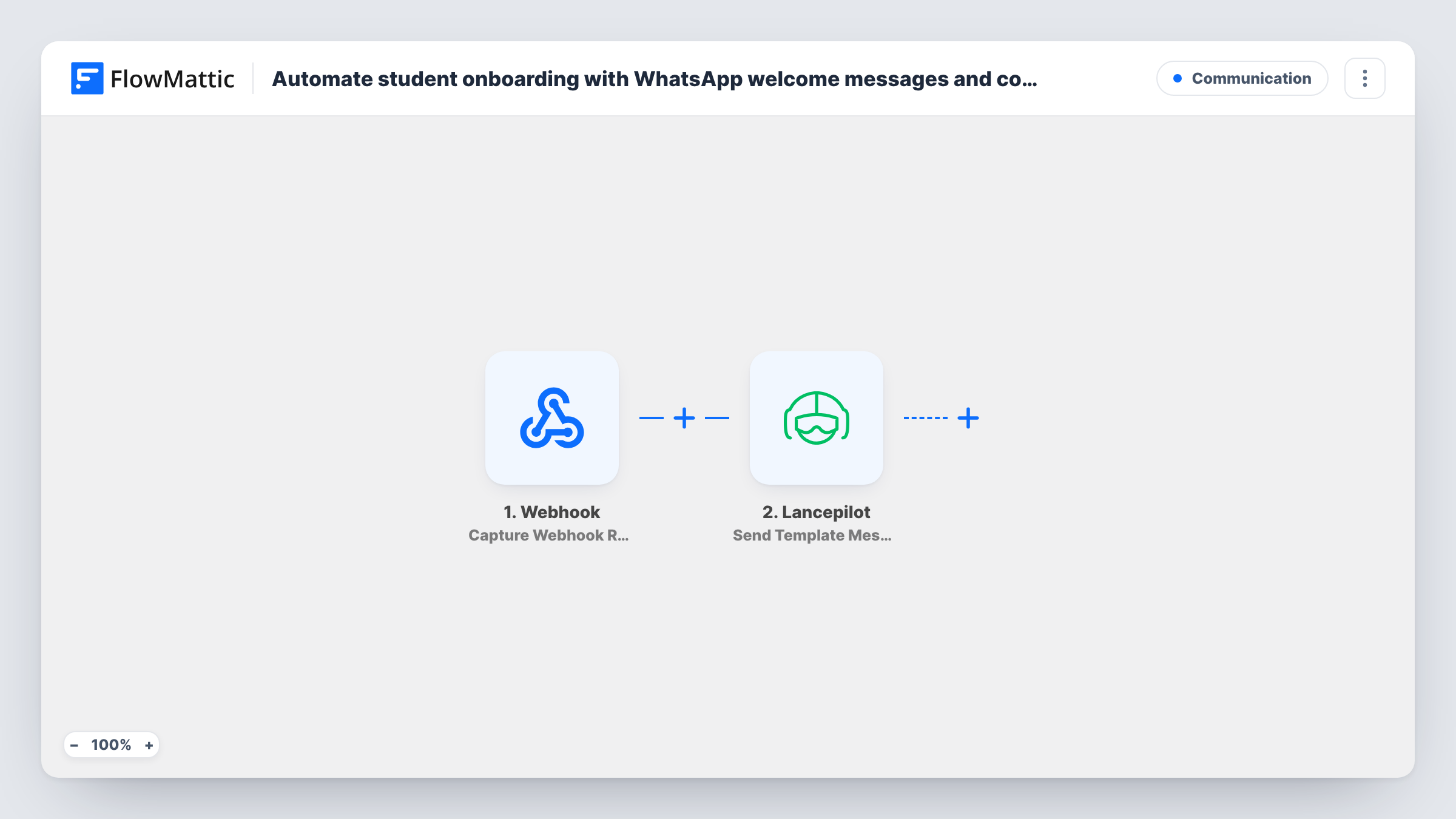
When your enrolment system posts a new student’s details to a FlowMattic webhook, this workflow sends them a WhatsApp template message through Lancepilot, with the welcome text and course material links your template holds.
 Webhook
 Lancepilot
2 steps Setup ~5 min Used on 2.0k sites Free to import
What this workflow does
New students need their joining details quickly, and an email with instructions can get lost in a crowded inbox. If your students already use WhatsApp, this workflow sends that first message as soon as your enrolment system reports the sign-up, with no one copying phone numbers by hand.
Step one is a Webhook trigger. FlowMattic gives you a URL, and whatever system handles enrolment, such as an LMS, a checkout or a form tool, must be set up to post the student's details to it. Every field in that request becomes data you can map. Step two uses Lancepilot Send Template Message, which sends a template message to a contact by WhatsApp number.
The course materials are whatever your Lancepilot template contains, for example links to the first lesson and a welcome pack. The workflow doesn't attach files or pick materials per course on its own. Each request that reaches the webhook sends one message, so make sure your system posts once per enrolment. Task History shows what each request carried and what Lancepilot returned.
Online coding bootcamp
When a student pays for a cohort, the checkout posts their number to the webhook and they get a WhatsApp welcome with the link to the course portal.
Language school intake
New learners enrol through a form tool that can send webhooks. Each one receives a WhatsApp message pointing to the placement test and timetable.
Corporate training roll-out
HR enrols staff in a compliance course, and the LMS webhook triggers a WhatsApp message with the course link and the deadline set in the template.
How this workflow runs
What happens at each step once the workflow is on, and what you need before you import it.
 Webhook Capture Webhook Response
Gives you a webhook URL and starts the workflow each time a request arrives there. Point your enrolment system at it and send a test so the student's name and phone number can be mapped.
- Lancepilot Send Template Message
Sends a WhatsApp template message through your Lancepilot account to the phone number you map from the webhook data. The template holds the welcome text and course material links.
What you need
- FlowMatticCore
- Lancepilot AccountAccount
After importing, map your own data. To keep the template universal, not every step is pre-filled. Open each step in the builder and connect your accounts and fields (channels, lists, sheets, recipients) before you switch the workflow on.
Make it yours
Changes worth making after you import it.
- Add a Router after the webhook with one route per course, each matching a distinct course name and using its own Lancepilot template, so students get the materials for the course they joined.
- Add a Filter that continues only when the phone field in the webhook data is not empty, so requests without a number don't reach Lancepilot.
- Add a Delay and a second Lancepilot step a day later with a check-in template, giving new students a follow-up after their welcome.
Questions about this workflow
Which LMS can send students to this WhatsApp onboarding workflow?
Any system that can post data to a webhook URL. If your LMS has its own trigger in FlowMattic, you can swap the Webhook step for that trigger instead.
How do the course materials reach the student?
Through the Lancepilot template you choose. Put the welcome text and the links to your materials in that template, and the message carries them.
What phone number format does Lancepilot need?
Send the WhatsApp number in the format Lancepilot expects, usually with the country code. Test with your own number before you point real enrolments at the webhook.
Will a student get two WhatsApp messages if the webhook fires twice?
Yes. Each request that reaches the webhook runs the workflow once, so a repeated request sends a repeated message.
More Communication workflows
Other ready-to-import templates from the same category.






Import this workflow into your WordPress site
Download the JSON, import it from the Workflows screen and connect your accounts. Every run stays on your server, with no per-task fees.
30-day money-back guarantee Unlimited workflows and runs Self-hosted