

Convert form submissions to speech and post audio files to Slack
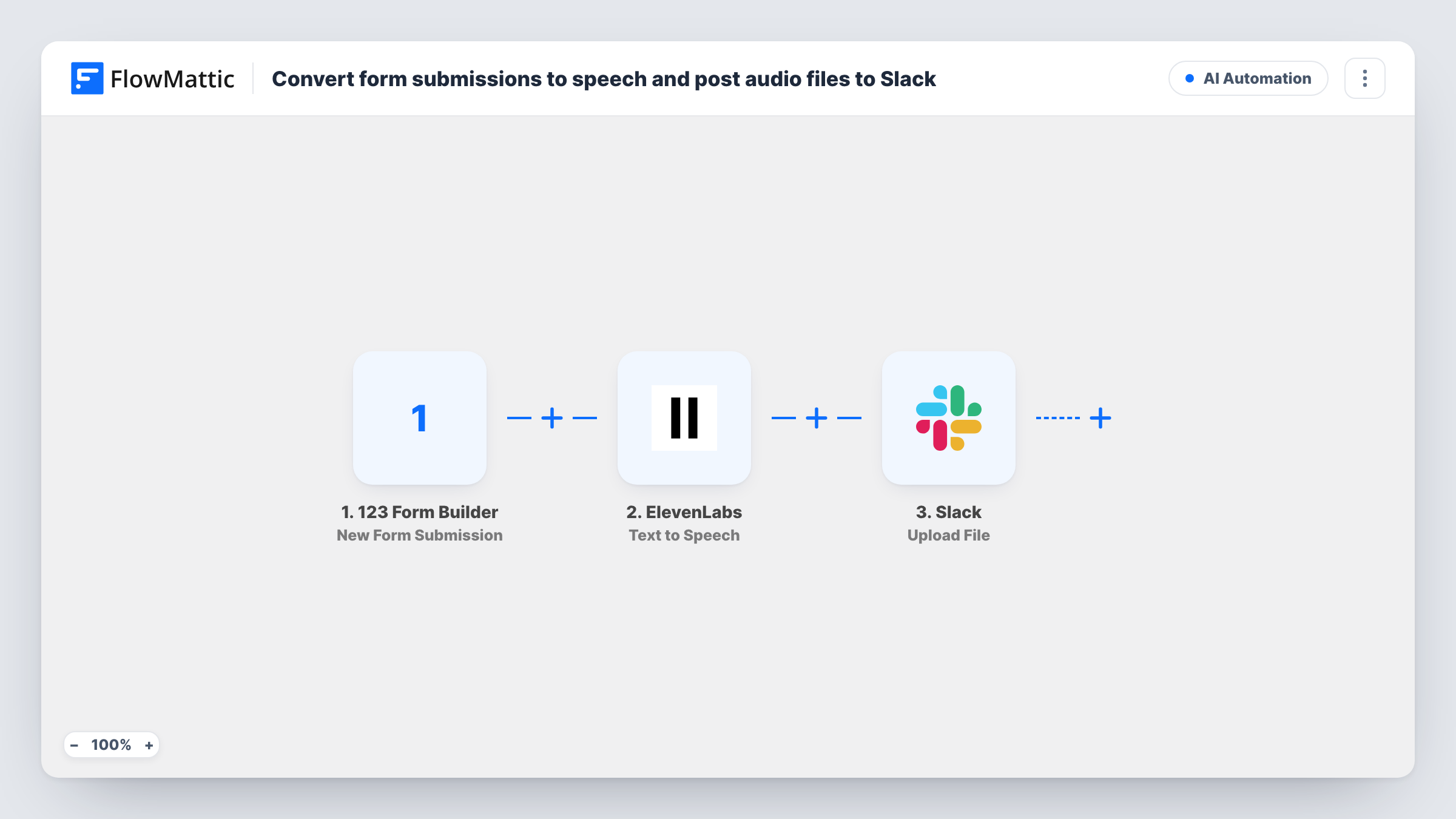
Each new 123 Form Builder submission is read aloud by an ElevenLabs voice, and FlowMattic uploads the resulting audio to your Slack workspace so your team can listen to the entry.
 123 Form Builder
 ElevenLabs
 Slack
Slack3 steps Setup ~5 min Used on 1.1k sites Free to import
What this workflow does
Some teams would rather listen than read. A field crew on the road, a host preparing a show, or someone checking entries between meetings can play a short clip when a screen full of text is awkward. This workflow turns each form entry into speech and puts the audio in Slack.
The 123 Form Builder trigger runs on each new form submission. You then choose the text for the ElevenLabs Text to Speech step, mapping in the answers you want spoken, and it converts that text with an ElevenLabs voice. The last step is the Slack app's Upload File action, which uploads a file to your Slack workspace; you map the audio the ElevenLabs step returned into it.
Every submission runs all three steps, so each entry produces one clip. Task History records each run with what each step returned, which helps when you first map the audio into Slack.
Listener messages for a podcast or radio show
Listeners send messages through a 123 Form Builder form. The host hears each one as a voice clip in Slack while planning the next episode.
Field team updates
Staff who spend the day driving can play new job requests from Slack on their phone instead of reading long form answers.
Accessibility for your team
A team member who prefers audio gets every new feedback entry as a spoken clip alongside the rest of the team's Slack work.
How this workflow runs
What happens at each step once the workflow is on, and what you need before you import it.
 123 Form Builder New Form Submission
Runs each time someone submits your 123 Form Builder form. The answers become data you can map into the text that ElevenLabs reads.
- ElevenLabs Text to Speech
Reads your mapped text aloud using a voice from ElevenLabs. Map the form answers into the text, connect your ElevenLabs account, and check a test run for what the step returns.
- Slack Upload File
Uploads a file to your Slack workspace. Map the audio from the ElevenLabs step as the file, connect Slack on import, and confirm with a test run where the upload appears.
What you need
- FlowMatticCore
- 123 Form Builder AccountAccount
- ElevenLabs AccountAccount
- Slack AccountAccount
After importing, map your own data. To keep the template universal, not every step is pre-filled. Open each step in the builder and connect your accounts and fields (channels, lists, sheets, recipients) before you switch the workflow on.
Make it yours
Changes worth making after you import it.
- Submit a test entry after import, then open Task History to see how ElevenLabs returns the audio before you map it into the Slack upload.
- Keep the spoken text short by mapping only the answers your team needs to hear, such as the name and message, rather than every field.
- Add a Filter after the trigger if only some entries need a voice clip, for example when a request type field equals Urgent.
Questions about this workflow
Which 123 Form Builder answers does ElevenLabs read out?
Only the ones you map into the Text to Speech step. You write the text and drop in any form answer, so you control what the clip says.
Do I need an ElevenLabs account for this Slack workflow?
Yes. The Text to Speech step runs through the ElevenLabs account you connect. FlowMattic sends it the text you mapped for each submission.
Will older 123 Form Builder entries be converted?
No. Only submissions made after you turn the workflow on start a run and reach Slack.
Can the audio go to one person in Slack instead of a channel?
Check the options the Upload File step offers after import. If it doesn't suit, keep the upload and add a Slack Send Direct Message step to notify that person.
More AI Automation workflows
Other ready-to-import templates from the same category.







Import this workflow into your WordPress site
Download the JSON, import it from the Workflows screen and connect your accounts. Every run stays on your server, with no per-task fees.
30-day money-back guarantee Unlimited workflows and runs Self-hosted