

Create a Bigin task when a new Stripe payment succeeds
When a Stripe charge succeeds, this workflow creates a task in Bigin by Zoho with the payment details you map in, so someone on your team follows up with every paying customer.
 Stripe
 Bigin by Zoho
2 steps Setup ~5 min Used on 1.3k sites Free to import
What this workflow does
A successful payment often means work for someone: send a thank-you, start onboarding, book a kickoff call. If that depends on someone checking Stripe, it gets missed on busy days. This workflow turns each successful charge into a task in the CRM your team already works from.
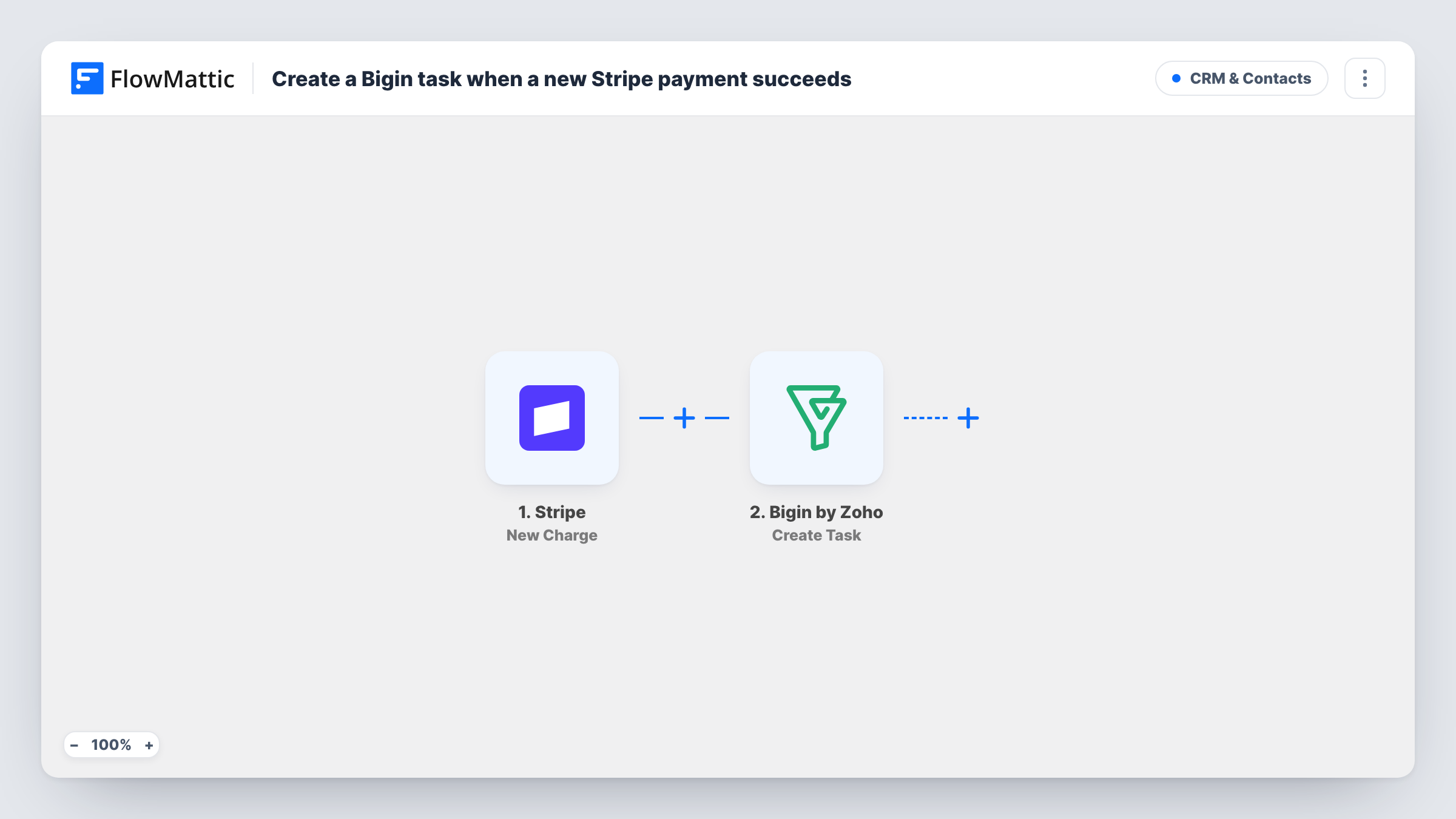
The Stripe trigger is New Charge, which fires whenever a new charge is created and is successful. The charge data, such as the amount, currency, description and billing email, can be mapped. FlowMattic then runs Create Task in Bigin by Zoho, which creates a task and can optionally link it to a contact or deal. You write the task subject and map in the charge details your team needs.
Every successful charge makes one task, including renewals and repeat purchases, because nothing filters them. Linking the task to a Bigin contact needs that contact's Bigin ID, which a Stripe charge does not carry, so as imported the task stands on its own.
Onboarding new clients
A consultant who takes deposits through Stripe gets a Bigin task for each payment, reminding them to send the welcome pack and book the first session.
Thank-you calls for larger orders
A sales team adds a Filter on the amount so only bigger Stripe charges create a Bigin task to call and thank the customer.
Manual fulfilment of services
An agency selling fixed-price audits through Stripe uses each Bigin task as the cue to start the work and assign it.
How this workflow runs
What happens at each step once the workflow is on, and what you need before you import it.
 Stripe New Charge
Fires whenever a new Stripe charge is created and succeeds. The charge's amount, description and customer details become available for the Bigin task.
- Bigin by Zoho Create Task
Creates a task in Bigin by Zoho for each successful charge. Write the task subject and map Stripe details, such as amount and billing email, into it.
What you need
- FlowMatticCore
- Stripe AccountAccount
- Bigin by Zoho AccountAccount
After importing, map your own data. To keep the template universal, not every step is pre-filled. Open each step in the builder and connect your accounts and fields (channels, lists, sheets, recipients) before you switch the workflow on.
Make it yours
Changes worth making after you import it.
- Add a Filter after the trigger on the charge amount so only larger payments create a Bigin task. Stripe sends amounts in the smallest currency unit, so 5000 means 50.00.
- Add Bigin's Search Records action before Create Task to find the contact by the charge's email, then use its ID to link the task to that contact.
- After the first charge comes through, open Task History to see the exact Stripe fields, then refine the task subject and details you mapped.
Questions about this workflow
Does every Stripe payment create a Bigin task?
Every successful charge does, including repeat and subscription charges. Failed charges do not fire the New Charge trigger.
Is the Bigin task linked to the paying customer's contact?
Not as imported. Linking needs the Bigin contact ID, and a Stripe charge does not include it. Add a Bigin Search Records step to look the contact up first.
Who is the Bigin task assigned to?
That depends on how you set up the Create Task step. Run a test after import to see which options the step shows and who the task goes to.
Are past Stripe charges turned into tasks?
No. Only charges that succeed after the workflow is switched on create tasks.
More CRM & Contacts workflows
Other ready-to-import templates from the same category.







Import this workflow into your WordPress site
Download the JSON, import it from the Workflows screen and connect your accounts. Every run stays on your server, with no per-task fees.
30-day money-back guarantee Unlimited workflows and runs Self-hosted