

When a new Sarv lead arrives, create a Zoho CRM lead and notify sales on Telegram
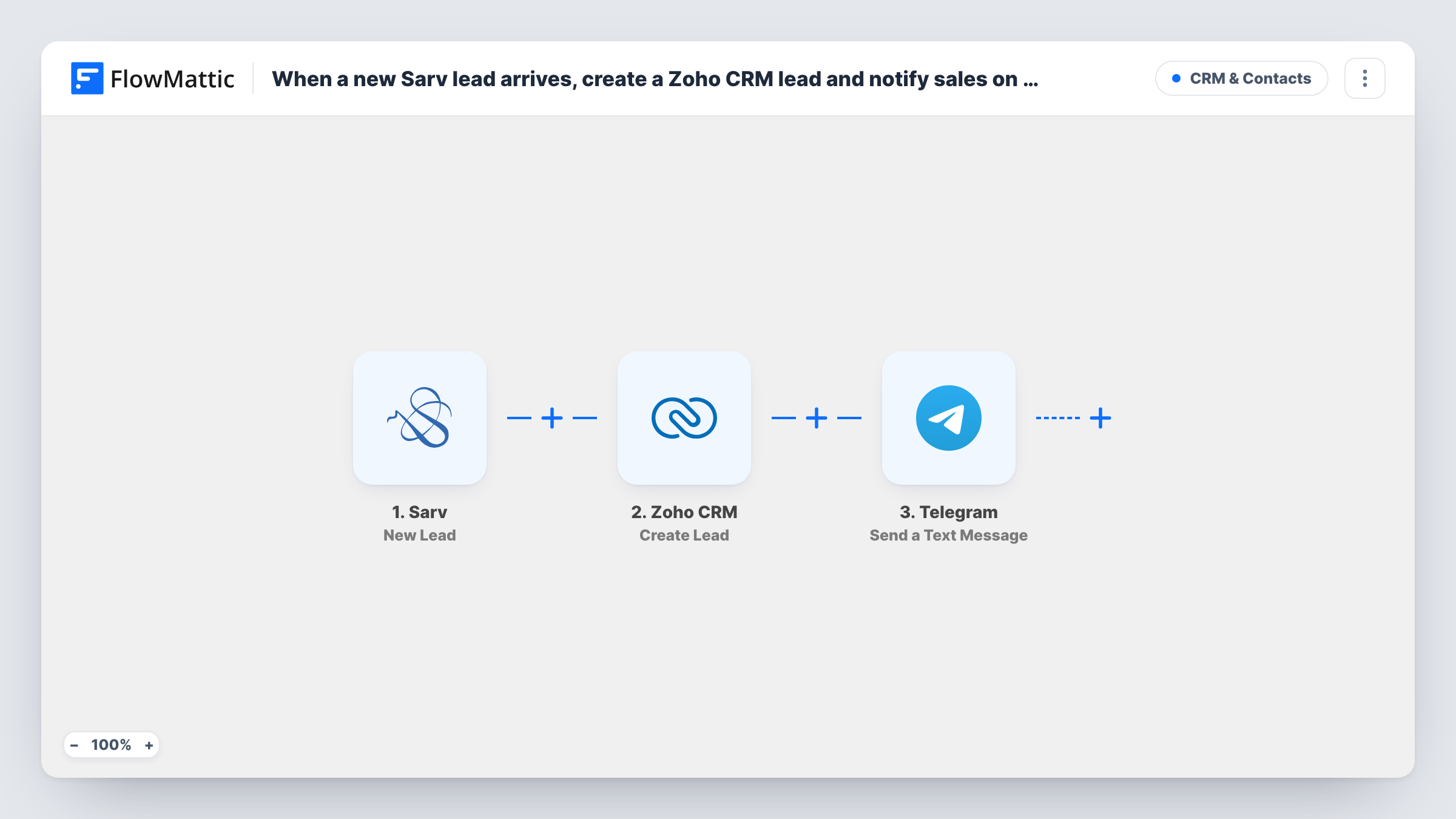
When Sarv captures a new lead, this workflow creates a lead in Zoho CRM and then posts a Telegram message to your sales chat, so the prospect is on record and the team hears about it in one run.
 Sarv
 Zoho CRM
 Telegram
3 steps Setup ~5 min Used on 1.1k sites Free to import
What this workflow does
Sarv captures leads from your cloud telephony setup, but the sales team works out of Zoho CRM and talks in Telegram. Copying each caller into the CRM and then telling the team is two manual jobs that tend to slip on busy days. This workflow does both in order whenever a lead comes in.
Each time Sarv captures a new lead, the Sarv trigger starts a run. FlowMattic hands the lead's details to Zoho CRM, which creates a new lead record from the Sarv fields you map into it. The last step sends a text message through your Telegram bot to the chat you choose.
The Telegram message can include data from both earlier steps, so you can put Sarv's lead details next to whatever Zoho CRM returns about the new record. Every lead runs all three steps, and Task History keeps a log of each run with the data that moved through it.
Inbound call leads for a sales desk
A caller leaves their details through your Sarv number. The lead appears in Zoho CRM and the sales group on Telegram gets the name and number to call back.
Campaign tracking numbers
You run several ad campaigns that feed Sarv. Include the lead details Sarv sends in the Telegram alert so the team sees each new prospect as it arrives.
Small team without a CRM habit
Your reps live in Telegram. The alert reaches them there, while Zoho CRM quietly builds the record your manager reviews later.
How this workflow runs
What happens at each step once the workflow is on, and what you need before you import it.
 Sarv New Lead
Starts the workflow whenever a new lead is captured in Sarv. Whatever details Sarv sends for that lead become data you can map into the next two steps.
- Zoho CRM Create Lead
Creates a new lead in Zoho CRM from the Sarv data. Map the Sarv details into the lead, then send a test lead to confirm each value lands where you expect. Connect your Zoho CRM account on import.
- Telegram Send a Text Message
Sends a text message through your Telegram bot to the chat you pick. Write the message with fields from the Sarv lead and from the Zoho CRM step's response.
What you need
- FlowMatticCore
- Sarv AccountAccount
- Zoho CRM AccountAccount
- Telegram AccountAccount
After importing, map your own data. To keep the template universal, not every step is pre-filled. Open each step in the builder and connect your accounts and fields (channels, lists, sheets, recipients) before you switch the workflow on.
Make it yours
Changes worth making after you import it.
- If only some leads should reach the CRM, for example those with a phone number, put a Filter between the Sarv trigger and the Zoho CRM step. Leads it stops get neither a CRM record nor a Telegram alert.
- Use Telegram markup in the message to bold the caller's name and number so they stand out in a busy group chat.
- Want a call-back reminder too? Add a Delay after the Telegram step and a second Telegram message, so the team gets a nudge an hour later.
Questions about this workflow
Which Telegram chat receives the alert?
The chat you set in the Telegram step. Add your bot to the sales group first, then point the Telegram step at that group after import.
Does it check Zoho CRM for an existing lead first?
No. Every new Sarv lead creates a new Zoho CRM lead, so a caller who reaches you twice can end up with two records. If that matters, swap Create Lead for the Find or Create Lead action in FlowMattic's Zoho CRM integration.
What does the Telegram alert about a Sarv lead say?
Whatever you write. The Send a Text Message step ships without text, so after import you add the wording and map in the Sarv lead details, plus anything from the Zoho CRM step's response that the team should see.
Do I need a Telegram bot for the Sarv lead alerts?
Yes. FlowMattic sends the message through a Telegram bot that you connect when importing, and the bot must be a member of the chat you send to.
More CRM & Contacts workflows
Other ready-to-import templates from the same category.






Import this workflow into your WordPress site
Download the JSON, import it from the Workflows screen and connect your accounts. Every run stays on your server, with no per-task fees.
30-day money-back guarantee Unlimited workflows and runs Self-hosted