

Create a ClickUp task from a new DailyBot form response
Each time someone answers a DailyBot form, this workflow creates a new task in ClickUp built from their answers, so requests and reports collected in chat land on your team’s task list.
 DailyBot
 ClickUp
2 steps Setup ~5 min Used on 2.0k sites Productivity Free to import
What this workflow does
DailyBot forms collect answers right inside your team chat: bug reports, time-off requests, ideas, IT questions. The answers are only useful once someone acts on them, and that work usually lives in ClickUp. This workflow turns every form response into a ClickUp task, so nothing waits for someone to copy it across.
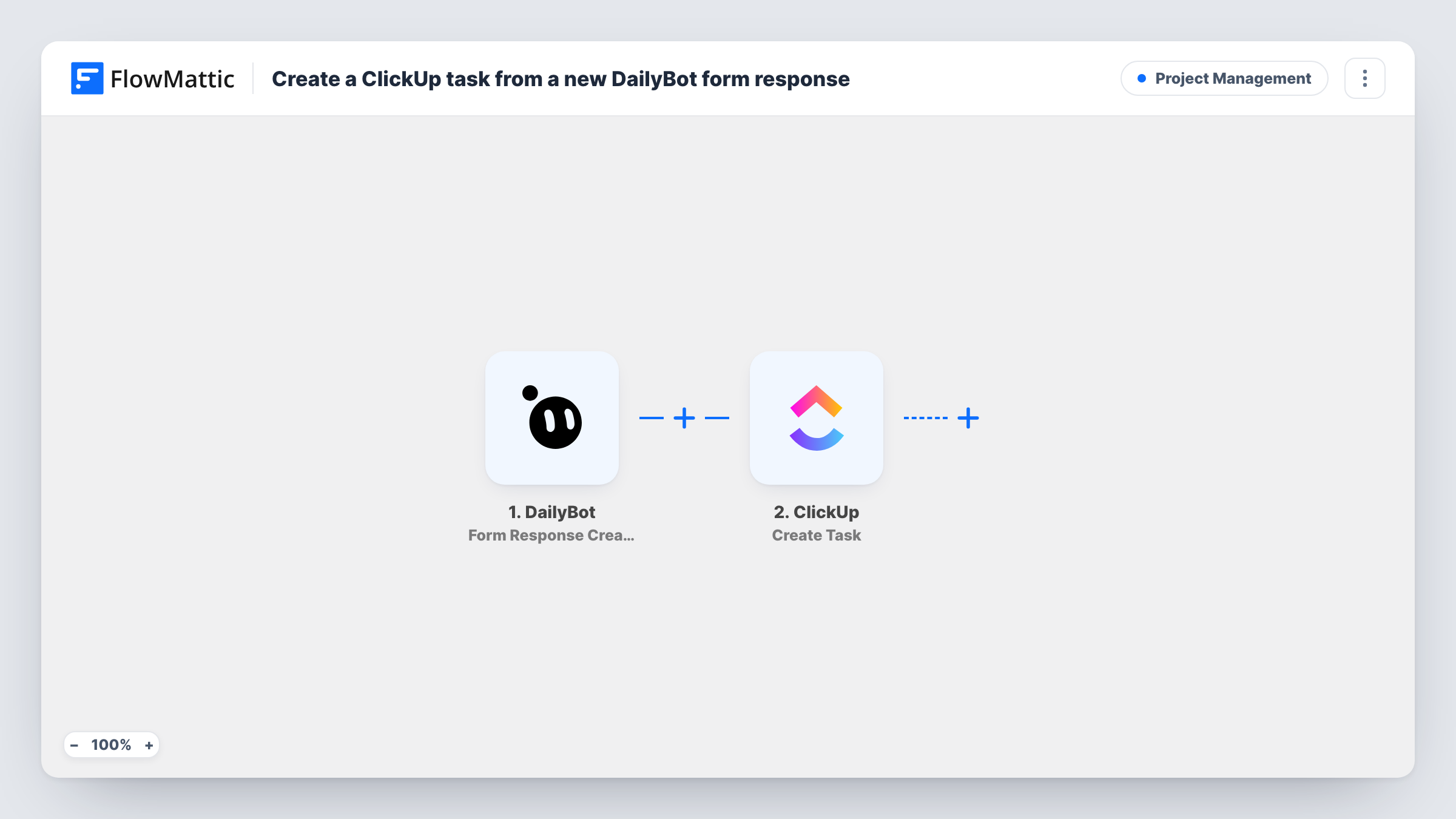
The DailyBot trigger, Form Response Created, fires when a form response is created. FlowMattic passes the answers to ClickUp, where Create Task adds a new task. You map the answers into the task after import, for example a short answer as the task name and the longer ones as its description.
The trigger watches form responses, not standup check-ins, which DailyBot reports through separate triggers. There is no Filter, so every response to every form your DailyBot account sends here becomes a task. If you only want one form's answers, add a Filter after the trigger.
Bug reports from the whole company
Staff report problems through a DailyBot form in chat. Each report becomes a ClickUp task in your engineering list, ready to triage.
Content and design requests
Marketing collects requests with a DailyBot form, and each one appears as a ClickUp task the creative team can assign and schedule.
IT and equipment requests
A new laptop or access request answered in DailyBot turns into a ClickUp task for your IT or operations person.
How this workflow runs
What happens at each step once the workflow is on, and what you need before you import it.
 DailyBot Form Response Created
Fires when a DailyBot form response is created. The respondent's answers are passed to the ClickUp step so you can map them into the task.
- ClickUp Create Task
Creates a new task in ClickUp from the form response. Connect your ClickUp account, choose where the task goes, and map the answers into it. Check the result with a test response.
What you need
- FlowMatticCore
- DailyBot AccountAccount
- ClickUp AccountAccount
After importing, map your own data. To keep the template universal, not every step is pre-filled. Open each step in the builder and connect your accounts and fields (channels, lists, sheets, recipients) before you switch the workflow on.
Make it yours
Changes worth making after you import it.
- Add a Filter right after the trigger that continues only for the form you care about, so responses to other DailyBot forms don't create tasks.
- Put the respondent's name into the task description so whoever picks up the task knows who to ask for details.
- Need a different list per request type? Replace the single ClickUp step with a Router whose routes check a form answer with distinct values, each with its own Create Task step.
- Answer a test DailyBot form after import so FlowMattic captures the response data before you map the ClickUp fields.
Questions about this workflow
Do DailyBot standup check-ins create ClickUp tasks too?
No. This workflow uses Form Response Created, which covers form responses. Check-in responses come through DailyBot's own check-in triggers, which you could use in a separate workflow.
What happens when someone edits a DailyBot form response?
Nothing in this workflow. It fires when a response is created, so an edit does not create a second ClickUp task or change the first one.
Can every DailyBot form feed a different ClickUp list?
Not as imported. One Create Task step sends every response to the same place. Use a Router with one route per form, or build one workflow per form with a Filter.
Will older DailyBot responses become tasks?
No. Only responses created after the workflow is switched on start a run.
More Project Management workflows
Other ready-to-import templates from the same category.



Import this workflow into your WordPress site
Download the JSON, import it from the Workflows screen and connect your accounts. Every run stays on your server, with no per-task fees.
30-day money-back guarantee Unlimited workflows and runs Self-hosted