

Create a ClickUp task to review each new Conversus.pro application
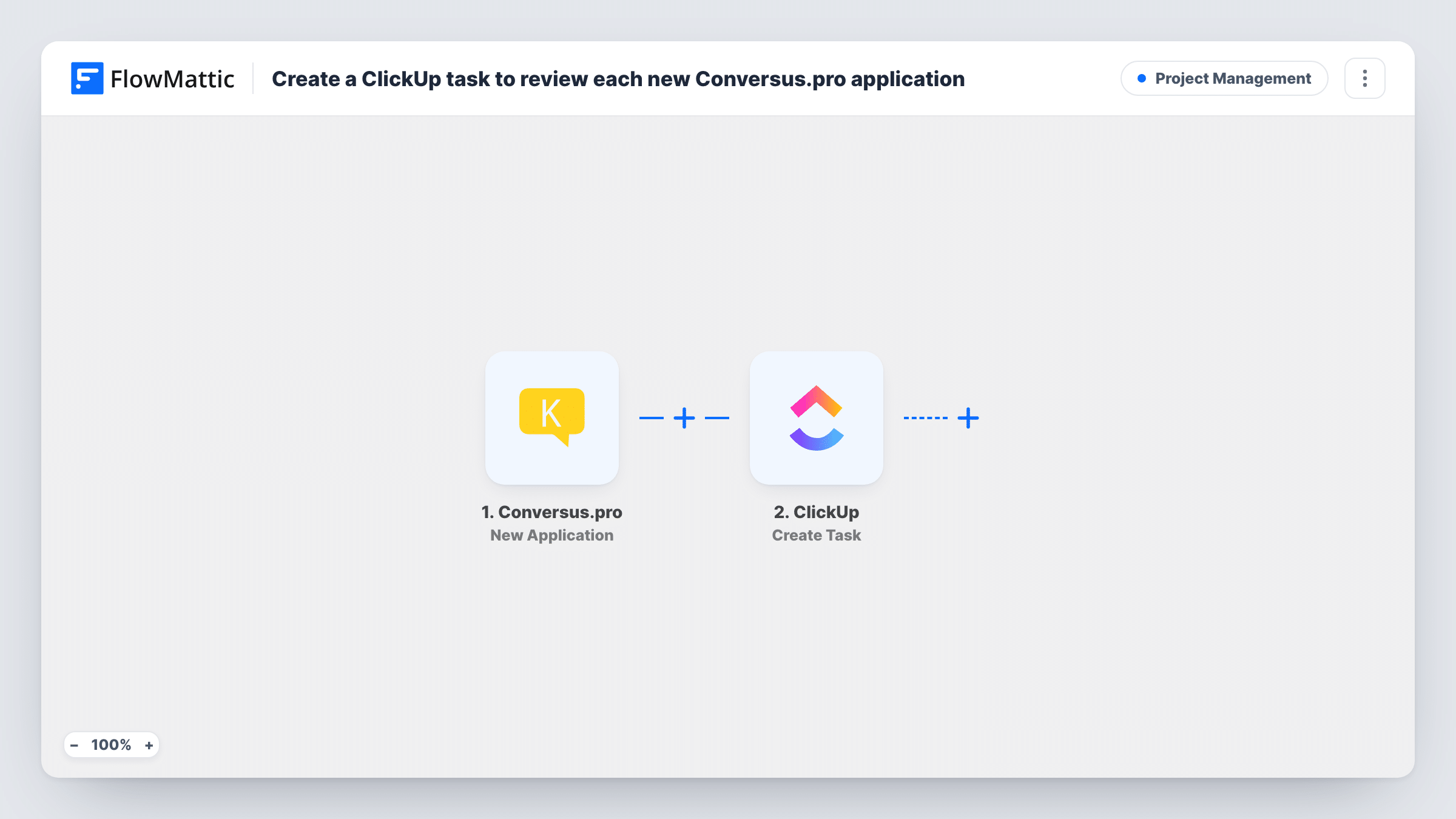
Each time Conversus.pro sends a new job application to FlowMattic, this workflow creates a ClickUp task for it, so every applicant shows up on your hiring board as something to review.
 Conversus.pro
 ClickUp
2 steps Setup ~5 min Used on 1.4k sites Productivity Free to import
What this workflow does
Applications that arrive in one tool while the hiring team plans its week in another tend to get reviewed late, or not at all. Turning each application into a ClickUp task puts it on the same board as the rest of your work.
The Conversus.pro trigger, New Application, fires when Conversus.pro sends data about a new application to the workflow's URL. FlowMattic passes the applicant data on to ClickUp, where Create Task adds a task to the list you choose. You map the applicant's details into the task, so the reviewer sees who applied without switching apps.
Every application creates a task. There is no check for duplicates, so someone who applies twice appears twice. Task History shows each run and what was sent to ClickUp, which is handy the first time you check your mapping.
Screening queue for a recruiter
Each candidate lands in a Screening list in ClickUp, and the recruiter works through the tasks in order, moving each to Interview or Declined.
Shared review for a hiring panel
A team lead and two interviewers follow the same ClickUp list, so everyone sees new applicants and can comment on the task.
Seasonal hiring for a shop or venue
During a busy hiring period, every application becomes a task, giving the manager a single place to track how many people are still waiting for a reply.
How this workflow runs
What happens at each step once the workflow is on, and what you need before you import it.
 Conversus.pro New Application
Fires when Conversus.pro sends data about a new application to this workflow's URL. Submit a test application after import so FlowMattic captures the fields you can map.
- ClickUp Create Task
Creates a task in the ClickUp list you pick. Connect your ClickUp account, then map the applicant details captured by the trigger into the task.
What you need
- FlowMatticCore
- Conversus.pro AccountAccount
- ClickUp AccountAccount
After importing, map your own data. To keep the template universal, not every step is pre-filled. Open each step in the builder and connect your accounts and fields (channels, lists, sheets, recipients) before you switch the workflow on.
Make it yours
Changes worth making after you import it.
- Put the job title or role in the task name along with the applicant's name, so a list holding several openings is still easy to scan.
- If you hire for several roles, add a Router after the trigger with one route per role, each creating the task in that role's ClickUp list. Give each route a condition on a distinct role value.
- Add a ClickUp Create Checklist step after the task so each applicant gets the same review checklist, such as CV read, call booked and decision sent.
Questions about this workflow
How does Conversus.pro reach this workflow?
The New Application trigger receives data that Conversus.pro sends to the workflow's URL. Set Conversus.pro to send new applications to that address, then submit a test application to check that it arrives.
What happens if the same person applies twice?
You get two ClickUp tasks. The workflow does not look for an existing task before creating one, so duplicates are possible.
Can the ClickUp task be assigned to a recruiter automatically?
You can set the task's details when you configure the Create Task step. Run a test to see which options the step offers, then fill in the ones you need.
Are applications received before import turned into tasks?
No. Only applications that Conversus.pro sends after the workflow is on reach ClickUp.
More Project Management workflows
Other ready-to-import templates from the same category.





Import this workflow into your WordPress site
Download the JSON, import it from the Workflows screen and connect your accounts. Every run stays on your server, with no per-task fees.
30-day money-back guarantee Unlimited workflows and runs Self-hosted