

Create a ClickUp task when an admin adds a new time entry
When an admin adds a time entry in Connecteam on someone’s behalf, this workflow creates a ClickUp task from it, so manual changes to the timesheet get a follow-up item your team can review.
 Connecteam
 ClickUp
2 steps Setup ~5 min Used on 462 sites Productivity Free to import
What this workflow does
Time entries that an admin types in by hand are different from normal clock-ins. Someone forgot to clock out, a shift was missed in the app, or hours were corrected after the fact. Those changes are easy to lose in a busy timesheet, and payroll or a manager may want to check them. This workflow turns each one into a task you can track.
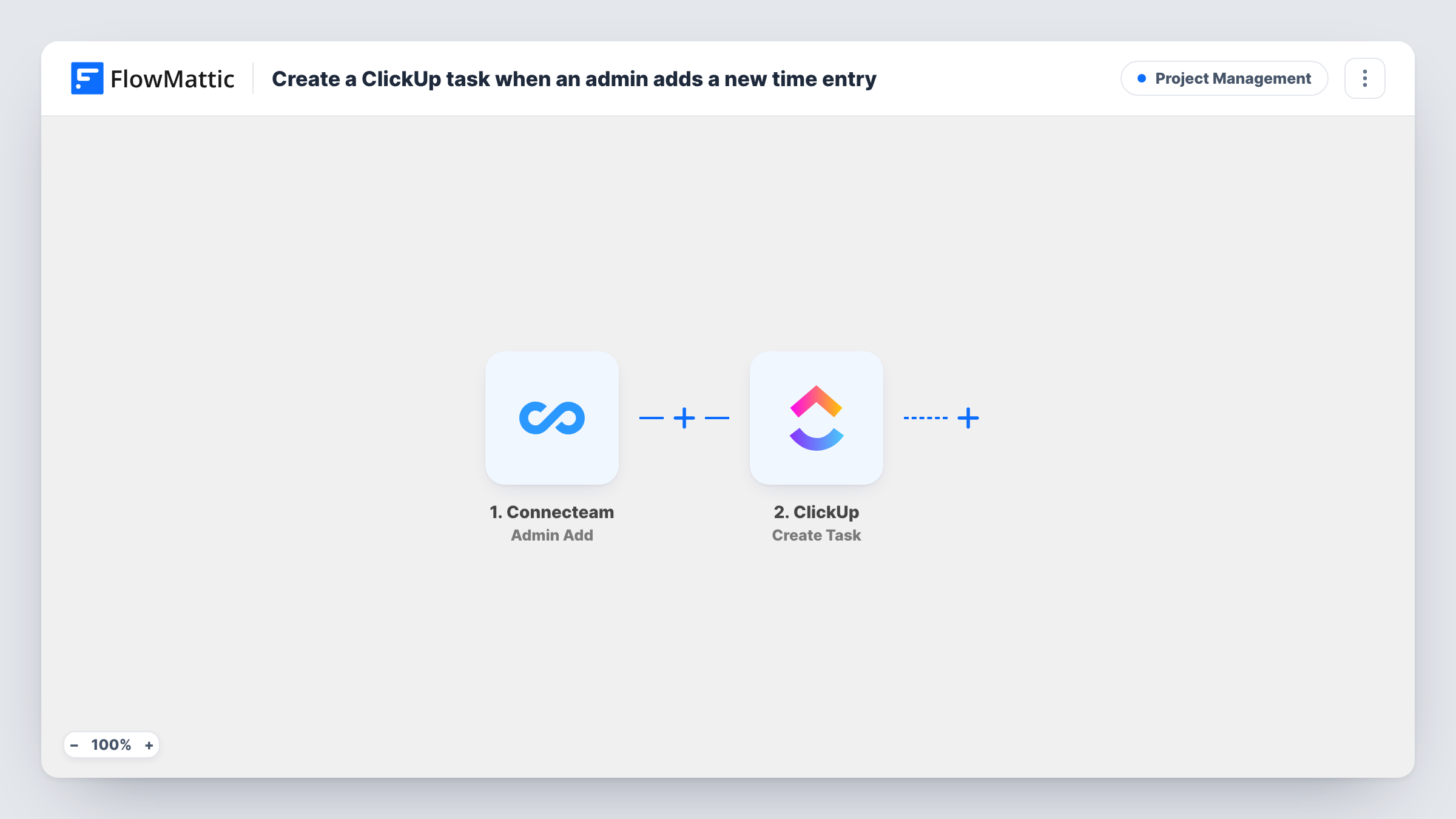
The Connecteam trigger fires when an admin adds a new time activity. FlowMattic receives the details Connecteam sends about that entry and passes them to ClickUp, where the Create Task action makes a new task. You decide which entry details go into the task, so the reviewer can see whose hours changed without opening Connecteam.
Every admin-added entry creates its own task, because the template has no condition in between. Clock-ins and admin edits to existing entries are separate Connecteam triggers in FlowMattic, so they don't start this workflow. Each run appears in Task History with the data that came in and what ClickUp returned.
Payroll check before the pay run
Your payroll lead works through a ClickUp list of tasks, one for each hand-added entry, and confirms the hours before the timesheet is exported.
Audit trail for manual time changes
A company that must show who changed hours keeps each admin-added Connecteam entry as a ClickUp task, with comments added as it is checked.
Spotting missed clock-ins by site
Area managers see the tasks pile up for a location where staff often forget to clock in, and raise it with the team lead.
How this workflow runs
What happens at each step once the workflow is on, and what you need before you import it.
 Connecteam Admin Add
Runs when an admin adds a new time activity in Connecteam. The entry data Connecteam sends becomes available to map into the ClickUp task.
- ClickUp Create Task
Creates a new task in ClickUp for that time entry. Connect your ClickUp account, then map the Connecteam entry details into the task. A test run shows which options the step offers.
What you need
- FlowMatticCore
- Connecteam AccountAccount
- ClickUp AccountAccount
After importing, map your own data. To keep the template universal, not every step is pre-filled. Open each step in the builder and connect your accounts and fields (channels, lists, sheets, recipients) before you switch the workflow on.
Make it yours
Changes worth making after you import it.
- Map the employee name and the entry date into the task, if Connecteam sends them, so each ClickUp task is easy to tell apart.
- Add a Filter after the trigger if you only want tasks for certain entries, for example ones where a field from the Connecteam data matches a value you choose.
- Have an admin add one test time entry after import, then map the captured Connecteam fields in the ClickUp step before you turn the workflow on.
Questions about this workflow
Does this create ClickUp tasks for every Connecteam clock-in?
No. The trigger is Admin Add, which fires when an admin adds a new time activity. Clock-ins and admin edits have their own Connecteam triggers in FlowMattic, which this template does not use.
Do I need accounts for both Connecteam and ClickUp?
Yes. You connect a Connecteam account for the trigger and a ClickUp account for the task step when you import the workflow.
Will time entries added before I import it become ClickUp tasks?
No. Only admin-added entries made after the workflow is turned on reach ClickUp.
Does the workflow change anything in Connecteam?
No. The workflow takes the entry data from the trigger and writes only to ClickUp. The time activity stays in Connecteam as the admin entered it.
More Project Management workflows
Other ready-to-import templates from the same category.



Import this workflow into your WordPress site
Download the JSON, import it from the Workflows screen and connect your accounts. Every run stays on your server, with no per-task fees.
30-day money-back guarantee Unlimited workflows and runs Self-hosted