

When a PageProof proof is archived, update the Monday.com item and post a Slack note
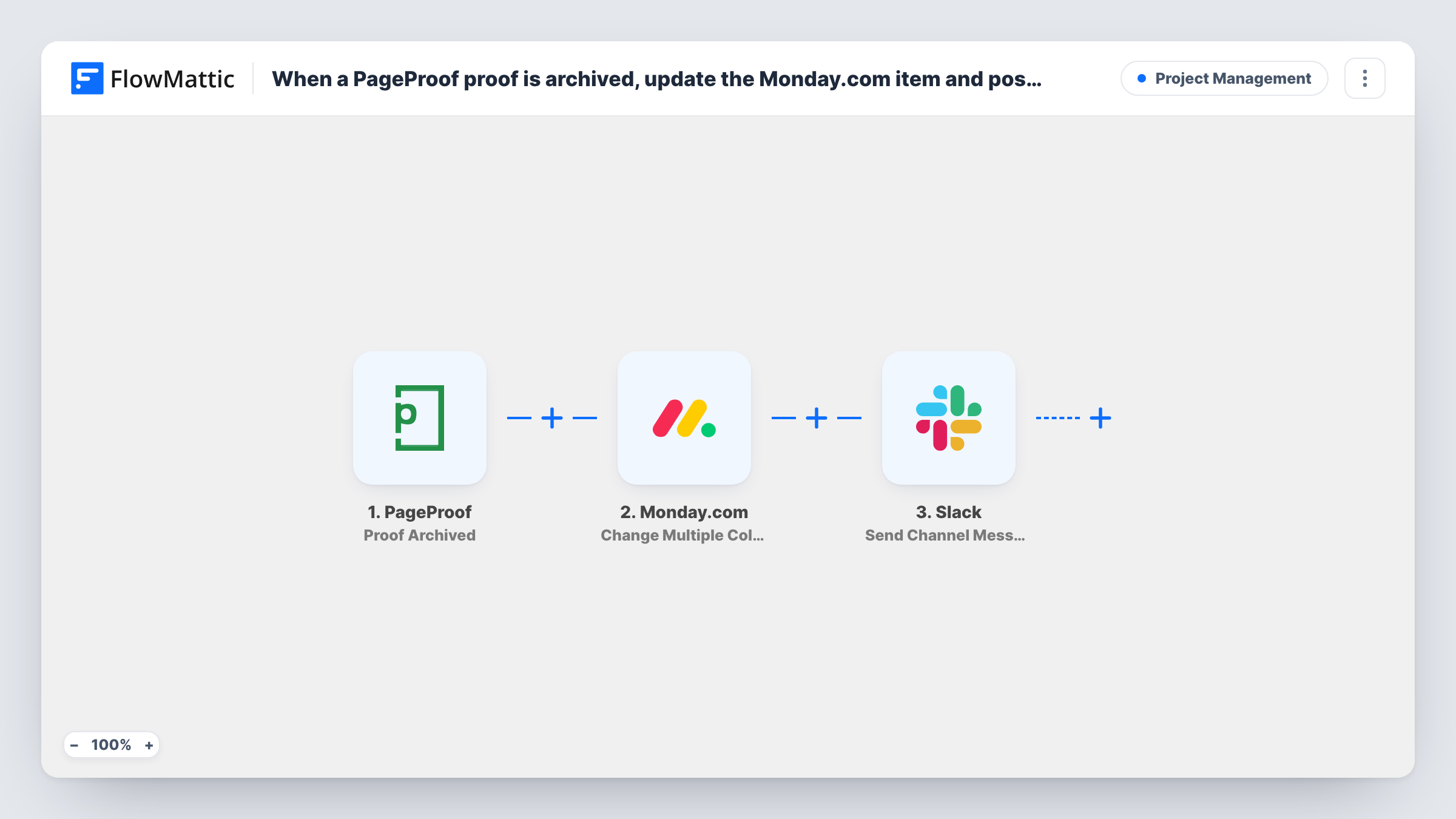
When a proof is archived in PageProof, FlowMattic finds the matching Monday.com item by a column value, updates several of its columns and posts a message to a Slack channel.
 PageProof
 Monday.com
 Slack
Slack4 steps Setup ~8 min Used on 1.1k sites Productivity Free to import
What this workflow does
Archiving a proof in PageProof usually means the review is over. If your project board still shows the job as in review, the team works from stale information. This workflow carries the archive event across to Monday.com and tells the team in Slack.
A run begins when a proof is archived. The first Monday.com step, Get Item by Column Value, searches a board column for a value you map from the proof, such as its name or ID. That only works if your board keeps that value in a column of its own, so set that up before import. The second Monday.com step, Change Multiple Columns Value, then changes several columns of the item the search found, for example setting a status to Archived and filling in a date.
Finally, Send Channel Message posts to the Slack channel you pick, with whatever text and proof details you write in. All three action steps ship unmapped, so after import you choose the board, the search column, the columns to change, the channel and the message.
Archive a test proof whose value is on your board and check Task History to confirm the search found the right item and the update went through.
Agency job board kept current
A design agency tracks each client job as a Monday.com item named after the proof; archiving the proof moves the item's status to Archived and tells the account team in Slack.
Print production hand-off
A print shop archives proofs once artwork is final, and the Monday.com item gets an archive date while the production channel hears it's ready.
Marketing review log
A marketing team stores the PageProof ID in a board column, so every archived campaign proof updates its item and posts a short note to the campaign channel.
How this workflow runs
What happens at each step once the workflow is on, and what you need before you import it.
 PageProof Proof Archived
Starts the workflow when a proof is archived in PageProof. The proof's details are passed on so you can search Monday.com with them and quote them in Slack.
- Monday.com Get Item by Column Value
Searches a Monday.com board column for a value from the proof. The step ships unmapped: pick the board and the column that holds the proof name or ID, and map that value from the trigger.
- Monday.com Change Multiple Columns Value
Changes several column values on the item found in the previous step. Map the item from the search result, then choose the columns to set, such as a status or date column, and their new values.
- Slack Send Channel Message
Sends a note about the archived proof to one Slack channel of your choice. Nothing is written in the template, so add your own text and map details such as the proof name from the trigger.
What you need
- FlowMatticCore
- PageProof AccountAccount
- Monday.com AccountAccount
- Slack AccountAccount
After importing, map your own data. To keep the template universal, not every step is pre-filled. Open each step in the builder and connect your accounts and fields (channels, lists, sheets, recipients) before you switch the workflow on.
Make it yours
Changes worth making after you import it.
- Add a column to your Monday.com board for the PageProof proof ID, because names can repeat while IDs don't, and search on that column in Get Item by Column Value.
- For a private Slack channel, swap Send Channel Message for Slack's Send Private Channel Message action; to tell one person, use Send Direct Message instead.
- Build a matching workflow on PageProof's Proof Unarchived trigger that sets the Monday.com status back, so reopened proofs show as active again.
- Map the Monday.com item's name from the search step into the Slack text so teammates know which job closed; a test run shows the fields the search returns.
Questions about this workflow
How does the workflow know which Monday.com item belongs to the PageProof proof?
It searches one column of your board for a value from the proof. Your board must hold that value, such as the proof name or ID, in a column; otherwise there's nothing to match.
Which Monday.com columns get changed?
The ones you set in Change Multiple Columns Value after import. The template leaves them empty, so you pick each column and the value it should take when a proof is archived.
What if no board item matches the archived proof?
Then the search has no item to return for the update. Task History shows what Get Item by Column Value returned, so check it with a test proof before going live.
Does it fire for deleted PageProof proofs too?
No. It fires on Proof Archived only. FlowMattic's PageProof integration has a separate Proof Deleted trigger if you want a workflow for that.
More Project Management workflows
Other ready-to-import templates from the same category.




Import this workflow into your WordPress site
Download the JSON, import it from the Workflows screen and connect your accounts. Every run stays on your server, with no per-task fees.
30-day money-back guarantee Unlimited workflows and runs Self-hosted