

Create monday.com items for new Ninja Forms submissions
Every time a visitor submits a Ninja Forms form on your WordPress site, this workflow creates an item on the monday.com board you pick, so requests go straight into the place your team plans its work.
 Ninja Forms
 Monday.com
2 steps Setup ~5 min Used on 2.1k sites Productivity Free to import
What this workflow does
Forms bring in requests, and boards are where teams decide who handles them. When the two are separate, someone has to read each entry and copy it onto the board, and entries wait until they do. This workflow puts each Ninja Forms submission on your monday.com board as soon as it is sent.
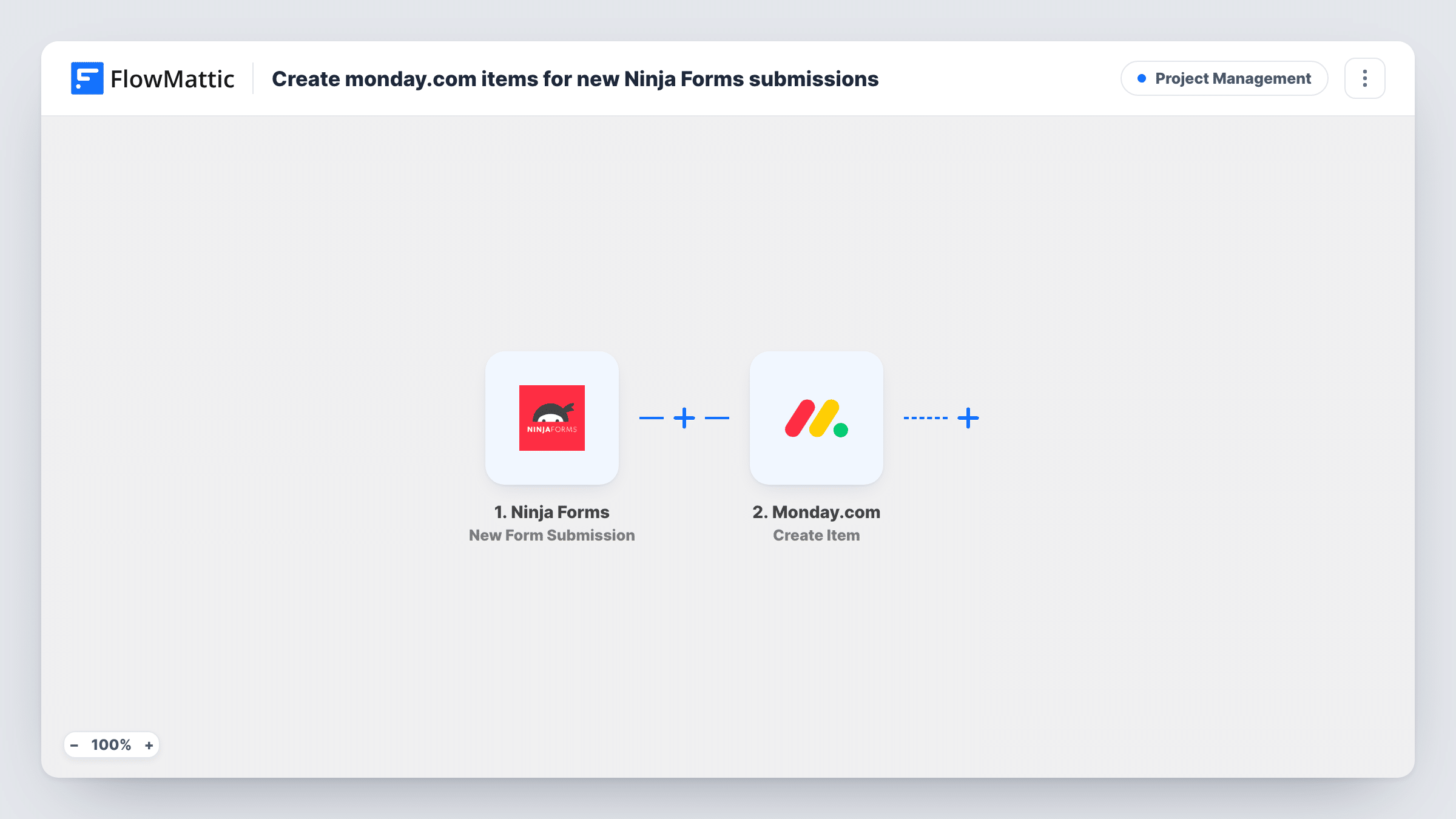
The Ninja Forms trigger runs on each new form submission. FlowMattic takes the submitted answers and passes them to Monday.com, where the Create Item action adds a new item to a board. You choose the board during setup and map form answers into the item, so the item name tells your team what the request is about.
Ninja Forms keeps handling the entry as it always does, including any emails you set up in the form. The workflow only reads the submission and adds the item. Every submission creates its own item, and Task History lists each run with the data sent to monday.com.
Website job requests for a design studio
Clients fill in a Ninja Forms brief on your site. Each brief appears as an item on the studio's intake board, where the lead assigns a designer.
IT help requests from staff
An intranet form built with Ninja Forms collects problem reports, and each one lands on the IT team's monday.com board for triage.
Content ideas from contributors
Writers pitch articles through a Ninja Forms form. Every pitch becomes a board item the editor can move through review and scheduling.
How this workflow runs
What happens at each step once the workflow is on, and what you need before you import it.
 Ninja Forms New Form Submission
Runs whenever someone submits a Ninja Forms form on your WordPress site. The answers from that submission are passed on for mapping.
- Monday.com Create Item
Adds an item to the monday.com board you select, built from the mapped Ninja Forms answers. Connect your monday.com account when you import the workflow.
What you need
- FlowMatticCore
- Ninja Forms PluginPlugin
- Monday.com AccountAccount
After importing, map your own data. To keep the template universal, not every step is pre-filled. Open each step in the builder and connect your accounts and fields (channels, lists, sheets, recipients) before you switch the workflow on.
Make it yours
Changes worth making after you import it.
- Use the visitor's name or the request subject from the form as the item name, so the board reads well at a glance.
- If the site has several Ninja Forms forms, add a Filter after the trigger so only submissions from your intake form become monday.com items.
- Submit the form once after import so FlowMattic records a sample entry. The fields then appear in the monday.com step, ready to map.
Questions about this workflow
Do I need Ninja Forms installed on the same site as FlowMattic?
Yes. The trigger listens for submissions on the WordPress site where FlowMattic runs, so Ninja Forms has to be active there.
Will Ninja Forms still save and email the submission?
Yes. FlowMattic picks up each entry once the visitor sends it and leaves the form alone. Your form's own actions, such as saving the entry or sending emails, are not changed.
Does a repeat submission update the existing monday.com item?
No. Create Item adds a new item each time, so a person who submits twice appears twice on the board.
Can I send the Ninja Forms entry to more than one board?
Yes. Add a second monday.com Create Item step after the first one and pick the other board in it.
More Project Management workflows
Other ready-to-import templates from the same category.




Import this workflow into your WordPress site
Download the JSON, import it from the Workflows screen and connect your accounts. Every run stays on your server, with no per-task fees.
30-day money-back guarantee Unlimited workflows and runs Self-hosted