

Create a Google Calendar reminder for Stormboard tasks with a due date
When a due date is assigned to a task in Stormboard, this workflow creates an event in Google Calendar for it, so deadlines set during brainstorming sessions show up in your calendar.
 Stormboard
 Google Calendar
2 steps Setup ~5 min Used on 3.4k sites Free to import
What this workflow does
Stormboard is where ideas become tasks, but due dates set on a board are easy to forget once the session ends. Your calendar is where you actually plan the week. This workflow puts each Stormboard due date into Google Calendar as an event.
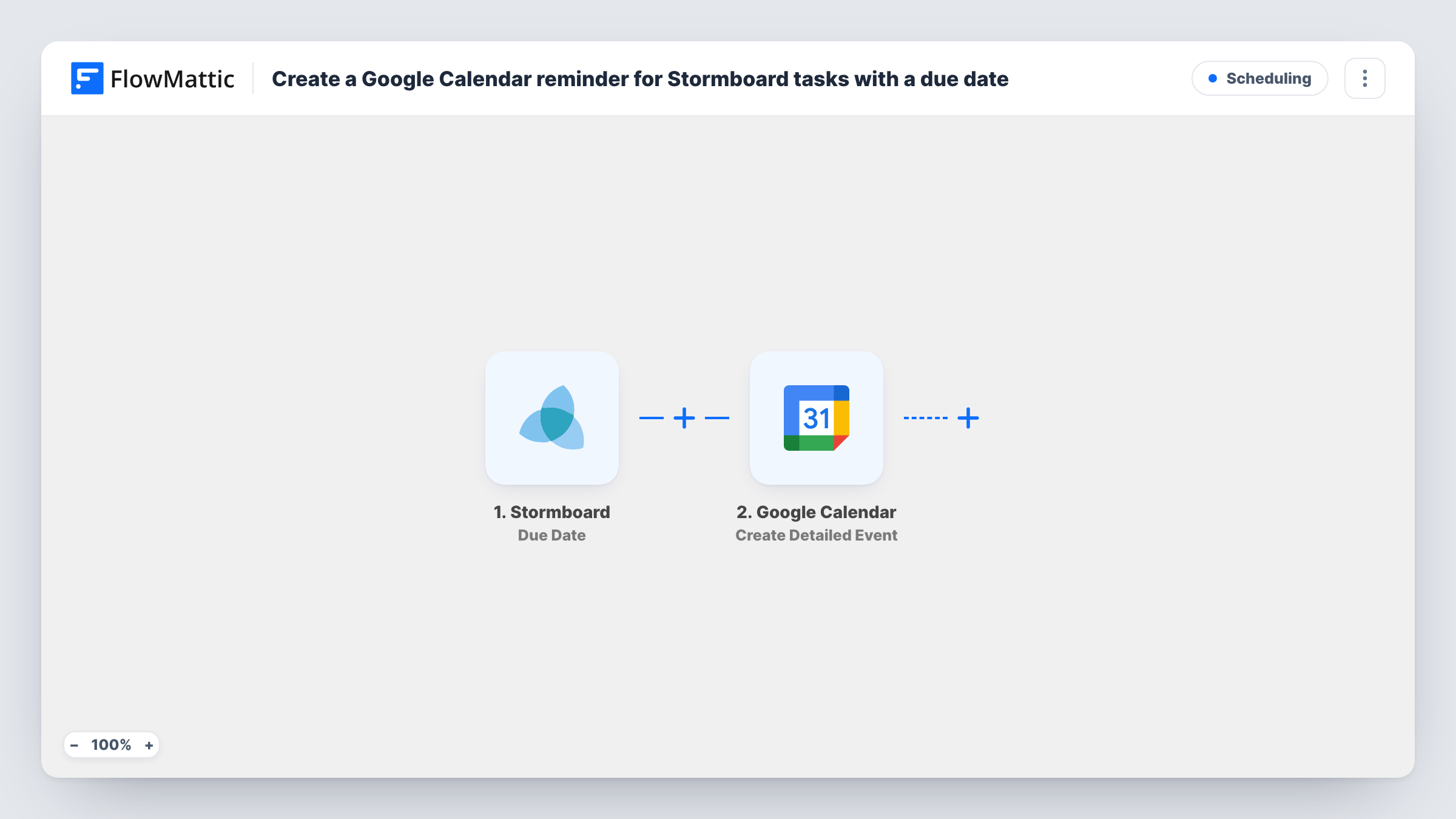
The Stormboard trigger fires when a due date is assigned to a task. FlowMattic takes the task data and passes it to Google Calendar, where Create Detailed Event adds an event. You map the task's name and due date into the event so it appears on the right day with a clear title.
Every due date assigned in Stormboard creates one event. The event itself acts as your reminder, and any alerts follow how your Google Calendar handles notifications. If a due date is changed later, check a test run to see whether Stormboard fires again; each firing creates a new event, not an update. Each run, with the event Google Calendar created, is listed in Task History.
Action items from a team workshop
After a Stormboard workshop, the facilitator gives each action item a due date. Each one appears as an event in the team's shared Google Calendar.
Personal follow-through on board tasks
You assign yourself tasks with due dates on a planning board, and each deadline shows up in your own calendar next to your meetings.
Client project milestones
An agency tracks client deliverables in Stormboard. Milestones with due dates land in a project calendar the account team checks daily.
How this workflow runs
What happens at each step once the workflow is on, and what you need before you import it.
 Stormboard Due Date
Fires when a due date is assigned to a task in Stormboard. The task data, including the due date, is available to map into the calendar event.
- Google Calendar Create Detailed Event
Creates an event in Google Calendar for the Stormboard task. Connect your Google account, map the task name and due date into the event, and check a test event lands on the right day.
What you need
- FlowMatticCore
- Stormboard AccountAccount
- Google Calendar AccountAccount
After importing, map your own data. To keep the template universal, not every step is pre-filled. Open each step in the builder and connect your accounts and fields (channels, lists, sheets, recipients) before you switch the workflow on.
Make it yours
Changes worth making after you import it.
- Use a shared Google Calendar for team boards, so everyone involved sees the deadline, not only the person who connected the account.
- Include the Stormboard board or task link in the event description, if the trigger data has one, so you can jump from the calendar to the task.
- Check the time and time zone on a test event. Stormboard due dates and calendar events may be read differently, so adjust the mapping until the event sits where you expect.
Questions about this workflow
Does a changed Stormboard due date move the Google Calendar event?
No. The workflow creates events and never edits them. If Stormboard fires again for a new date, you get a second event, and the old one stays until you delete it.
Which Stormboard tasks create Google Calendar events?
Tasks that get a due date assigned after the workflow is on. Tasks without a due date, or dated before import, are not added.
Will Google Calendar remind me before the Stormboard deadline?
The event follows your Google Calendar notification settings. Set default reminders for that calendar if you want an alert ahead of each due date.
Which accounts does the Stormboard to Google Calendar flow need?
A Stormboard account with access to the boards and a Google account with edit rights on the calendar you choose.
More Scheduling workflows
Other ready-to-import templates from the same category.




Import this workflow into your WordPress site
Download the JSON, import it from the Workflows screen and connect your accounts. Every run stays on your server, with no per-task fees.
30-day money-back guarantee Unlimited workflows and runs Self-hosted