

Create a new content writer query in NeuronWriter when you fill out a form with your keywords, language and search engine
Fill in a Fluent Forms form with a keyword, language and search engine, and this workflow creates a matching content writer query in NeuronWriter, ready for you or your writers to open.
 Fluent Forms
 NeuronWriter
2 steps Setup ~5 min Used on 3.4k sites Free to import
What this workflow does
Starting NeuronWriter research usually means logging in, picking a project and typing the keyword yourself. If several people request articles, that job lands on whoever has the account. This workflow lets anyone with access to a simple form start a query without touching NeuronWriter.
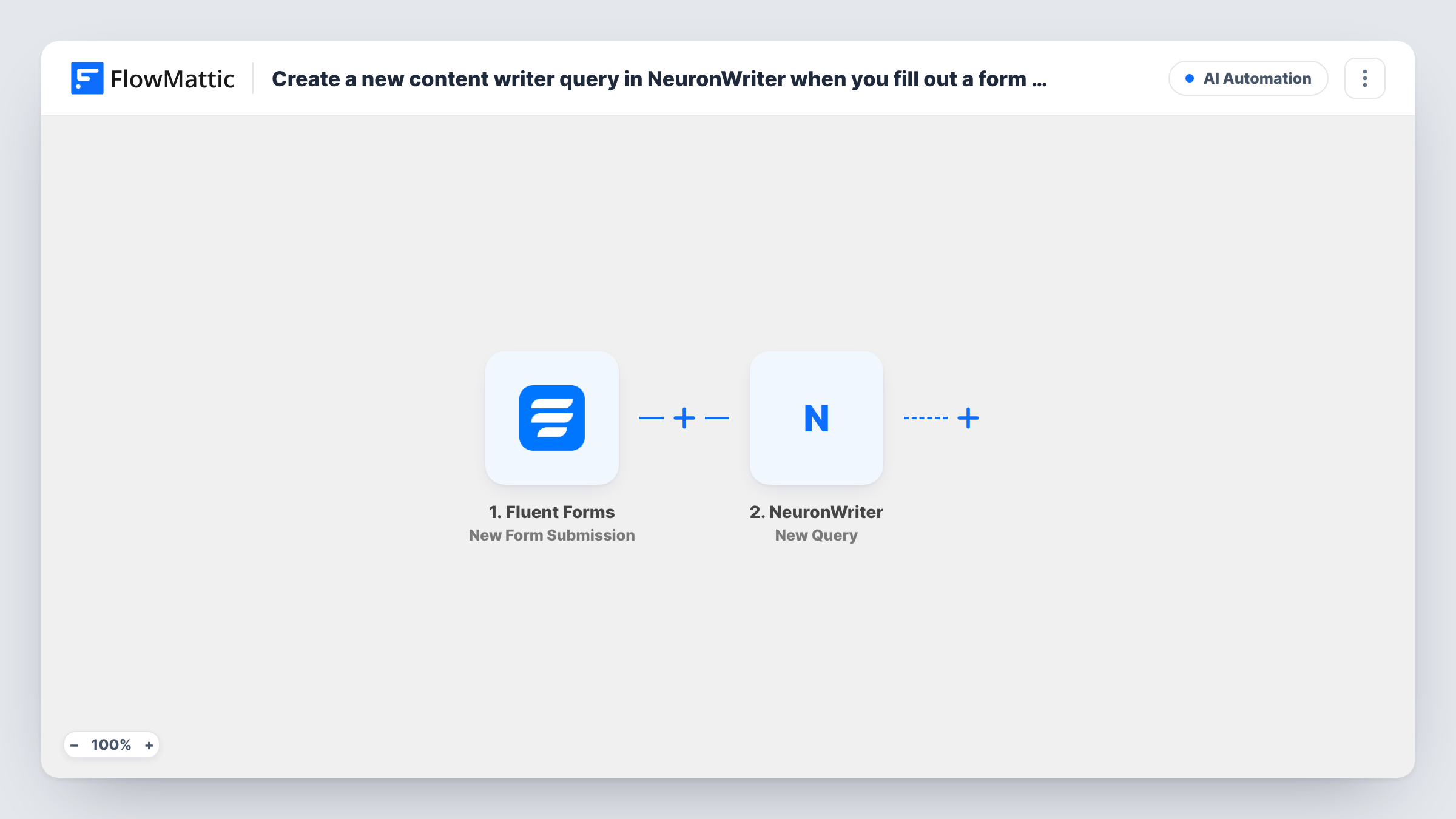
You build a Fluent Forms form with fields for the keyword, the language and the search engine. When someone submits it, the trigger passes every answer to FlowMattic. The NeuronWriter New Query step then creates a content writer query from the values you mapped, in the NeuronWriter account you connect.
Each submission creates one query. Fluent Forms still stores the entry on your site as usual, so you keep a record of who asked for which keyword. NeuronWriter's response, including the query details it returns, shows up in Task History for each run, and you can map it into a further step later if you want to send the link somewhere.
Editors requesting briefs
An editor enters the next article's keyword in an internal form, and the NeuronWriter query is waiting before the writer starts the draft.
Multilingual blog planning
A dropdown for language lets your Spanish and German teams start queries in their own language from the same Fluent Forms form.
Client keyword requests
Clients suggest topics through a form on a private page. Each suggestion opens a query in your agency's NeuronWriter account for review.
How this workflow runs
What happens at each step once the workflow is on, and what you need before you import it.
 Fluent Forms New Form Submission
Starts a run for every entry on your Fluent Forms request form. The keyword, language and search engine answers, plus any other fields, become available to the NeuronWriter step.
- NeuronWriter New Query
Creates a new content writer query in NeuronWriter for the keyword, language and search engine mapped from the form. Connect your NeuronWriter account and map each value.
What you need
- FlowMatticCore
- Fluent Forms PluginPlugin
- NeuronWriter AccountAccount
After importing, map your own data. To keep the template universal, not every step is pre-filled. Open each step in the builder and connect your accounts and fields (channels, lists, sheets, recipients) before you switch the workflow on.
Make it yours
Changes worth making after you import it.
- Use dropdown fields for language and search engine with the exact values NeuronWriter accepts, so a typo in a text field can't produce a failed query.
- Add a Slack step after NeuronWriter and map the query link from its response, so the person who asked gets the link without logging in.
- Put the form on a page only your team can reach, or add a Filter after the trigger that checks a field such as the requester's email domain.
Questions about this workflow
Do I need a NeuronWriter account to use this form workflow?
Yes. The New Query step runs through the NeuronWriter account you connect in FlowMattic, and the query is created there.
What happens if the language or search engine value isn't one NeuronWriter accepts?
If NeuronWriter rejects the value, no query is created for that submission. Task History shows NeuronWriter's response on that step, so you can correct the form's options.
Can one Fluent Forms submission create several queries?
Not as imported. One submission creates one query from the mapped keyword. For several keywords, submit the form once per keyword.
More AI Automation workflows
Other ready-to-import templates from the same category.





Import this workflow into your WordPress site
Download the JSON, import it from the Workflows screen and connect your accounts. Every run stays on your server, with no per-task fees.
30-day money-back guarantee Unlimited workflows and runs Self-hosted