

Create a new user in WordPress and enroll that user for a course in MasterStudy LMS for new submission in MakeForms
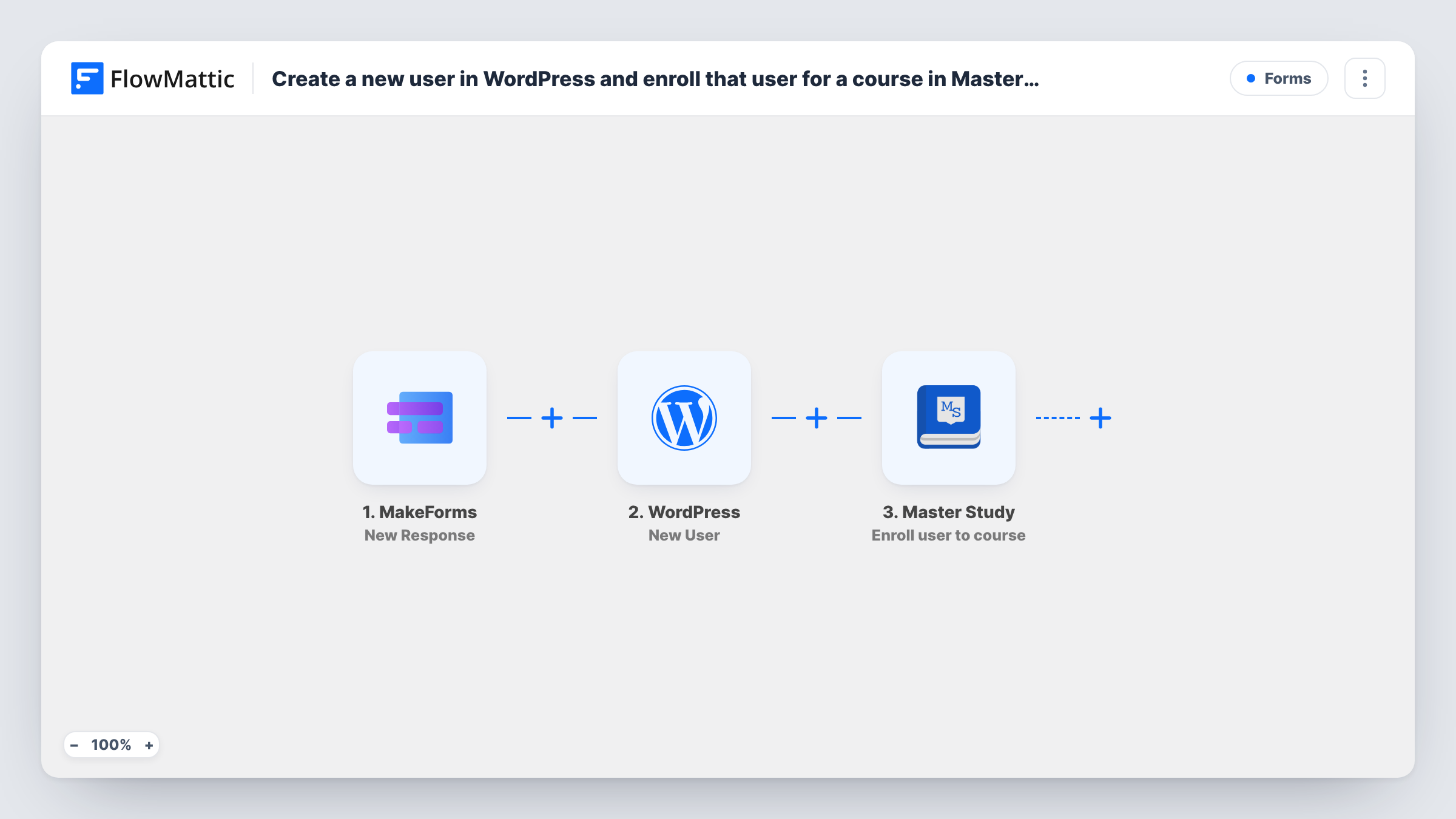
When someone submits your MakeForms form, this workflow creates a WordPress user from their answers and then enrolls that new user in a MasterStudy LMS course.
 MakeForms
 WordPress
 Master Study
3 steps Setup ~5 min Used on 1.4k sites Free to import
What this workflow does
Selling or offering a course often starts with a form: an application, a registration, a sign-up for a free class. Turning each response into a site account and then enrolling it by hand is slow, and learners wait for access. This workflow does both straight after the form is sent.
The MakeForms trigger fires when a form response is received, carrying the answers. The WordPress step creates a new user from the values you map, such as the email, a username and the person's name. The MasterStudy LMS step then enrolls a user in a course; map the user ID returned by the New User step into it, so the person just created is the one enrolled.
The flow suits people who don't have an account yet. If the email already belongs to a WordPress user, the New User step can't create a second one, and the enrollment step has no new user to work with. Task History shows what happened on each step.
Free mini-course sign-ups
Visitors sign up for a free course through a MakeForms form. Each gets a WordPress account and is enrolled in the MasterStudy course right away.
Approved cohort registrations
Registrations for a cohort come in through MakeForms. Every registrant is set up as a user and enrolled in the cohort's course in one run.
Staff training on an internal site
New employees fill in an onboarding form. They get a WordPress login and are enrolled in your induction course in MasterStudy.
How this workflow runs
What happens at each step once the workflow is on, and what you need before you import it.
 MakeForms New Response
Fires when a response to your MakeForms form is received. The answers, including email and name, are passed to the WordPress and MasterStudy steps.
- WordPress New User
Adds a WordPress account for the person who filled in the MakeForms form. Map the email, a username and name fields, then check a test run for the user ID this step returns.
- Master Study Enroll user to course
Enrolls a user in a MasterStudy LMS course. Map the user ID from the New User step so the account just created is enrolled, and pick the course during setup.
What you need
- FlowMatticCore
- MakeForms AccountAccount
- Master Study PluginPlugin
After importing, map your own data. To keep the template universal, not every step is pre-filled. Open each step in the builder and connect your accounts and fields (channels, lists, sheets, recipients) before you switch the workflow on.
Make it yours
Changes worth making after you import it.
- Add WordPress's Send Password Reset action after the New User step, so each learner receives a link to set their own password and log in.
- If returning learners use this form, add WordPress's Get User by Email after New User and map its user ID into the enrollment. It finds the account whether it was just created or already existed.
- Offer several courses on one form? Add a Router on the course answer, with each route ending in its own MasterStudy step set to a different course, and keep New User before the Router.
Questions about this workflow
What if the MakeForms respondent already has a WordPress account?
New User won't create a duplicate for an existing email, so the enrollment step gets no new user ID. Adding a Get User by Email step before the enrollment covers returning learners.
How does the new learner log in to MasterStudy?
The workflow creates the account but doesn't send login details as imported. Add the Send Password Reset step, or check whether your site emails new users itself.
Which MasterStudy course are MakeForms respondents enrolled in?
The course set in the Enroll user to course step. Configure it after import and test with a sample submission before going live.
Do I need MasterStudy LMS on the same site as FlowMattic?
Yes. Both the user creation and the enrollment happen in the WordPress site where FlowMattic is installed, so MasterStudy LMS must be active there.
More Forms workflows
Other ready-to-import templates from the same category.








Import this workflow into your WordPress site
Download the JSON, import it from the Workflows screen and connect your accounts. Every run stays on your server, with no per-task fees.
30-day money-back guarantee Unlimited workflows and runs Self-hosted