

Create a Zoho CRM lead for every new IndiaMART inquiry
Each new lead IndiaMART captures for your business becomes a lead in Zoho CRM, so buyer inquiries from the marketplace sit in the same pipeline your sales team already works from.
 IndiaMART
 Zoho CRM
2 steps Setup ~5 min Used on 838 sites Free to import
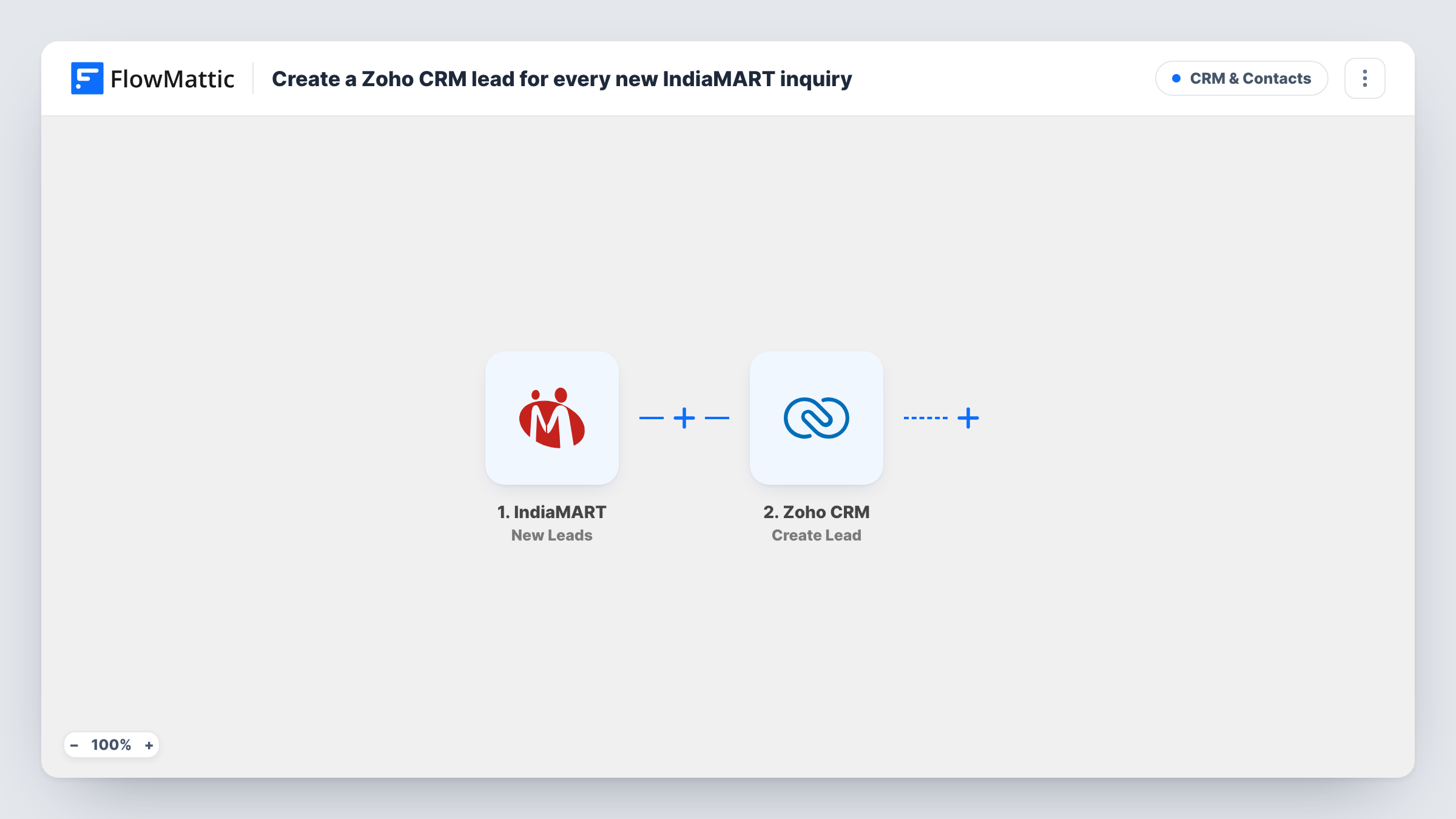
What this workflow does
Inquiries from IndiaMART arrive in the seller panel, while your sales team plans its calls and follow-ups in Zoho CRM. Copying each buyer's name, phone and requirement across by hand takes time, and an inquiry left in the panel is easy to forget. This workflow moves every new IndiaMART lead into Zoho CRM for you.
The IndiaMART trigger, New Leads, fires when IndiaMART captures a new lead for your account. FlowMattic receives the inquiry details, such as who asked and what they asked about, and makes them available to map. The Zoho CRM step then runs Create Lead, which adds a lead built from the IndiaMART values you map into it.
Create Lead always adds a new lead and doesn't search for an existing one first. If the same buyer sends you two inquiries, each one starts its own run and produces its own Zoho CRM lead. Task History keeps a record of every run, along with the reply Zoho CRM sent back, so you can check a lead that looks wrong.
Industrial supplier working IndiaMART inquiries
A machinery supplier gets buyer inquiries through IndiaMART each day. Every one lands in Zoho CRM as a lead, where reps log calls and move the good ones forward.
One pipeline for every lead source
Your website forms already feed Zoho CRM. Adding IndiaMART inquiries to the same module means one lead list and one set of Zoho reports instead of two places to check.
Sharing marketplace leads across a sales team
Only one person logs in to the IndiaMART seller panel. With inquiries copied to Zoho CRM, the whole team sees them and Zoho's own assignment tools can share them out.
How this workflow runs
What happens at each step once the workflow is on, and what you need before you import it.
 IndiaMART New Leads
Fires when IndiaMART captures a new lead for your seller account. The buyer's details and inquiry text become values you can map in the Zoho CRM step.
- Zoho CRM Create Lead
Adds a new lead to Zoho CRM from the IndiaMART inquiry. Connect your Zoho account and map the buyer's details into the lead, then check a test run to confirm each value lands where you expect.
What you need
- FlowMatticCore
- IndiaMART AccountAccount
- Zoho CRM AccountAccount
After importing, map your own data. To keep the template universal, not every step is pre-filled. Open each step in the builder and connect your accounts and fields (channels, lists, sheets, recipients) before you switch the workflow on.
Make it yours
Changes worth making after you import it.
- Worried about repeat buyers? Replace Create Lead with Zoho CRM's Find or Create Lead action, so a second inquiry from the same person doesn't add another lead.
- Put a Filter after the trigger if you only want certain inquiries in Zoho CRM, for example ones that mention a product line you sell, based on a field you see in a test run.
- Add a Slack Send Channel Message step after Zoho CRM to tell your sales channel that a new IndiaMART lead is waiting, with the buyer's name and inquiry.
Questions about this workflow
Are IndiaMART inquiries from before import added to Zoho CRM?
No. The New Leads trigger reacts to leads captured after the workflow is switched on. Earlier inquiries stay in IndiaMART unless you move them over another way.
What happens when one buyer sends two IndiaMART inquiries?
Each inquiry runs the workflow, and Create Lead adds a lead every time. Swap in Find or Create Lead if you'd rather keep one Zoho CRM lead per buyer.
Which IndiaMART details can I put into the Zoho CRM lead?
Whatever the New Leads trigger returns. Run a test after connecting IndiaMART, then map the captured values, such as the buyer's name and message, into the lead.
Can the inquiry become a Zoho CRM contact or deal instead?
Yes. Zoho CRM in FlowMattic also has Create Contact and Create Deal actions. Change the action in step 2 and map the IndiaMART values again.
More CRM & Contacts workflows
Other ready-to-import templates from the same category.





Import this workflow into your WordPress site
Download the JSON, import it from the Workflows screen and connect your accounts. Every run stays on your server, with no per-task fees.
30-day money-back guarantee Unlimited workflows and runs Self-hosted