

Create Airtable records from Zerowork.io TaskBot outputs
Have a Zerowork.io TaskBot send its results to a FlowMattic webhook, and each request becomes a new record in the Airtable table you choose, ready to sort, filter and review.
 Webhook
 Airtable
2 steps Setup ~5 min Used on 2.8k sites Free to import
What this workflow does
A Zerowork.io TaskBot can collect data from websites and web apps, but the results need a home your team can work with. Airtable gives each result a record with fields, views and filters. This workflow is the bridge between the two.
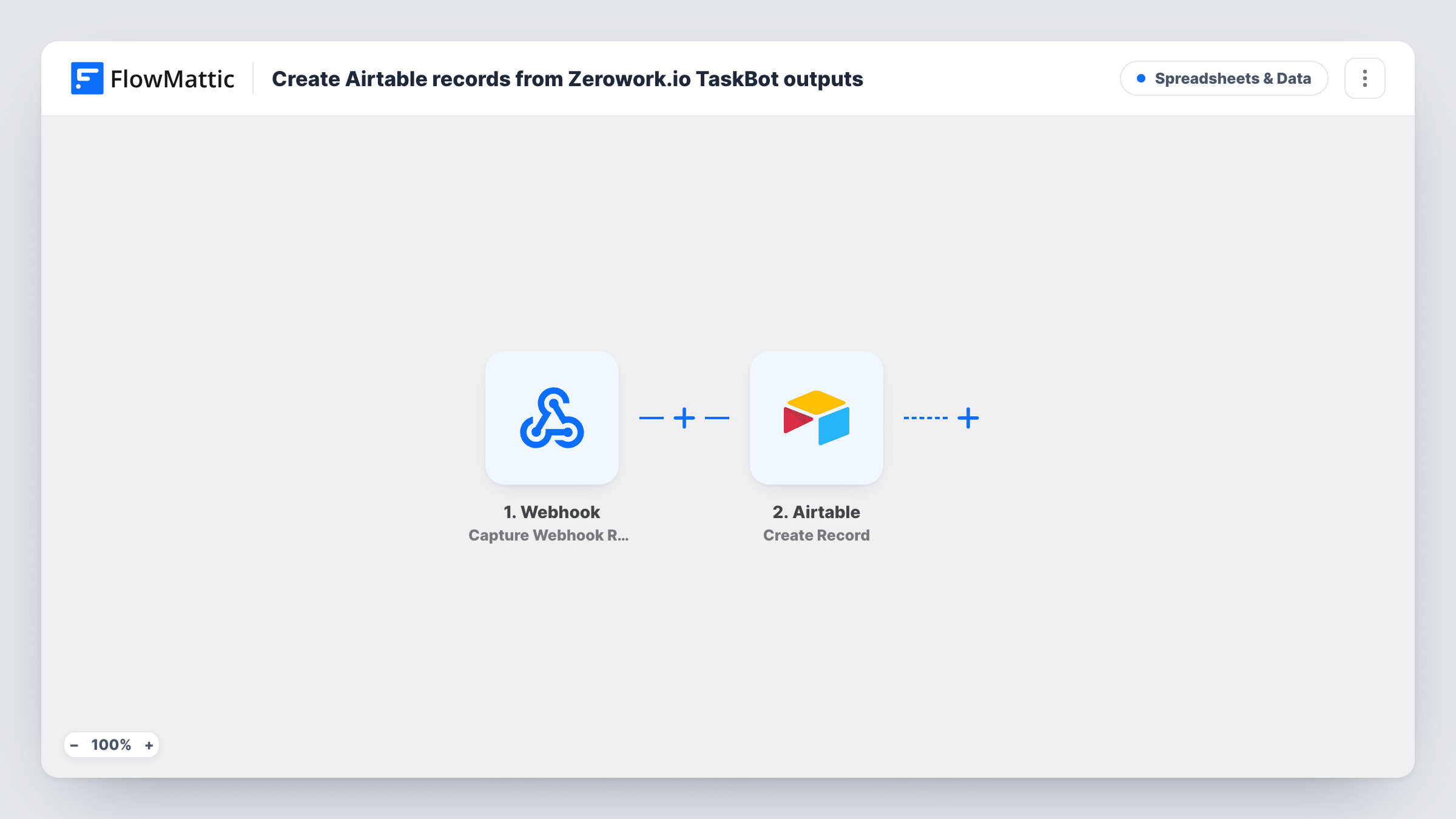
The first step is a FlowMattic Webhook trigger. You copy its URL into your TaskBot and have the bot send an HTTP request to it with the data it gathered. FlowMattic's own Zerowork.io trigger works the same way, by receiving the TaskBot's HTTP request, so the generic webhook does the same job. Each request starts one run, and its fields become available to map.
The Airtable step then creates a record in the base and table you select, filling each field from the payload. What arrives depends entirely on what your TaskBot sends. If the bot sends one request per item, you get one record per item.
Collecting product listings
A TaskBot gathers product names and prices from supplier pages and posts each one to the webhook, building an Airtable table you can compare and filter.
Lead lists from directories
A bot collects company names and websites from a directory, and each result lands as an Airtable record your sales team can qualify.
Tracking job postings
A TaskBot checks job boards and sends each posting it finds, so a recruiter reviews new openings in an Airtable view.
How this workflow runs
What happens at each step once the workflow is on, and what you need before you import it.
 Webhook Capture Webhook Response
Gives you a webhook URL to paste into your Zerowork.io TaskBot. Each HTTP request the bot sends to it starts a run, and the data in that request becomes fields for mapping.
- Airtable Create Record
Saves each TaskBot request as one Airtable record in the table you pick. Connect your Airtable account and map each field from the TaskBot's payload to an Airtable field.
What you need
- FlowMatticCore
- Airtable AccountAccount
After importing, map your own data. To keep the template universal, not every step is pre-filled. Open each step in the builder and connect your accounts and fields (channels, lists, sheets, recipients) before you switch the workflow on.
Make it yours
Changes worth making after you import it.
- Turn on the webhook's Require authentication on incoming requests setting. Then include the key in the TaskBot's request, if your bot can add it, so only your bot can add records.
- Run the TaskBot once after import with a small test so FlowMattic captures the payload's fields, then map them in the Airtable step.
- If the bot sends several results in one request as a list, add an Iterator before the Airtable step so each item becomes its own record.
Questions about this workflow
Why does this template use a Webhook instead of the Zerowork.io trigger?
FlowMattic's Zerowork.io trigger fires when a TaskBot sends an HTTP request, which is what the Webhook trigger receives too. Either works, as long as the bot sends to the URL in your trigger.
Can anyone with the webhook URL add Airtable records?
It can, until you turn authentication on. Turn on the webhook's authentication setting and send its key with each TaskBot request.
What if a TaskBot result is already in Airtable?
A new record is created anyway. The Create Record step doesn't check for an existing match, so remove duplicates in Airtable or add a lookup step first.
Do I need a Zerowork.io account for this?
You need a TaskBot that can send an HTTP request to the webhook URL. The workflow itself only needs your Airtable connection.
More Spreadsheets & Data workflows
Other ready-to-import templates from the same category.





Import this workflow into your WordPress site
Download the JSON, import it from the Workflows screen and connect your accounts. Every run stays on your server, with no per-task fees.
30-day money-back guarantee Unlimited workflows and runs Self-hosted