

Create an Airtable record for every new Konstantly course un
When a course is unpublished in Konstantly, FlowMattic creates a new Airtable record with its details, giving your training team a dated log of courses taken out of circulation.
 Konstantly
 Airtable
2 steps Setup ~5 min Used on 2.8k sites Free to import
What this workflow does
Courses come and go in a learning platform. One is retired, another is pulled for an update, a third was published by mistake. If you track your training catalogue in Airtable, those changes need to show up there too. This workflow records each unpublished course without anyone copying it across.
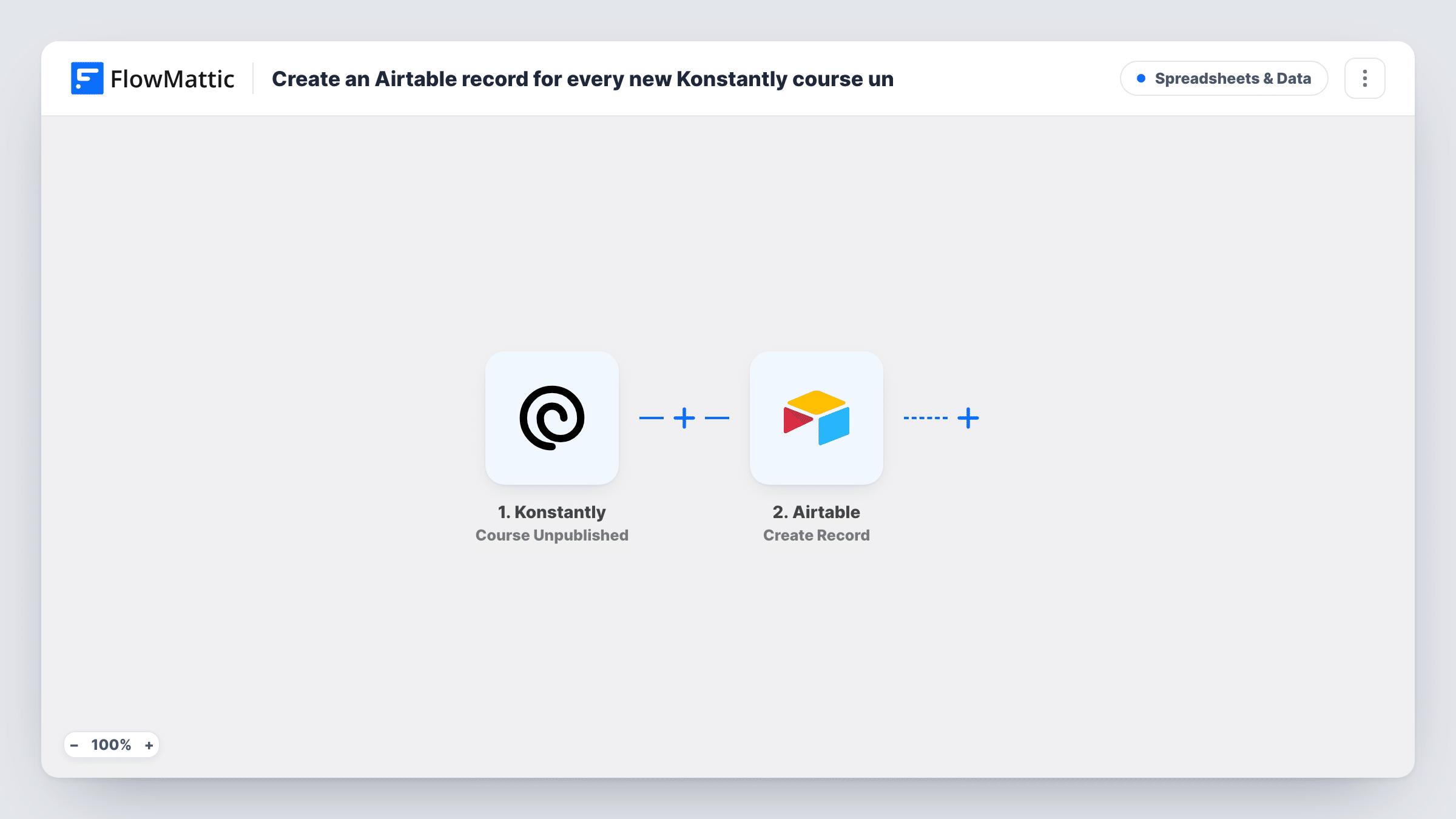
The Konstantly trigger Course Unpublished fires when a course is unpublished. FlowMattic receives the course data from Konstantly and passes it to Airtable. The Create Record action then adds a new record to the base and table you pick, with the course details mapped into your fields.
This is a log, so each unpublish creates its own record. If a course is unpublished, republished and unpublished again, you get two records. The workflow does not find or edit an existing course record in Airtable, and it does not change anything in Konstantly. You can trace every logged course back to its run in Task History.
Retirement log for compliance training
A compliance team keeps a record of when each mandatory course was withdrawn, so auditors can see which version learners had access to and when it ended.
Content review pipeline
Courses pulled for updates land in an Airtable table where the content team assigns a reviewer and tracks the rework.
Catalogue change history
An L&D manager builds an Airtable view of every course unpublished this quarter to report on how the catalogue changed.
How this workflow runs
What happens at each step once the workflow is on, and what you need before you import it.
 Konstantly Course Unpublished
Fires when a course is unpublished in Konstantly. The course data Konstantly sends with the event is passed on for the Airtable record.
- Airtable Create Record
Adds a record for the unpublished course to the Airtable base and table you choose. Connect Airtable and map the Konstantly course details into your fields.
What you need
- FlowMatticCore
- Konstantly AccountAccount
- Airtable AccountAccount
After importing, map your own data. To keep the template universal, not every step is pre-filled. Open each step in the builder and connect your accounts and fields (channels, lists, sheets, recipients) before you switch the workflow on.
Make it yours
Changes worth making after you import it.
- Unpublish a test course in Konstantly after import so FlowMattic captures the event data. Map the Airtable fields from what actually arrives.
- Add a created-time field in your Airtable table so each record shows when the course was logged, even if Konstantly does not send a date.
- Build a matching workflow with Konstantly's Course Published trigger that writes to the same table, giving you both sides of each course's history.
Questions about this workflow
Does this update an existing course record in Airtable?
No. It always creates a new record. Updating a course's existing row would need a step that finds that record first and then an Airtable update step.
Which Konstantly event triggers the Airtable record?
Course Unpublished, which fires when a course is unpublished. Publishing a course, or learners finishing one, does not start this workflow.
Are courses unpublished before I import this added to Airtable?
No. Only courses unpublished after the workflow is switched on are logged.
What if a Konstantly field does not fit my Airtable field type?
Airtable may refuse the value, and Task History shows its response on the Create Record step. Map into text fields first while testing, then switch types once you know the data.
More Spreadsheets & Data workflows
Other ready-to-import templates from the same category.




Import this workflow into your WordPress site
Download the JSON, import it from the Workflows screen and connect your accounts. Every run stays on your server, with no per-task fees.
30-day money-back guarantee Unlimited workflows and runs Self-hosted