

Create CRM leads from Typeform responses and notify teams in Discord
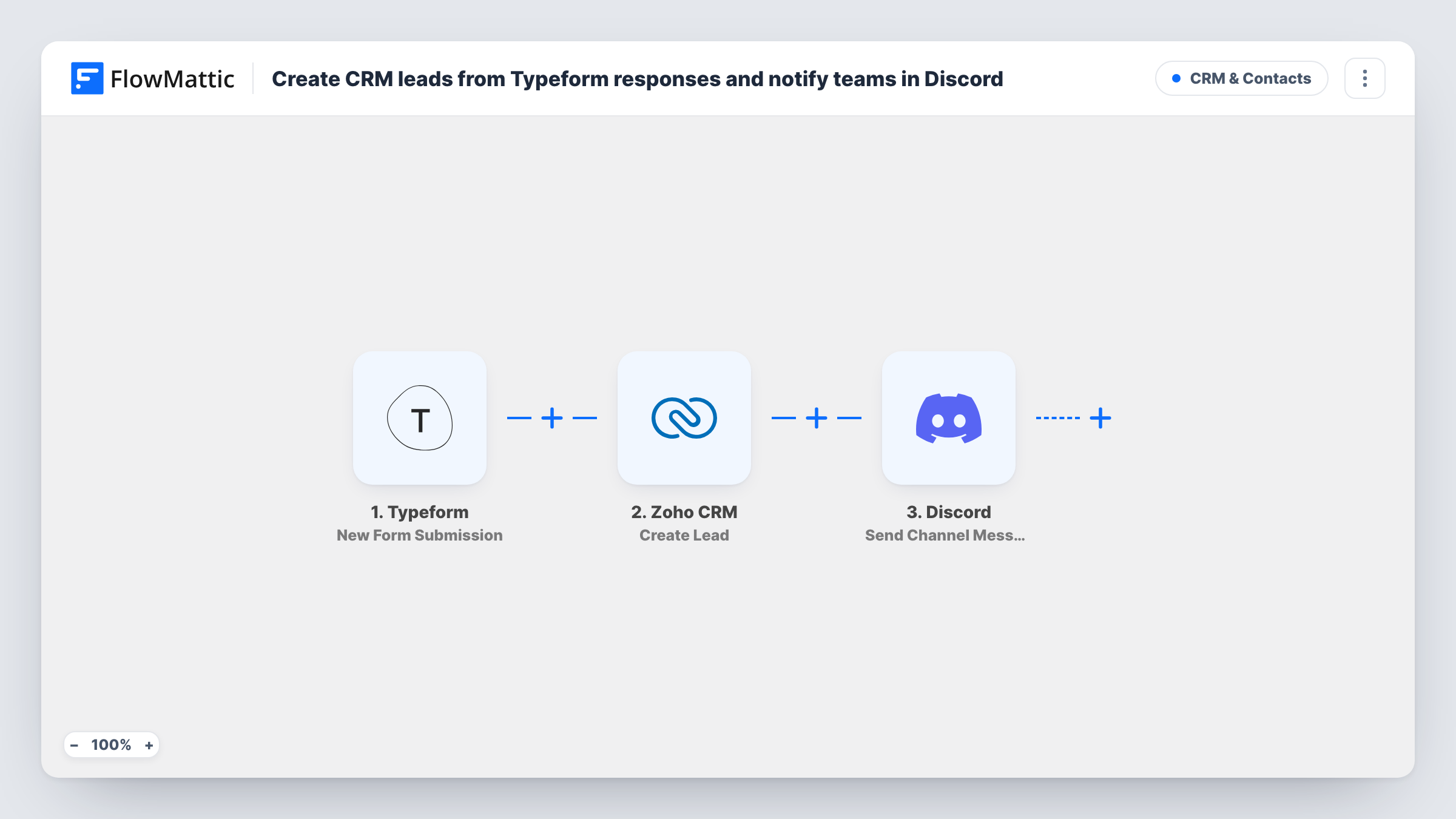
Turn each Typeform response into a new Zoho CRM lead, then post a message in a Discord channel so your sales team hears about the new prospect where they already talk.
 Typeform
 Zoho CRM
 Discord
3 steps Setup ~5 min Used on 724 sites Free to import
What this workflow does
A Typeform enquiry is only useful once it reaches the people who follow it up. Copying answers into Zoho CRM by hand and then telling the team about it is two chores per response. This workflow does both every time a form is submitted.
The Typeform trigger picks up each new response. FlowMattic sends the answers to Zoho CRM, which creates a new lead from the values you map, such as name, company and email. The last step posts a message to a Discord channel, built from the same answers, so whoever is on duty can pick the lead up.
Every response creates a lead and a post, because nothing filters the runs. Create Lead is a create action, so a person who fills in the form twice may appear twice in Zoho CRM. Task History shows what each step sent, which helps when a lead looks wrong.
Demo request form for a SaaS product
Visitors book a demo through Typeform. Each one becomes a Zoho CRM lead, and the sales channel in Discord gets a message with the company name and the time they asked for.
Quote requests for a service business
A building firm takes job enquiries in Typeform. Leads go into Zoho CRM for the estimator, and the Discord post tells the office a new request is waiting.
Partner applications
Agencies apply to a partner program through a Typeform. The partnerships team works the leads in Zoho CRM and talks them over in a shared Discord channel.
How this workflow runs
What happens at each step once the workflow is on, and what you need before you import it.
 Typeform New Form Submission
Starts a run each time someone submits your Typeform. The answers are passed on so you can map them into Zoho CRM and the Discord message.
- Zoho CRM Create Lead
Creates a new lead in Zoho CRM from the mapped answers. Connect your Zoho account and map at least the fields your lead layout needs, such as last name and email.
- Discord Send Channel Message
Sends a new message into a Discord channel you name in the step. Put the lead's details in the text so the team can see who came in without opening Zoho CRM.
What you need
- FlowMatticCore
- Typeform AccountAccount
- Zoho CRM AccountAccount
- Discord AccountAccount
After importing, map your own data. To keep the template universal, not every step is pre-filled. Open each step in the builder and connect your accounts and fields (channels, lists, sheets, recipients) before you switch the workflow on.
Make it yours
Changes worth making after you import it.
- Put a Zoho CRM "Search Lead by Email" step before Create Lead and add a Filter that stops when a lead is found, so repeat responses don't create duplicate leads.
- Use Zoho CRM's "Find or Create Lead" action in place of Create Lead if you would rather reuse an existing lead than add a new one each time.
- Add a Filter before the Discord step that continues only when a budget answer, if your form has one, is above a value you choose, if the channel should hear about the larger enquiries only. Leads are still created for everyone.
Questions about this workflow
Will Typeform responses become Zoho CRM leads or contacts?
A lead. The step uses Zoho CRM's Create Lead action. Converting the lead to a contact later is up to your sales process in Zoho CRM.
What happens if the same person submits the Typeform twice?
Create Lead makes a new record, so you may end up with two leads unless your Zoho CRM duplicate settings block it. Add a search step before it, or switch to Find or Create Lead, to avoid that.
Which Typeform answers can go into the Discord message?
Any answer from the response, plus the values the Zoho CRM step returns. Run a test submission so the fields are captured before you write the message.
Is Typeform data stored on my WordPress site?
FlowMattic records each run in Task History on your site. The lead itself is stored in Zoho CRM, and the message in Discord.
More CRM & Contacts workflows
Other ready-to-import templates from the same category.




Import this workflow into your WordPress site
Download the JSON, import it from the Workflows screen and connect your accounts. Every run stays on your server, with no per-task fees.
30-day money-back guarantee Unlimited workflows and runs Self-hosted