

Create email copy with Google AI from new email parser email and send a reply to the sender
When an email reaches your FlowMattic Email Parser address, Google AI writes reply copy from its content, and FlowMattic’s Email step sends that reply back to the person who wrote in.
 Email Parser by FlowMattic
 Google AI
 Email
Email3 steps Setup ~5 min Used on 2.8k sites Free to import
What this workflow does
Some inboxes get the same kinds of questions over and over: opening hours, how to book, what a service includes. Answering each one by hand eats time, yet a canned reply ignores what the person actually asked. This workflow has Google AI write a reply to each incoming message and sends it to the sender.
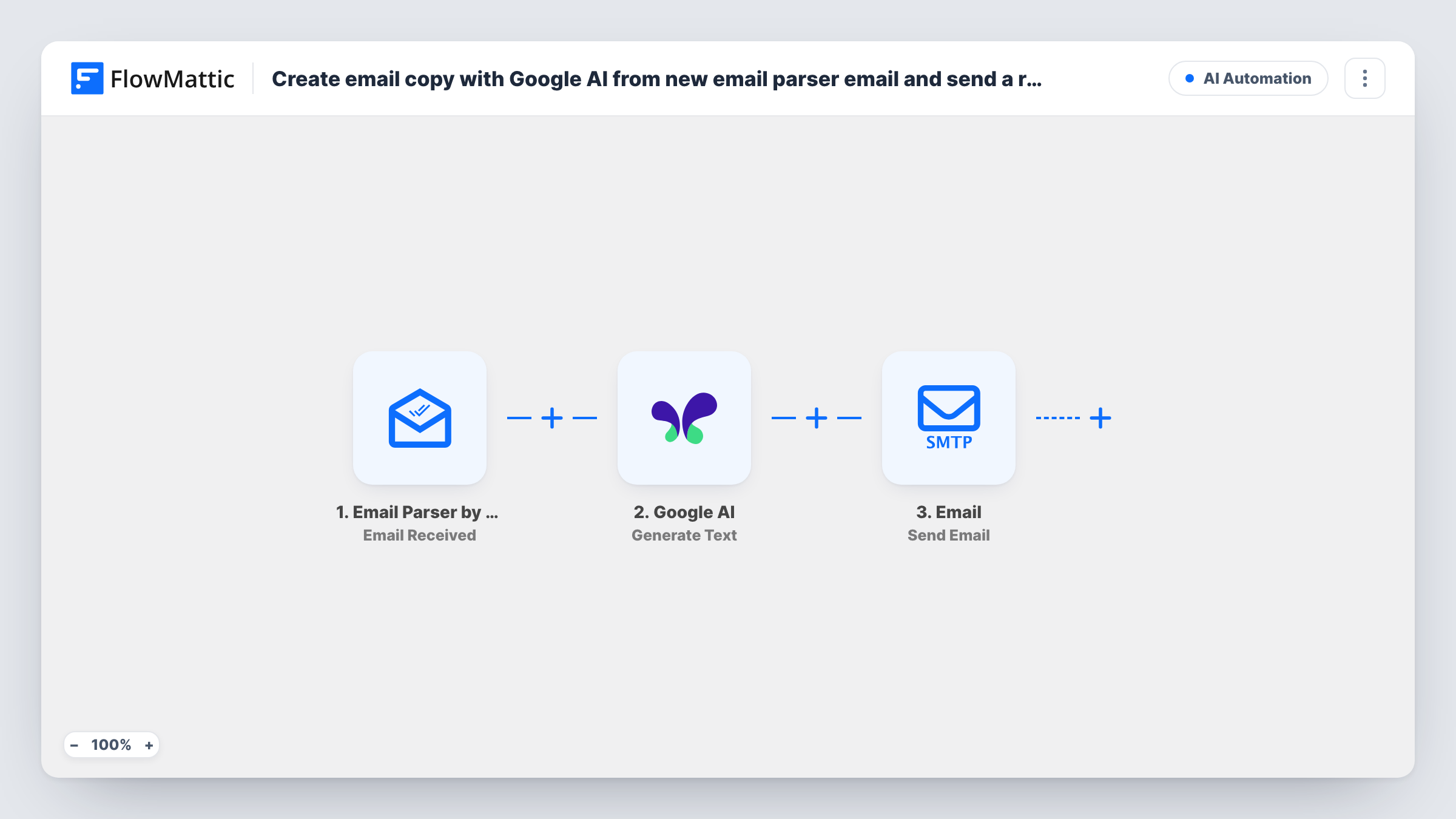
The Email Parser by FlowMattic trigger fires when an email arrives at your parser address, and the sender, subject and body become data. The Google AI step generates text from the prompt you write, which can include the incoming message. The Email step then sends that text to the sender's address, using WordPress mail or the SMTP account you set.
Every incoming email gets an AI-written reply, and nobody reviews it before it goes. Write the prompt with care, test it on real examples, and consider holding replies for approval while you build trust in the output, as the tips explain.
First response for a general enquiries address
Forward your info@ mail to the parser address. Each enquiry gets a reply written around its question, telling the sender what happens next.
Answers to common booking questions
Give Google AI your booking rules in the prompt, so emails asking how to book or reschedule get a reply that covers the steps.
Acknowledging supplier messages
Suppliers email delivery updates to the parser address. Each one gets a short, specific acknowledgement that the update was received.
How this workflow runs
What happens at each step once the workflow is on, and what you need before you import it.
 Email Parser by FlowMattic Email Received
Fires when an email is received at your FlowMattic Email Parser address. The sender's address, subject and message body become values to use in the prompt and reply.
- Google AI Generate Text
Sends a prompt to Google AI and returns the generated text. Include the incoming subject and body in the prompt, and tell it the tone, length and facts to rely on.
 Email Send Email
Sends the AI-written reply through FlowMattic's Email module, using WordPress mail or your SMTP account. Map the parser's sender address as the recipient and the Google AI text as the body.
What you need
- FlowMatticCore
- Google AI AccountAccount
After importing, map your own data. To keep the template universal, not every step is pre-filled. Open each step in the builder and connect your accounts and fields (channels, lists, sheets, recipients) before you switch the workflow on.
Make it yours
Changes worth making after you import it.
- Add a Filter after the trigger that stops when the sender contains no-reply or mailer-daemon, so automated messages and bounces don't get AI replies.
- Insert a Human in the Loop step between Google AI and the Email step so someone approves each reply first. Set its timeout action to End Workflow, so unanswered requests don't send anyway.
- Put your business facts, such as hours, prices you publish and links, into the prompt itself. Google AI then answers from what you gave it rather than guessing.
Questions about this workflow
Does the Google AI reply go out without anyone checking it?
Yes, as imported. The Email step sends whatever Google AI returns. Add a Human in the Loop step before it if replies should be approved first.
Which address does the AI reply come from?
From the sender you set in FlowMattic's Email step, through WordPress mail or your SMTP account. Use an address people can reply to, and set up SMTP for better delivery.
Could two mail systems end up replying to each other?
An auto-responder that answers your reply would land at the parser address and start another run. A Filter that skips automated senders and subjects such as Auto-Reply prevents that.
Do I need a Google AI account for the email replies?
Yes. The Generate Text step runs through the Google AI connection you set up in FlowMattic, so you need your own access and credentials.
More AI Automation workflows
Other ready-to-import templates from the same category.







Import this workflow into your WordPress site
Download the JSON, import it from the Workflows screen and connect your accounts. Every run stays on your server, with no per-task fees.
30-day money-back guarantee Unlimited workflows and runs Self-hosted