

Create new booking in Sessions for new booking created in Book Like a Boss
Every new booking made in Book Like a Boss creates a booking in Sessions through FlowMattic, so meetings booked on your Book Like a Boss page also appear in the tool where you run the calls.
 Book Like a Boss
 Sessions
2 steps Setup ~5 min Used on 3.0k sites Free to import
What this workflow does
If clients book you through Book Like a Boss but you host the meetings in Sessions, each booking otherwise has to be entered twice. This workflow copies every new Book Like a Boss booking into Sessions, so the meeting is ready where it takes place.
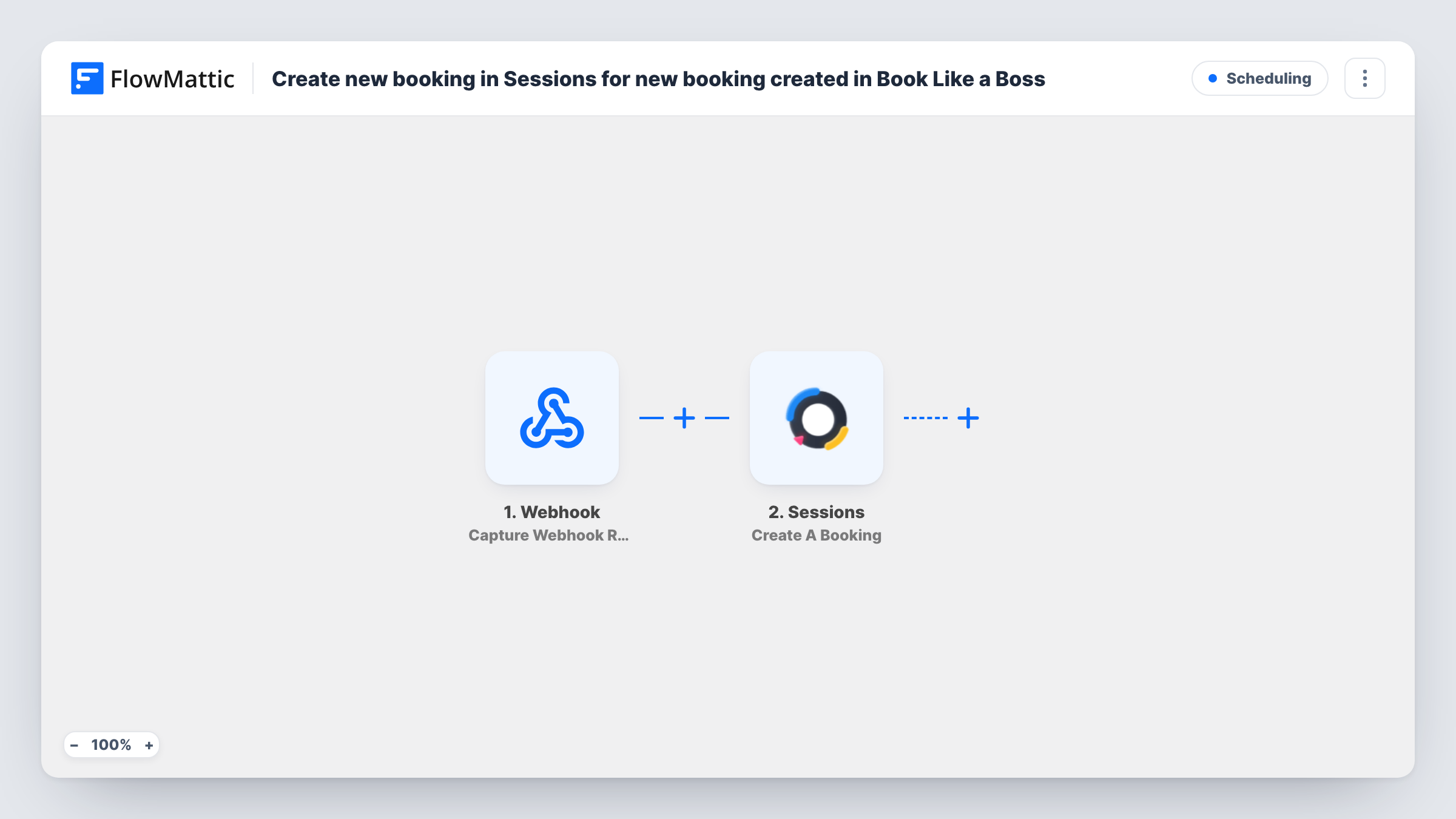
The Book Like a Boss Booking Created trigger fires when a new booking is created. FlowMattic passes the booking details, such as the client's name, email and the chosen time, on to Sessions. Reschedules and cancellations have their own triggers and don't start this workflow.
The Sessions Create A Booking step then adds the booking. It ships unmapped. After import, connect your Sessions account, choose where the booking goes and map the client's details and the start time from Book Like a Boss.
Times are worth checking: make a test booking and compare the time in both tools. Task History shows the booking data that arrived and what Sessions returned.
Coaching calls hosted in Sessions
A coach sells sessions on a Book Like a Boss page and runs each call in Sessions, where the booking now appears with the client's details.
Consultations with prepared agendas
A consultant who prepares agendas and notes in Sessions gets each new Book Like a Boss consultation there without retyping it.
One schedule for a small team
A studio takes bookings through Book Like a Boss and keeps the team's live sessions in Sessions, so staff check only one place for calls.
How this workflow runs
What happens at each step once the workflow is on, and what you need before you import it.
 Book Like a Boss Booking Created
Fires when someone makes a new booking in Book Like a Boss. The booking time and the client's details are passed to Sessions.
- Sessions Create A Booking
Creates a booking in Sessions from the Book Like a Boss data. The template maps nothing, so connect Sessions, then map the client's name, email and booking time.
What you need
- FlowMatticCore
- Book Like a Boss AccountAccount
- Sessions AccountAccount
After importing, map your own data. To keep the template universal, not every step is pre-filled. Open each step in the builder and connect your accounts and fields (channels, lists, sheets, recipients) before you switch the workflow on.
Make it yours
Changes worth making after you import it.
- Map times in a consistent format, and if Sessions expects a different one, add a Date/Time Formatter step between the Book Like a Boss trigger and the Sessions step.
- Add an Email by FlowMattic step after the Sessions step that sends you the booking time and client name, so you can compare both tools during the first weeks.
- Run a test booking for each Book Like a Boss service you sell, so you know every booking type maps cleanly into Sessions.
Questions about this workflow
Do rescheduled Book Like a Boss bookings update Sessions?
No. This workflow only runs on Booking Created. A rescheduled booking fires Book Like a Boss's separate Booking Rescheduled trigger, which you could use in another workflow.
Do I need accounts in both Book Like a Boss and Sessions?
Yes. The trigger connects to Book Like a Boss and the action to your Sessions account, so you need both connected in FlowMattic.
What if the booking time shows up wrong in Sessions?
Compare the time value Book Like a Boss sends in Task History with what Sessions saved. One likely cause is a time zone difference. Convert it with a Date/Time Formatter Convert Timezone step between the Book Like a Boss trigger and the Sessions step.
More Scheduling workflows
Other ready-to-import templates from the same category.





Import this workflow into your WordPress site
Download the JSON, import it from the Workflows screen and connect your accounts. Every run stays on your server, with no per-task fees.
30-day money-back guarantee Unlimited workflows and runs Self-hosted