

Create new post in feed when new post is added to WordPress
When you publish a new post on your WordPress site, FlowMattic creates a post in your FluentCommunity feed from the details you map, so community members see your latest article where they already spend time.
 WordPress
 Fluent Community
2 steps Setup ~5 min Used on 1.5k sites Free to import
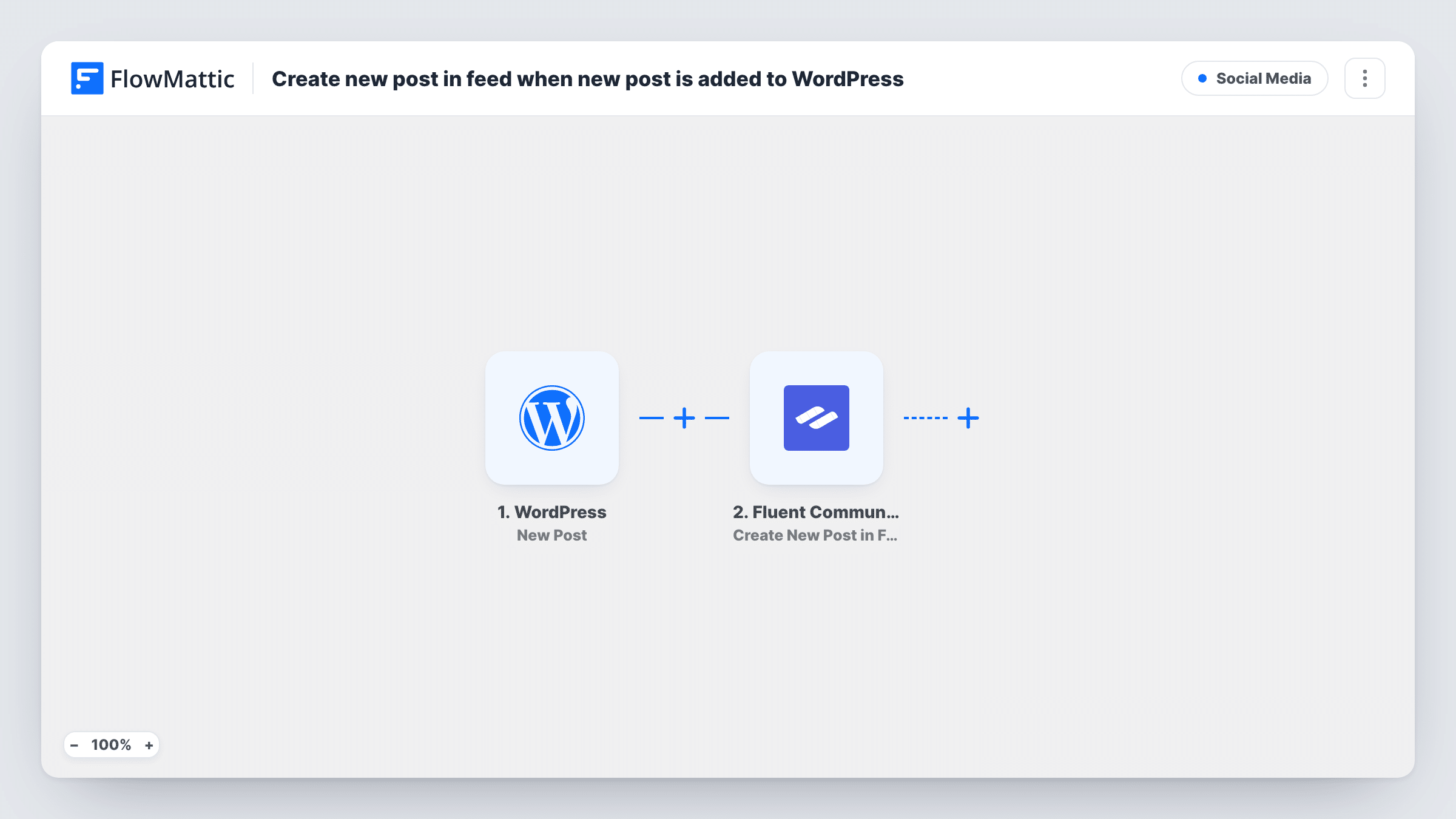
What this workflow does
Members of a community site often skip the blog. If you want them to see new articles, someone has to share each one in the community feed by hand. This workflow does that sharing for you each time a post goes live.
The WordPress trigger, New Post, fires once, when a post first moves to published. Editing a post that is already live does not fire it again, and pages never fire it. Custom post types fire it too, unless you set the trigger's post type to a single type. The FluentCommunity step then creates a new post in the feed from the post details you map, such as the title, an excerpt and the link.
Both plugins run on the same WordPress site as FlowMattic, so nothing leaves your site. Publish a test post after import to check how the feed post looks, and use Task History to see each run.
Course creator announcing lessons
Each new blog lesson you publish appears in the FluentCommunity feed with a link, so students who live in the community find it.
Membership site news
Announcements written as WordPress posts reach members in the community feed the moment they go live, with no second copy to write.
Podcast or video show notes
Show notes published as posts are shared to the feed, giving members a place to discuss each episode under the post.
How this workflow runs
What happens at each step once the workflow is on, and what you need before you import it.
 WordPress New Post
Fires once when a WordPress post is first published. Edits to live posts don't fire it, pages never do, and custom post types do unless you limit the post type.
- Fluent Community Create New Post in Feed
Creates a new post in your FluentCommunity feed from the WordPress post data. Map the title, excerpt and permalink into it, then publish a test post to check the result.
What you need
- FlowMatticCore
- FluentCommunity PluginPlugin
After importing, map your own data. To keep the template universal, not every step is pre-filled. Open each step in the builder and connect your accounts and fields (channels, lists, sheets, recipients) before you switch the workflow on.
Make it yours
Changes worth making after you import it.
- Set the trigger's post type to Posts if your site publishes custom post types, such as products or events, that you don't want shared in the feed.
- Add a Filter after the trigger that continues only for one category, so only articles meant for members are shared to FluentCommunity.
- Include the post's permalink in the feed text so members can open the full article on your site.
Questions about this workflow
Will updating a published WordPress post create another FluentCommunity post?
No. The trigger fires when a post first moves to published. Edits to a post that is already live do not start a run.
Are WordPress pages shared to the FluentCommunity feed?
No. Pages never fire the New Post trigger. Posts and custom post types do, unless you limit the trigger to one post type.
Does FluentCommunity need to be on the same site as the blog?
Yes. Both the WordPress trigger and the FluentCommunity step work on the site where FlowMattic is installed.
More Social Media workflows
Other ready-to-import templates from the same category.




Import this workflow into your WordPress site
Download the JSON, import it from the Workflows screen and connect your accounts. Every run stays on your server, with no per-task fees.
30-day money-back guarantee Unlimited workflows and runs Self-hosted