

Create Zoho Recruit candidates from Typeform submissions and notify recruiters in Gmail
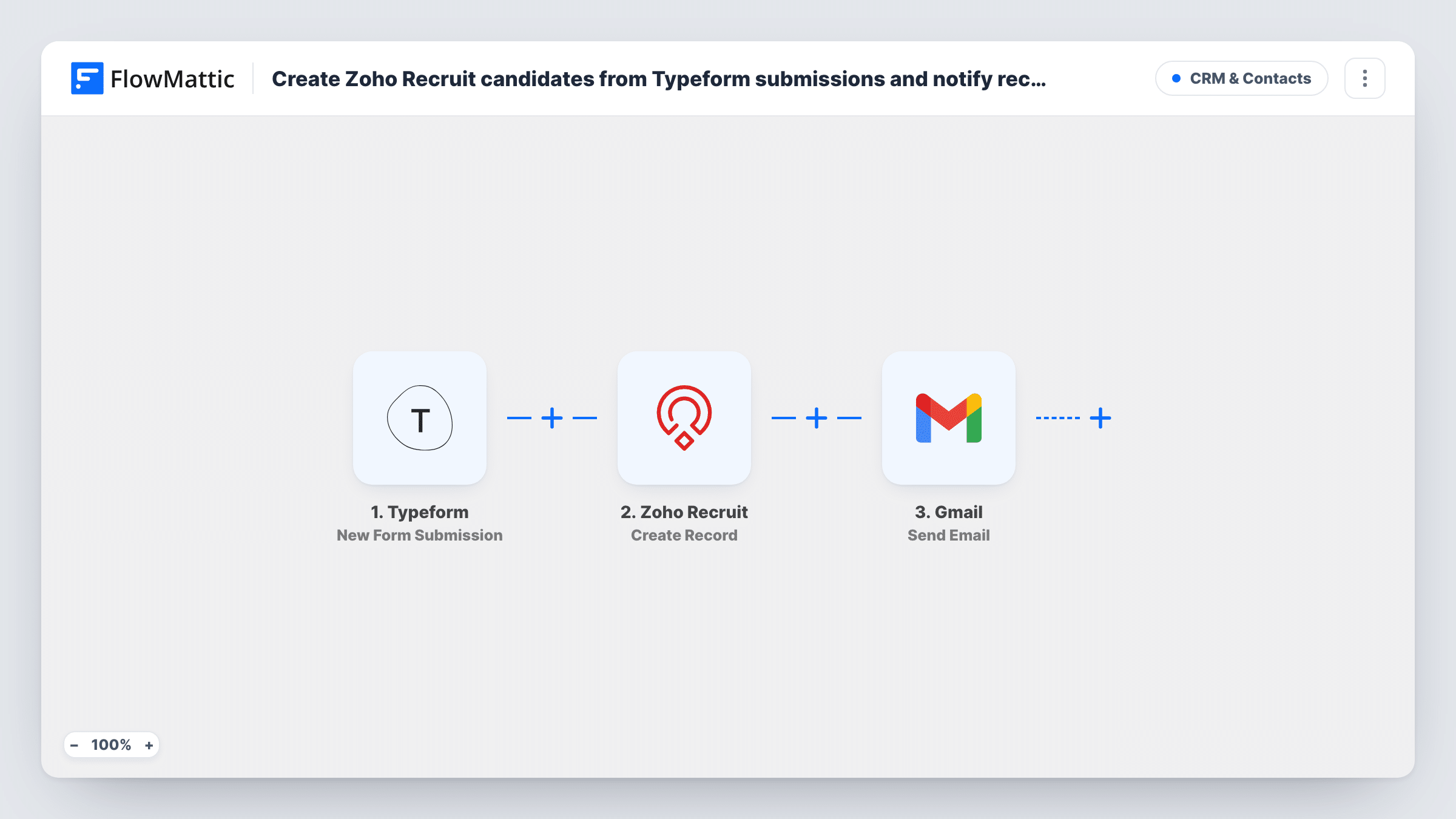
Each Typeform job application creates a candidate record in Zoho Recruit, then a Gmail message tells your recruiters a new applicant is waiting, with the details you choose in the email.
 Typeform
 Zoho Recruit
 Gmail
Gmail3 steps Setup ~5 min Used on 1.5k sites Free to import
What this workflow does
Typeform makes a friendly application form, but its answers don't land in your applicant tracking system on their own. Someone has to copy each applicant into Zoho Recruit and then tell the hiring team. This workflow does both after every submission.
When a candidate submits your Typeform, FlowMattic receives their answers. The Create Record step adds a new record in Zoho Recruit; point it at the Candidates module and map name, email, phone and any other answers into the candidate's fields. Next, Gmail sends an email from your connected account to the recruiters you list, with whatever applicant details you place in the subject and body.
Each submission makes one new candidate and one email, with no screening in between. Create Record doesn't check whether the person already applied, so a second application from the same candidate adds a second record. Task History shows each run, including Zoho Recruit's response if a record couldn't be created.
Seasonal hiring at a retail chain
Store managers share one Typeform for holiday staff. Every applicant appears in Zoho Recruit, and the regional recruiter gets an email to start screening.
Open applications on a careers page
A startup keeps a general Typeform for people who don't fit a listed role. Each one becomes a Recruit candidate, and the founders get a heads-up in Gmail.
Agency intake for a client role
A recruitment agency runs a branded Typeform for a client vacancy. Candidates go straight into its Zoho Recruit account and the consultant on the role is emailed.
How this workflow runs
What happens at each step once the workflow is on, and what you need before you import it.
 Typeform New Form Submission
Starts once an applicant completes and sends your Typeform. Each answer becomes data you can map into the candidate record and the recruiter email.
- Zoho Recruit Create Record
Creates a new record in Zoho Recruit. Set it to the Candidates module and map the applicant's answers, such as name, email and phone, into the matching fields.
- Gmail Send Email
Sends an email from your Gmail account to the recruiters you choose. Write the subject and body and drop in applicant details so they can act without opening Typeform.
What you need
- FlowMatticCore
- Typeform AccountAccount
- Zoho Recruit AccountAccount
- Gmail AccountAccount
After importing, map your own data. To keep the template universal, not every step is pre-filled. Open each step in the builder and connect your accounts and fields (channels, lists, sheets, recipients) before you switch the workflow on.
Make it yours
Changes worth making after you import it.
- To avoid duplicate candidates, swap Create Record for Zoho Recruit's Create or Update Record and use the email field as the duplicate check.
- Add a Filter after the trigger if only some applicants should be added, for example those who answered yes to a right-to-work question.
- Include the role the person applied for in the Gmail subject line, so recruiters can sort and search these emails when several jobs are open.
Questions about this workflow
Does every Typeform submission create a Zoho Recruit candidate?
Yes. The template has no Filter, so each submission runs both steps. Add a Filter after the trigger if you want to screen answers first.
What if the applicant is already in Zoho Recruit?
Create Record adds a new record every time, so you can end up with duplicates. Zoho Recruit's Create or Update Record action, with a duplicate check on email, updates the existing candidate instead.
Can the Gmail notice include a link to the new Zoho Recruit candidate?
The email can include any value Zoho Recruit returns from the Create Record step, such as the record ID. Check a test run to see what comes back, then build the message from it.
Can I attach the applicant's CV to the recruiter email?
Not with the Gmail step. Put the Typeform file link in the email body instead, if your form includes a file upload question.
More CRM & Contacts workflows
Other ready-to-import templates from the same category.








Import this workflow into your WordPress site
Download the JSON, import it from the Workflows screen and connect your accounts. Every run stays on your server, with no per-task fees.
30-day money-back guarantee Unlimited workflows and runs Self-hosted