

When a new Senseily course enrollment happens, add the student to ActiveCampaign and log it in Google Sheets
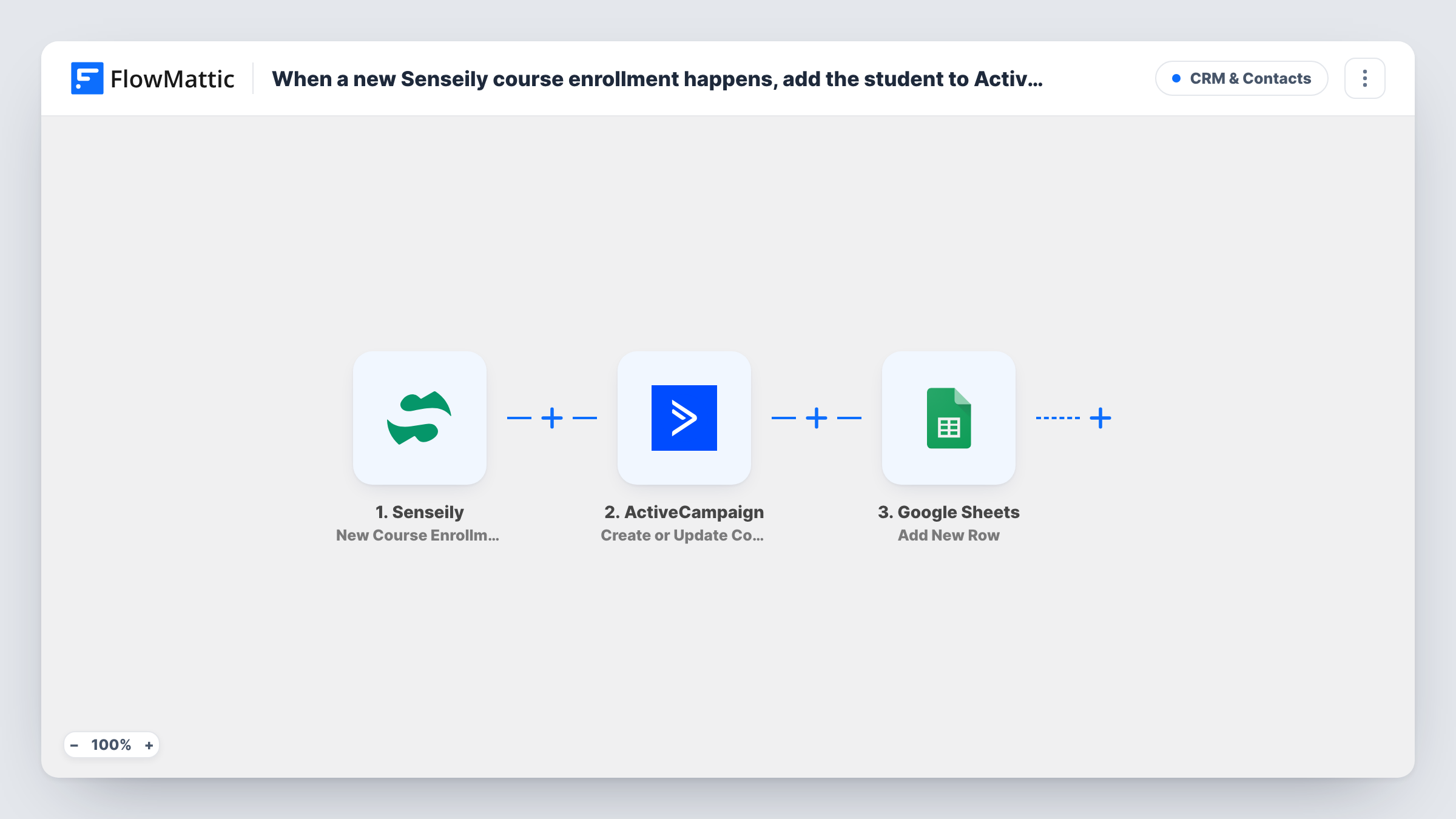
When a student enrolls in a Senseily course, this workflow creates or updates their ActiveCampaign contact and then logs the enrollment as a new Google Sheets row for your records.
 Senseily
 ActiveCampaign
 Google Sheets
3 steps Setup ~5 min Used on 3.5k sites Free to import
What this workflow does
A course enrollment is the moment a student is most interested in hearing from you. If their details stay inside Senseily, your ActiveCampaign emails miss them, and anyone tracking sign-ups has to export lists by hand. This workflow sends each enrollment to both places in one run.
The Senseily trigger fires when a student enrolls in a course, free or paid. FlowMattic passes the student's details to ActiveCampaign, which creates a new contact or updates the contact if that person is already in your account. The run then moves on to Google Sheets and adds a row with the enrollment data you map.
Nothing in the template sorts free sign-ups from paid ones, so every enrollment follows the same path. A student who joins three courses produces three runs: one contact kept up to date and three rows in the sheet. Task History lists each run with the data Senseily sent and the response from each step.
Welcome sequence for new students
An ActiveCampaign automation that starts for new contacts greets each Senseily student, while the sheet keeps a dated log of who enrolled in which course.
Course sales reporting
A course creator shares the Google Sheet with a bookkeeper, who sees each enrollment as a row without needing a Senseily login.
Cross-selling the next course
Students already in ActiveCampaign get their contact refreshed on each new enrollment, so your segments reflect current details when you promote a follow-on course.
How this workflow runs
What happens at each step once the workflow is on, and what you need before you import it.
 Senseily New Course Enrollment
Fires when a student enrolls in a free or paid course in Senseily. The student and course details are passed on for mapping in the next two steps.
- ActiveCampaign Create or Update Contact
Creates a contact in ActiveCampaign from the student's details, or updates that contact if it already exists. Map the student's email address, plus any name fields Senseily sends.
- Google Sheets Add New Row
Adds a row to the Google Sheets spreadsheet you choose for every enrollment. Map columns such as student name, email and course to the data from the trigger.
What you need
- FlowMatticCore
- Senseily AccountAccount
- ActiveCampaign AccountAccount
- Google Sheets AccountAccount
After importing, map your own data. To keep the template universal, not every step is pre-filled. Open each step in the builder and connect your accounts and fields (channels, lists, sheets, recipients) before you switch the workflow on.
Make it yours
Changes worth making after you import it.
- Add a Filter after the trigger that checks the course name if only one course should feed ActiveCampaign and the sheet.
- Put a date column in the sheet and map the enrollment time to it, so you can sort and total sign-ups by week or month.
- Enroll a test account in a free course after import, then use the captured data in Task History to finish mapping both action steps.
Questions about this workflow
What happens when a Senseily student is already in ActiveCampaign?
ActiveCampaign matches the student to the contact you already hold and refreshes it, so no second contact appears. The Google Sheets step still adds a new row for that enrollment.
Are free course enrollments included?
Yes. The Senseily trigger fires for free and paid courses alike, and the template has no Filter, so both reach ActiveCampaign and the sheet.
Can I add the student to an ActiveCampaign list or tag them?
Not as imported. As shipped, the ActiveCampaign step touches the contact record and nothing else. Add another ActiveCampaign action after it if you want list or tag changes.
Will Senseily students who enrolled earlier be added?
No. Senseily enrollments from before you switch the workflow on never reach it; the trigger sees new ones only.
More CRM & Contacts workflows
Other ready-to-import templates from the same category.





Import this workflow into your WordPress site
Download the JSON, import it from the Workflows screen and connect your accounts. Every run stays on your server, with no per-task fees.
30-day money-back guarantee Unlimited workflows and runs Self-hosted