

Create Zoho Webinars from new events in Eventin
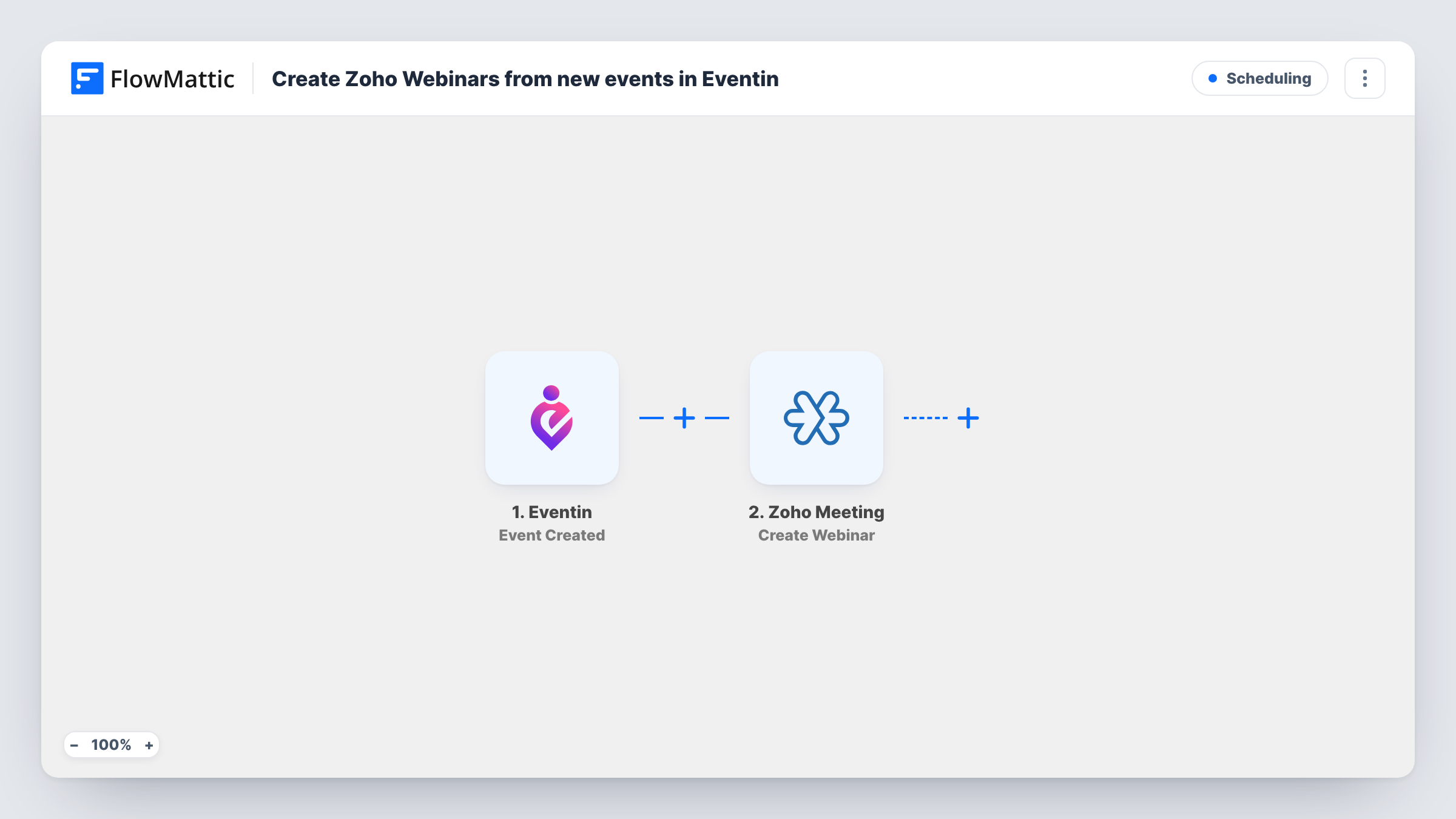
Each time you create an event in Eventin, this workflow creates a webinar in Zoho Meeting from the event’s details, so the online session exists without a second round of setup in Zoho.
 Eventin
 Zoho Meeting
2 steps Setup ~5 min Used on 2.0k sites Free to import
What this workflow does
Running an event online usually means building it twice: once in Eventin on your WordPress site, and again as a webinar in Zoho Meeting. Retyping the title, date and description in a second place is slow, and a typo can leave the two out of step. This workflow does the second half for you.
The Eventin trigger fires when a new event is created. FlowMattic passes the event's data to Zoho Meeting, where the Create Webinar action sets up a new webinar from the values you map. Which event values go where is up to you; create one test event after import and the run shows what Eventin sends and what the Zoho step accepts.
The workflow acts only on creation. Editing or deleting the event later leaves the webinar as it is, so changes to timing need to be made in Zoho Meeting too. Each run is listed in Task History, along with the response Zoho Meeting returned.
Monthly online training sessions
You publish a training session in Eventin each month for sign-ups on your site. The matching Zoho Meeting webinar is created as soon as you add the event, ready for you to send joining details.
Product demo series
A software team lists weekly demos in Eventin. Each new listing gets its own Zoho Meeting webinar, so the host never has to copy the schedule across by hand.
Online courses with live Q&A
A course creator adds a live Q&A event in Eventin for each module, and the webinar for it is set up in Zoho Meeting from the same title and timing.
How this workflow runs
What happens at each step once the workflow is on, and what you need before you import it.
 Eventin Event Created
Fires when an event is created in Eventin on your WordPress site. The event's data is passed to the Zoho Meeting step for mapping.
- Zoho Meeting Create Webinar
Creates a new webinar in Zoho Meeting from the Eventin values you map into this step. Connect your Zoho account on import, then run a test event to see which details the webinar takes.
What you need
- FlowMatticCore
- Eventin PluginPlugin
- Zoho Meeting AccountAccount
After importing, map your own data. To keep the template universal, not every step is pre-filled. Open each step in the builder and connect your accounts and fields (channels, lists, sheets, recipients) before you switch the workflow on.
Make it yours
Changes worth making after you import it.
- If you also run in-person events in Eventin, add a Filter after the trigger on whatever value marks an event as online, so only those events get a Zoho Meeting webinar.
- Check the time zone on the webinar after your first test run. If Eventin and Zoho Meeting read times differently, adjust the mapping before you turn the workflow on.
- Add a Google Sheets Add New Row step after Zoho Meeting to keep a list of each Eventin event next to the webinar data Zoho returns.
Questions about this workflow
If I change the date of an Eventin event, does the Zoho webinar move too?
No. The trigger is Event Created, so it runs once when the event is made. Later edits in Eventin don't reach Zoho Meeting, so change the webinar there as well.
Does deleting an Eventin event cancel the Zoho Meeting webinar?
No. Nothing in this workflow listens for deleted events, so the webinar stays in Zoho Meeting until you remove it yourself.
Will Eventin events I created before importing get webinars?
No. Only events created after you turn the workflow on start a run. Set up webinars for existing events in Zoho Meeting directly.
Does every new Eventin event become a Zoho webinar?
Yes, as imported. There is no Filter, so each event created in Eventin runs the Zoho Meeting step. Add a Filter if only some of your events are online.
More Scheduling workflows
Other ready-to-import templates from the same category.






Import this workflow into your WordPress site
Download the JSON, import it from the Workflows screen and connect your accounts. Every run stays on your server, with no per-task fees.
30-day money-back guarantee Unlimited workflows and runs Self-hosted