

When Appointment Booking Rescheduled in WP Amelia, Send Template Message in WhatsApp Cloud API
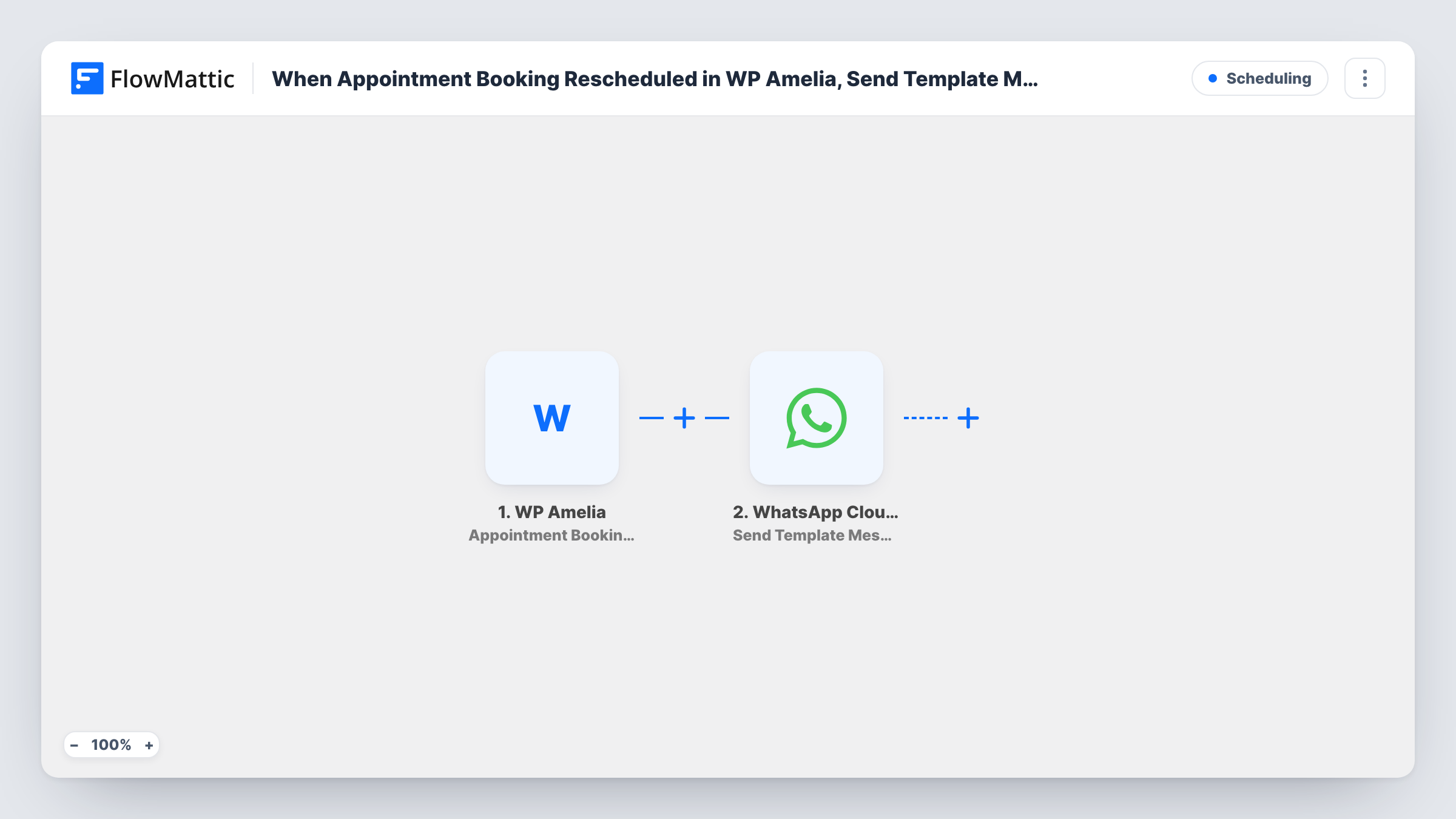
Whenever an appointment booking is rescheduled in WP Amelia, FlowMattic sends the customer an approved WhatsApp template message through WhatsApp Cloud API with the new details you map.
 WP Amelia
 WhatsApp Cloud API
2 steps Setup ~5 min Used on 3.2k sites Free to import
What this workflow does
A moved appointment is easy to miss when the only notice is an email. If the customer turns up at the old time, both sides lose an hour. This workflow sends a WhatsApp message to the customer's phone as soon as a booking is rescheduled in Amelia, so the new date and time are where they will see them.
The WP Amelia trigger fires when an appointment's booking is rescheduled. The booking details, including the service, the new appointment time and the customer's name and phone, are passed on. Event bookings have their own Amelia triggers and don't start this workflow.
The WhatsApp Cloud API step then delivers a template message to that customer. Templates are messages WhatsApp has approved in advance, which is what lets you reach a customer who hasn't written to your business number recently. The step ships unmapped: pick your rescheduling template, map the customer's phone as the recipient and fill its variables with the service and new time.
Reschedule a test booking before you go live. Task History shows the data Amelia sent and WhatsApp's response, so you can check the phone format and the variables.
Clinic appointments moved by reception
A physiotherapy clinic's receptionist moves a session to Thursday in Amelia, and the patient gets a WhatsApp template with the new day and time.
Salon bookings changed by the client
A hair salon lets clients reschedule online, and each change produces a WhatsApp confirmation of the new slot so there is no doubt about it.
Tutoring sessions shifted at short notice
A tutor who moves a lesson an hour later has the new time sent to the student's parent on WhatsApp, alongside any email Amelia already sends.
How this workflow runs
What happens at each step once the workflow is on, and what you need before you import it.
 WP Amelia Appointment Booking Rescheduled
Fires when an appointment booking is rescheduled in WP Amelia. The service, the new date and time and the customer's contact details are handed to the WhatsApp step.
- WhatsApp Cloud API Send Template Message
Sends a WhatsApp template message to the customer. It ships unmapped, so choose an approved rescheduling template, map the customer's phone with country code and fill in the variables.
What you need
- FlowMatticCore
- WP Amelia AccountAccount
- WhatsApp Cloud API AccountAccount
After importing, map your own data. To keep the template universal, not every step is pre-filled. Open each step in the builder and connect your accounts and fields (channels, lists, sheets, recipients) before you switch the workflow on.
Make it yours
Changes worth making after you import it.
- Create a WhatsApp template written for rescheduling, with variables for the service name and the new appointment time, and get it approved before importing.
- Collect the customer's phone with the country code in your Amelia booking form, since WhatsApp needs the full international number to deliver the template.
- To message the staff member too, add a second Send Template Message step after the first one and map the employee's phone into it.
Questions about this workflow
Does a WhatsApp message go out when an Amelia booking is cancelled?
No. This workflow uses the Appointment Booking Rescheduled trigger only. For cancellations, import a copy and swap its trigger for Appointment Booking Canceled, with a template worded for that.
Why a template message instead of plain text?
WhatsApp only delivers free-form text within 24 hours of the customer messaging your business number. A rescheduled booking can come at any time, so an approved template is the message type WhatsApp accepts outside that window.
What do I need on the WhatsApp side for Amelia reschedule alerts?
A WhatsApp Business account with a phone number on WhatsApp Cloud API, which is also where your approved templates live. You connect that account to the WhatsApp step once the workflow is imported.
Which Amelia details can the WhatsApp template include?
Any booking field you map into the template's variables, such as the customer's name, the service and the new start time. Reschedule a test booking to see the field names Amelia sends.
More Scheduling workflows
Other ready-to-import templates from the same category.



Import this workflow into your WordPress site
Download the JSON, import it from the Workflows screen and connect your accounts. Every run stays on your server, with no per-task fees.
30-day money-back guarantee Unlimited workflows and runs Self-hosted