

When new form data is received in MachForm, create an event in Google Calendar and share a notification in Discord
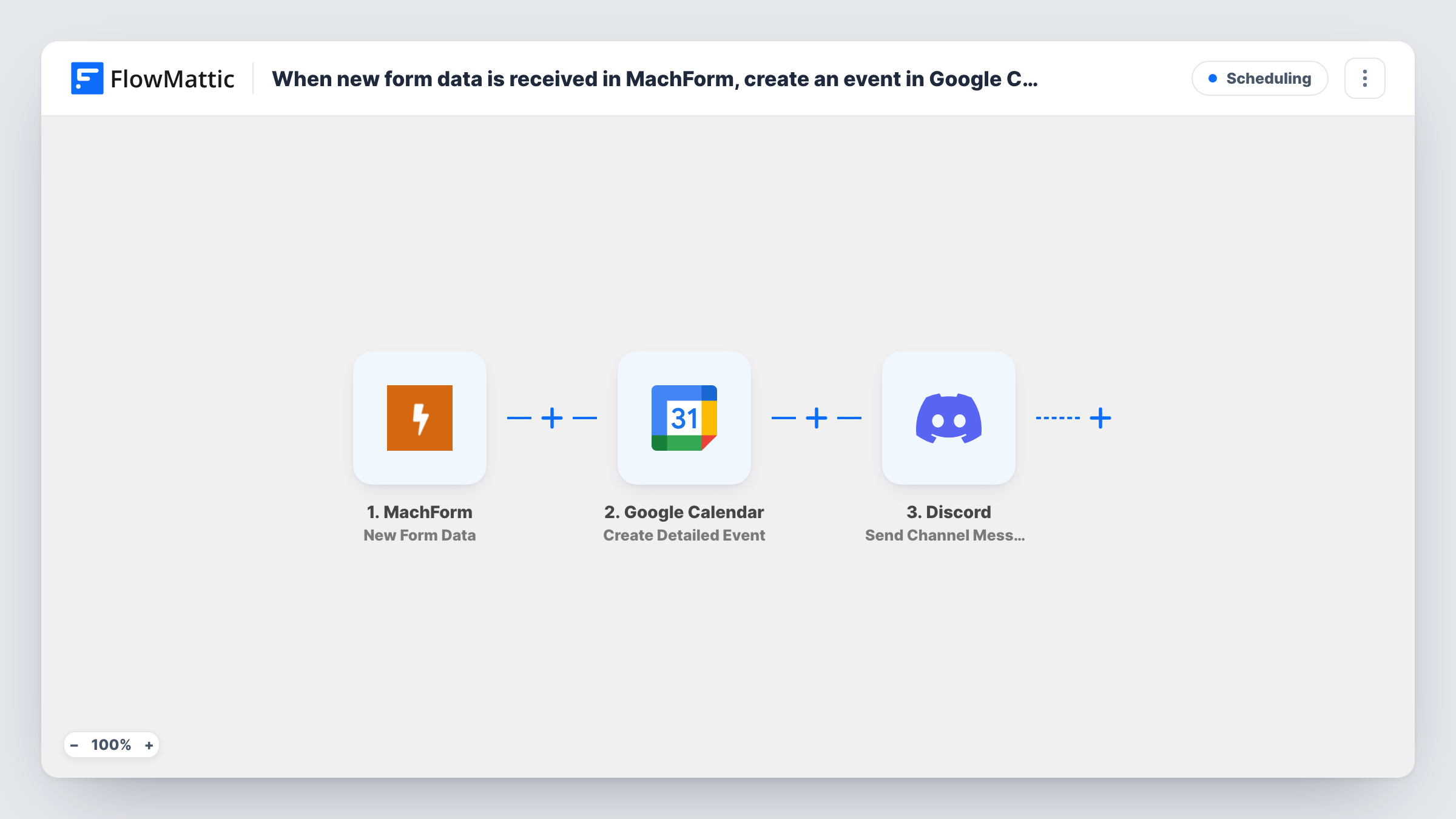
When a MachForm form receives new data, this workflow creates a Google Calendar event from the answers and posts a notice in a Discord channel so your team knows it is booked.
 MachForm
 Google Calendar
 Discord
3 steps Setup ~5 min Used on 2.4k sites Free to import
What this workflow does
When a form is how people ask for a meeting, a demo or a slot at an event, someone has to turn each entry into a calendar event and tell the team. This workflow does both from each MachForm entry, so requests are on the calendar and announced without retyping.
Each run starts when MachForm sends a new entry to FlowMattic. FlowMattic passes the answers to Google Calendar, where Create Detailed Event adds an event to the calendar you pick, built from the values you map. The final step posts a message to a Discord channel, which can include both form answers and details of the event just created.
Every entry creates an event; nothing checks for clashes or confirms the time with you first. Your form needs to collect the date and time you want the event to use, and a test entry after import shows how those values arrive.
Demo requests for a software team
A prospect picks a time on the MachForm demo form, the slot appears on the sales calendar, and the sales Discord channel gets a heads-up.
Club or community meetups
Members propose a meetup through a form, it goes on the shared calendar, and the community server's announcements channel tells everyone.
Equipment or room bookings
Staff book a room through MachForm, the booking appears on the room's calendar, and the facilities channel sees who booked it.
How this workflow runs
What happens at each step once the workflow is on, and what you need before you import it.
 MachForm New Form Data
Fires when MachForm receives new form data. Every answer in the entry is passed on for the calendar event and the Discord post.
- Google Calendar Create Detailed Event
Creates an event in Google Calendar from the form answers. Map the date, time and title values from MachForm, then run a test entry to confirm the event lands at the right time.
- Discord Send Channel Message
Announces the booking in a Discord channel of your choosing. Write the text and insert MachForm answers or details returned by the calendar step.
What you need
- FlowMatticCore
- MachForm AccountAccount
- Google Calendar AccountAccount
- Discord AccountAccount
After importing, map your own data. To keep the template universal, not every step is pre-filled. Open each step in the builder and connect your accounts and fields (channels, lists, sheets, recipients) before you switch the workflow on.
Make it yours
Changes worth making after you import it.
- Make the date and time fields required in MachForm, so every entry gives the calendar step a value to use.
- If only some entries, such as those with a request type of Meeting, should create events, add a Filter between the MachForm trigger and the Google Calendar step. Entries it stops get no event and no Discord post.
- Include the event link from the Google Calendar step in the Discord message, if the step returns one, so the team can open it directly.
Questions about this workflow
Does this check Google Calendar for clashes before booking?
No. The workflow creates an event for every MachForm entry. Add your own checks, or review the calendar, if double bookings matter.
Is the person who filled in the MachForm invited to the event?
Only if the calendar step offers an attendee option and you map the form's email into it. Check the step's options when you set it up.
Does editing a MachForm entry change the calendar event?
No. The trigger fires on new form data, and no step updates or deletes events, so later changes to an entry never reach Google Calendar or Discord.
More Scheduling workflows
Other ready-to-import templates from the same category.





Import this workflow into your WordPress site
Download the JSON, import it from the Workflows screen and connect your accounts. Every run stays on your server, with no per-task fees.
30-day money-back guarantee Unlimited workflows and runs Self-hosted