

Email a receipt via Gmail after a successful PayU payment
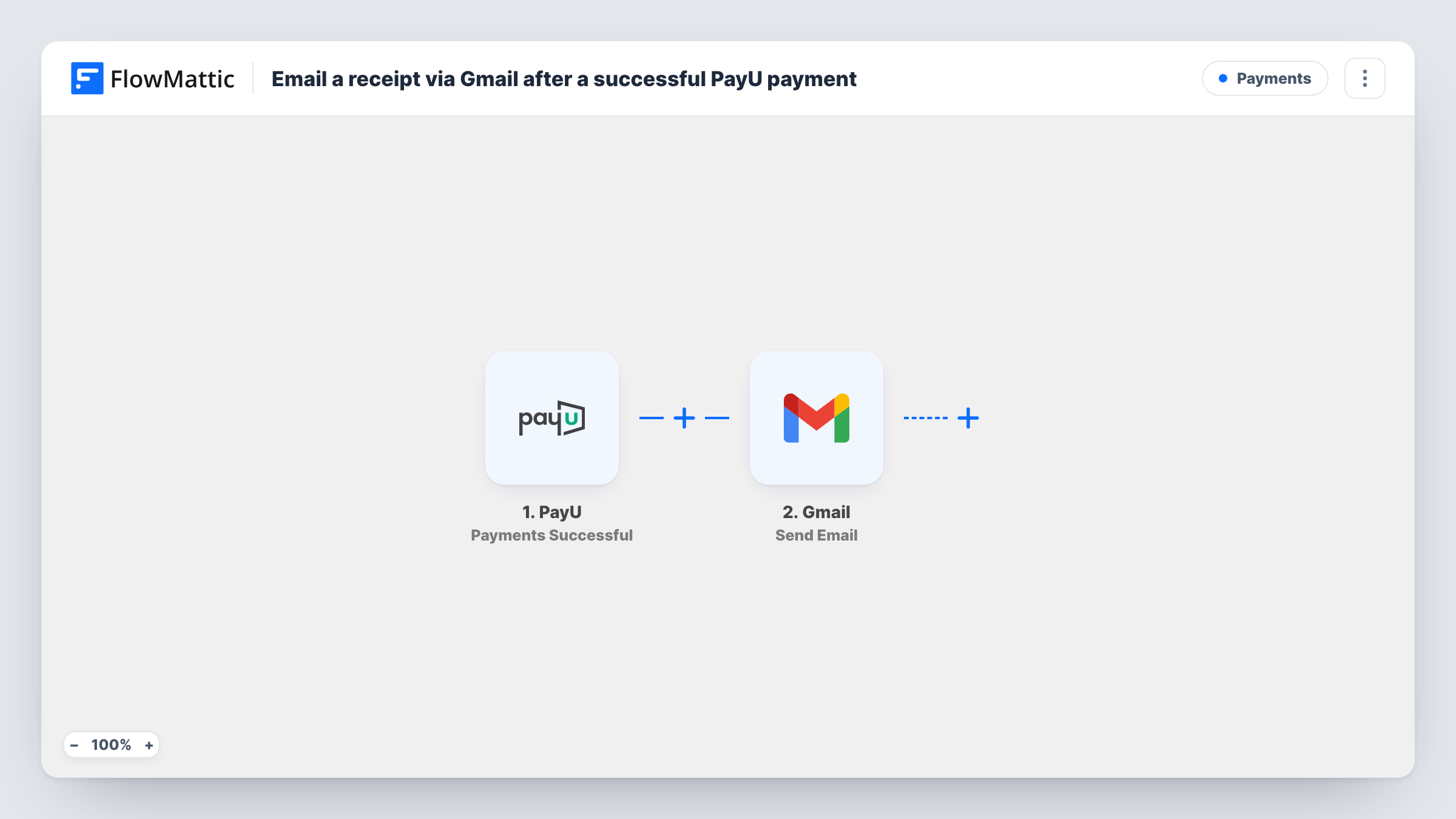
When a payment succeeds in PayU, this workflow sends the customer a receipt email from your Gmail account, written by you and filled with the payment details from the event.
 PayU
PayU
 Gmail
Gmail2 steps Setup ~5 min Used on 2.2k sites Free to import
What this workflow does
Customers want a clear record that their payment went through, and they want it soon after paying. Writing those emails by hand does not scale past a handful of orders. This workflow sends a receipt from your own Gmail address for every successful PayU payment.
The PayU trigger fires when a successful payment is made. FlowMattic passes the payment data from that event to Gmail, where the Send Email action sends a message to the recipient you map, usually the buyer's email from the payment. You write the subject and body yourself and drop in payment values such as the amount and transaction reference wherever you want them.
The receipt is the email text you compose; the step does not attach a PDF invoice. Because the trigger only covers successful payments, failed or refunded ones never send a receipt. Each email sent shows up in Task History, along with the payment data that filled it.
Online course sales in India
Students who pay for a course through PayU get a receipt from your Gmail address with the amount paid and their transaction reference.
Consulting session bookings
Clients paying for a session receive a short receipt that also tells them how you'll be in touch to schedule it.
Donations to a small charity
Each donor paying through PayU gets a thank-you receipt from the charity's Gmail account, listing the amount they gave.
How this workflow runs
What happens at each step once the workflow is on, and what you need before you import it.
 PayU Payments Successful
Runs whenever PayU reports a successful payment. The payment details from that event are passed on for use in the email.
- Gmail Send Email
Delivers the receipt from the Gmail address you connect. Map the buyer's email from the payment as the recipient, then write the receipt text with payment values mapped into it.
What you need
- FlowMatticCore
- PayU AccountAccount
- Gmail AccountAccount
After importing, map your own data. To keep the template universal, not every step is pre-filled. Open each step in the builder and connect your accounts and fields (channels, lists, sheets, recipients) before you switch the workflow on.
Make it yours
Changes worth making after you import it.
- Make a test payment after import and check the run in Task History to see which payment values PayU sends, then add them to your receipt text.
- Add a Filter after the trigger if you only want receipts for some payments, for example ones above a set amount or for a particular product.
- Add a Google Sheets Add New Row step after Gmail to keep a log of every receipt you sent and the payment it belongs to.
Questions about this workflow
Can the Gmail receipt include a PDF invoice?
Not with this template. The Gmail step sends the text you write. If you need a file, look at FlowMattic's own Email step instead, which can attach files stored on your WordPress site.
Does a failed PayU payment send an email?
No. The trigger is Payments Successful, so only completed payments start a run. PayU has separate failed and refund triggers if you want emails for those.
What if the PayU payment has no customer email?
Gmail needs a recipient to send to. If the payment data carries no email, the step fails for that run and Task History shows the error.
More Payments workflows
Other ready-to-import templates from the same category.







Import this workflow into your WordPress site
Download the JSON, import it from the Workflows screen and connect your accounts. Every run stays on your server, with no per-task fees.
30-day money-back guarantee Unlimited workflows and runs Self-hosted