

When a BlueSnap cancellation occurs, log it in Google Sheets, alert Slack, then update the row status
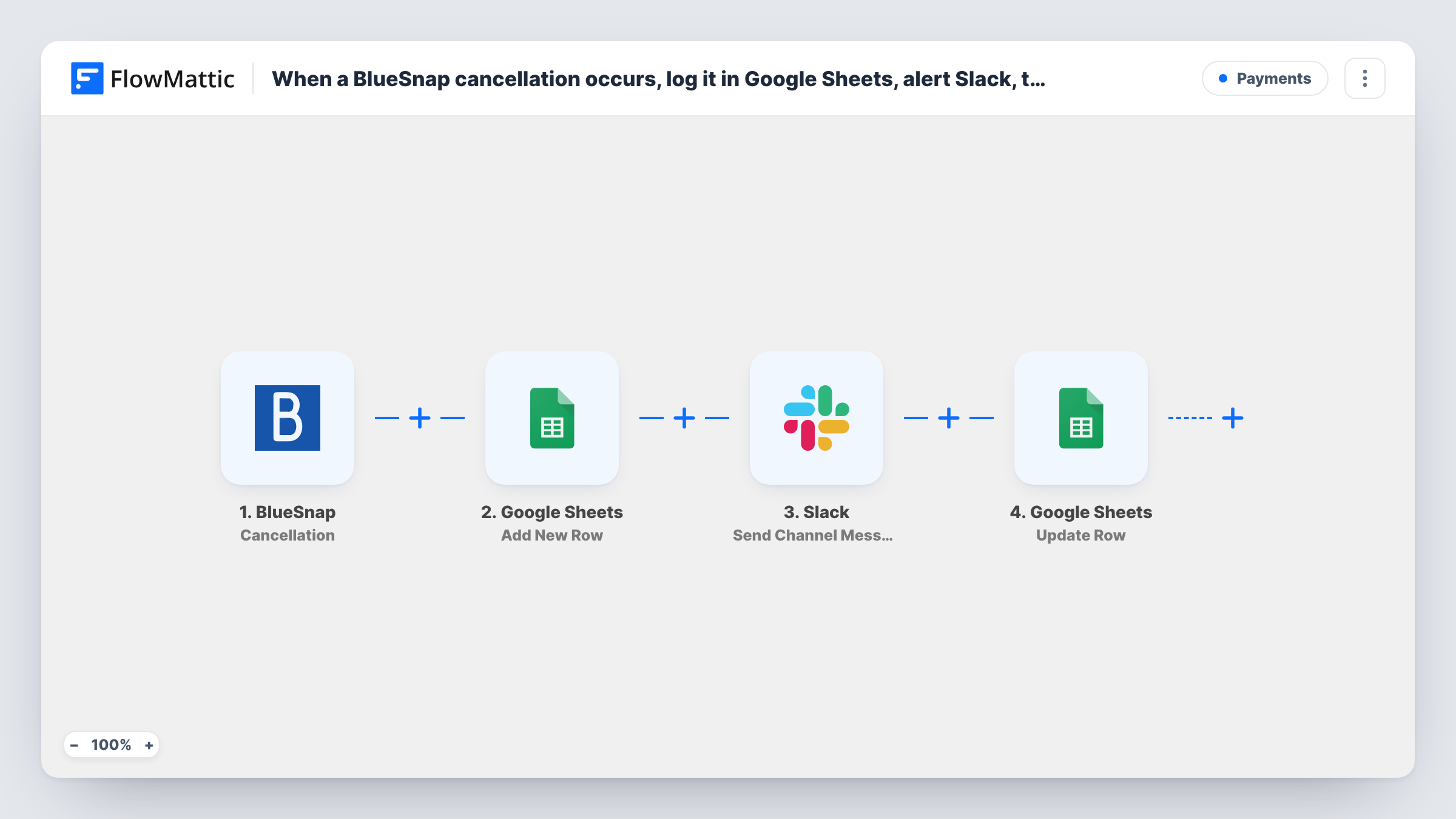
When a BlueSnap subscription is canceled, FlowMattic logs the cancellation as a Google Sheets row, alerts a Slack channel, then updates that row’s status using the row number the first Sheets step returned.
 BlueSnap
 Google Sheets
 Slack
Slack4 steps Setup ~8 min Used on 902 sites Free to import
What this workflow does
A canceled subscription is worth knowing about quickly, whether you want to understand churn or reach out to the customer. This workflow records each BlueSnap cancellation in a sheet you control, tells the team in Slack, and updates the row's status so you can see it was announced.
The BlueSnap Cancellation trigger fires when a subscription is canceled. Google Sheets adds a row with the cancellation details you map and returns the number of that row. Slack then posts to the channel you set. The closing Update Row step has its row number mapped to {google_spreadsheets2.row_number}, so it changes the same row rather than writing a new one.
The Sheets and Slack steps come unmapped. After import, choose the spreadsheet and sheet, map the BlueSnap fields into columns, set the Slack channel and message, and in Update Row point to the same sheet and set the status column to a value such as Alert sent.
The new status is written right after the Slack message. It doesn't record whether anyone contacted the customer, so keep a separate column for that. Task History shows every cancellation and each step's reply.
Churn log for monthly reviews
A SaaS founder reviews the BlueSnap cancellation sheet at month end to see which plans people leave and how many cancel each week.
Win-back outreach prompt
A customer success rep sees each cancellation in #churn on Slack and decides whether to email the customer with an offer.
Finance forecast updates
A finance lead uses the logged cancellations to adjust next month's recurring revenue forecast in the same Google Sheets file.
How this workflow runs
What happens at each step once the workflow is on, and what you need before you import it.
 BlueSnap Cancellation
Fires when a subscription is canceled in BlueSnap. The cancellation data goes to the following steps; check a test run in Task History for the subscription and customer fields it includes.
- Google Sheets Add New Row
Adds the cancellation to the spreadsheet and sheet you choose as one new row and returns its row number. Map the BlueSnap fields to your columns after import, as none are set.
- Slack Send Channel Message
Alerts the Slack channel you select about the cancellation. The message is yours to write, with BlueSnap details such as the plan or customer mapped in from the trigger data.
- Google Sheets Update Row
Changes the status of the row added in step 2, found by the row number that step returned, already mapped. Choose the same spreadsheet and sheet and set the status value you want.
What you need
- FlowMatticCore
- BlueSnap AccountAccount
- Google Sheets AccountAccount
- Slack AccountAccount
After importing, map your own data. To keep the template universal, not every step is pre-filled. Open each step in the builder and connect your accounts and fields (channels, lists, sheets, recipients) before you switch the workflow on.
Make it yours
Changes worth making after you import it.
- Add a Followed up column next to Status that your team fills in by hand after contacting the customer, so the sheet tracks outreach as well as alerts.
- For a private churn channel, change the Slack step to the Send Private Channel Message action.
- Map the cancellation date into its own column in Add New Row, if the BlueSnap data carries one, so you can group cancellations by week or month.
Questions about this workflow
Which row does the BlueSnap workflow's Update Row change?
The one Add New Row just created. That step returns the row number, and Update Row ships with {google_spreadsheets2.row_number} mapped in, so the status is set on that row.
What status does the template write?
None yet. The template only maps the row number, so you choose the status column and its value, such as Alert sent, after import.
Do I get a Slack alert for every BlueSnap cancellation?
Every cancellation starts a run that reaches the Slack step. To alert only for some, put a Filter between the first Google Sheets step and the Slack step; the Filter also stops Update Row for those runs.
More Payments workflows
Other ready-to-import templates from the same category.






Import this workflow into your WordPress site
Download the JSON, import it from the Workflows screen and connect your accounts. Every run stays on your server, with no per-task fees.
30-day money-back guarantee Unlimited workflows and runs Self-hosted