

Send Discord channel messages for new Stripe payments
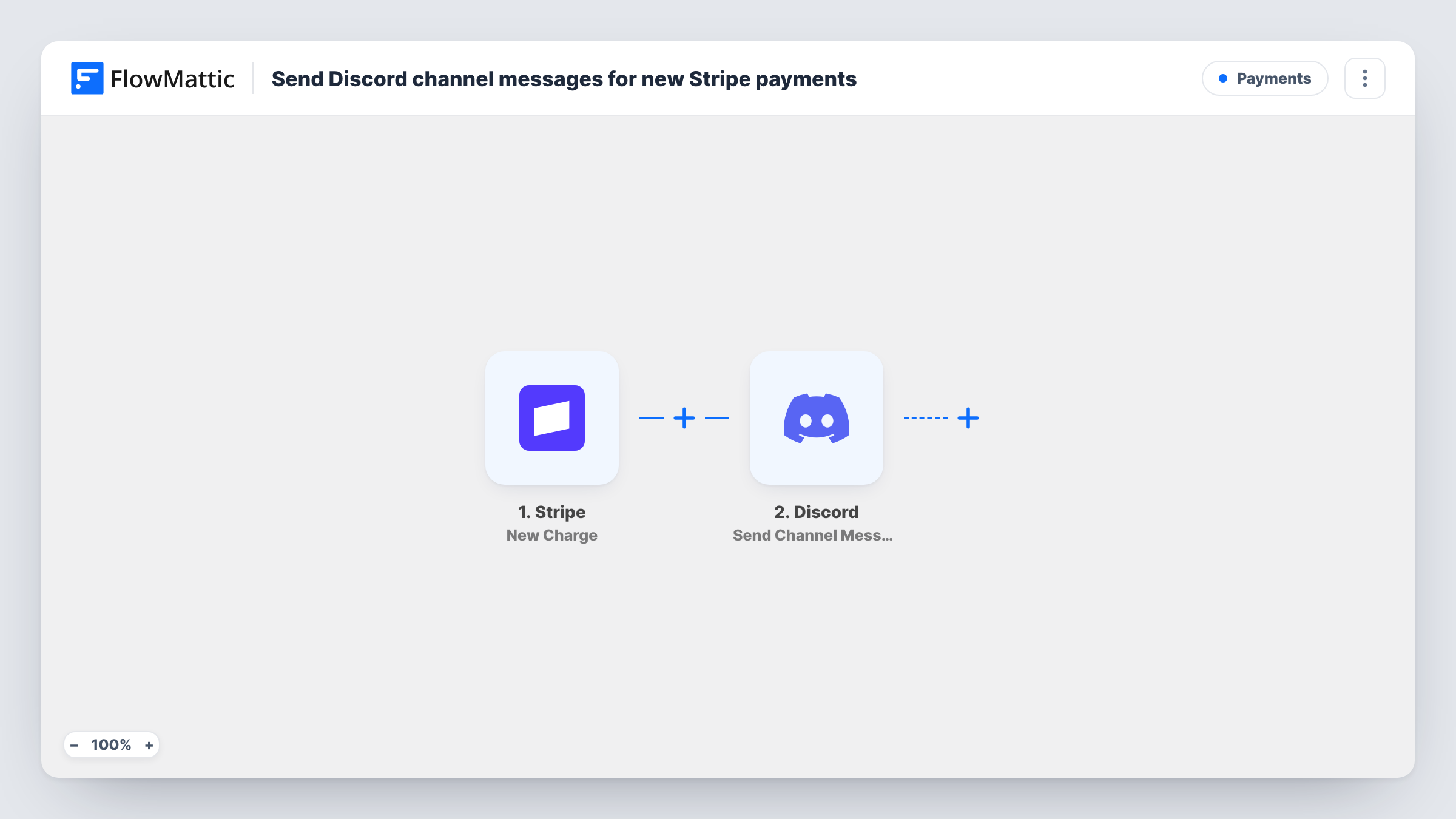
Each successful Stripe charge on your account is posted to a Discord channel with the amount and details you map, so your team sees payments arrive without logging in to the Stripe dashboard.
 Stripe
 Discord
2 steps Setup ~5 min Used on 1.4k sites Free to import
What this workflow does
Stripe shows payments in its dashboard, but only people with a Stripe login can see them, and few teams keep it open all day. If your team talks in Discord, a payment feed in a channel keeps everyone aware of incoming money without sharing account access.
The Stripe trigger fires whenever a new charge is created and succeeds on the connected account. Failed charges do not fire it. FlowMattic passes the charge data on, and the Discord step posts a message to the channel you choose. You decide what the message says and which charge values appear in it, such as the amount, currency and description.
Stripe records amounts in the smallest currency unit, so a charge of 25.00 in dollars arrives as 2500. Convert it with Number Formatter's Minor Unit Conversion action before posting, or label it as cents in the message. Refunds and disputes are separate Stripe events and do not edit or remove an earlier post. Payment details can be sensitive, so check who can read the channel. Task History shows each charge that was posted.
Payment feed for a small SaaS team
Founders and developers share a Discord server. A #payments channel shows each successful charge, so everyone sees new subscriptions and one-off purchases.
Freelancer invoices paid by card
A freelancer bills clients through Stripe. A private Discord channel lists each paid charge with its description, a quick way to see which invoice was settled.
Event ticket sales
Ticket payments taken through Stripe appear in the organisers' channel, giving the team a running view of sales in the days before the event.
How this workflow runs
What happens at each step once the workflow is on, and what you need before you import it.
 Stripe New Charge
Runs whenever a new charge is created and succeeds in your Stripe account. Charge data such as the amount, currency and description is passed on for mapping.
- Discord Send Channel Message
Sends a message about the charge to the Discord channel you pick. Write the text after import and map the Stripe values you want, formatting the amount so it reads correctly.
What you need
- FlowMatticCore
- Stripe AccountAccount
- Discord AccountAccount
After importing, map your own data. To keep the template universal, not every step is pre-filled. Open each step in the builder and connect your accounts and fields (channels, lists, sheets, recipients) before you switch the workflow on.
Make it yours
Changes worth making after you import it.
- Add Number Formatter's Minor Unit Conversion step before Discord to turn Stripe's amount in cents into a readable figure, for example 2500 into 25.00.
- Add a Filter that continues only when the amount is greater than a set value, such as 10000 for 100.00, to post larger payments only. Compare against the cent value Stripe sends.
- Run a test payment in Stripe after import so FlowMattic captures a real charge, then build the Discord message from that data.
Questions about this workflow
Do failed Stripe payments post to Discord?
No. The New Charge trigger fires for charges that are created and succeed. Failed charges are a different Stripe event and are not part of this template.
Why does the Stripe amount in Discord look 100 times too large?
Stripe reports amounts in minor units, so 25.00 dollars arrives as 2500. Use the Minor Unit Conversion action in Number Formatter before Discord, or label the figure as cents.
Does a Stripe refund remove the Discord message?
No. The workflow only posts new successful charges. A refund is a separate event in Stripe and does not edit or delete the earlier post.
Can I hide customer details from the Discord payment post?
Yes. You choose which values go into the message, so map only the amount and description if customer names and emails should stay out of the channel.
More Payments workflows
Other ready-to-import templates from the same category.





Import this workflow into your WordPress site
Download the JSON, import it from the Workflows screen and connect your accounts. Every run stays on your server, with no per-task fees.
30-day money-back guarantee Unlimited workflows and runs Self-hosted