

Email a summary via Gmail when a Docsumo document status changes
When a Docsumo document changes status, FlowMattic sends an email from your Gmail account with a summary you write from the document’s details, so the right people know where it stands.
 Docsumo
 Gmail
Gmail2 steps Setup ~5 min Used on 815 sites Free to import
What this workflow does
People who depend on Docsumo's output, such as a finance manager waiting on supplier invoices or a client waiting on processed statements, don't always log in to Docsumo. An email when a document moves on tells them it's ready to review, approve or use, without anyone writing that note by hand.
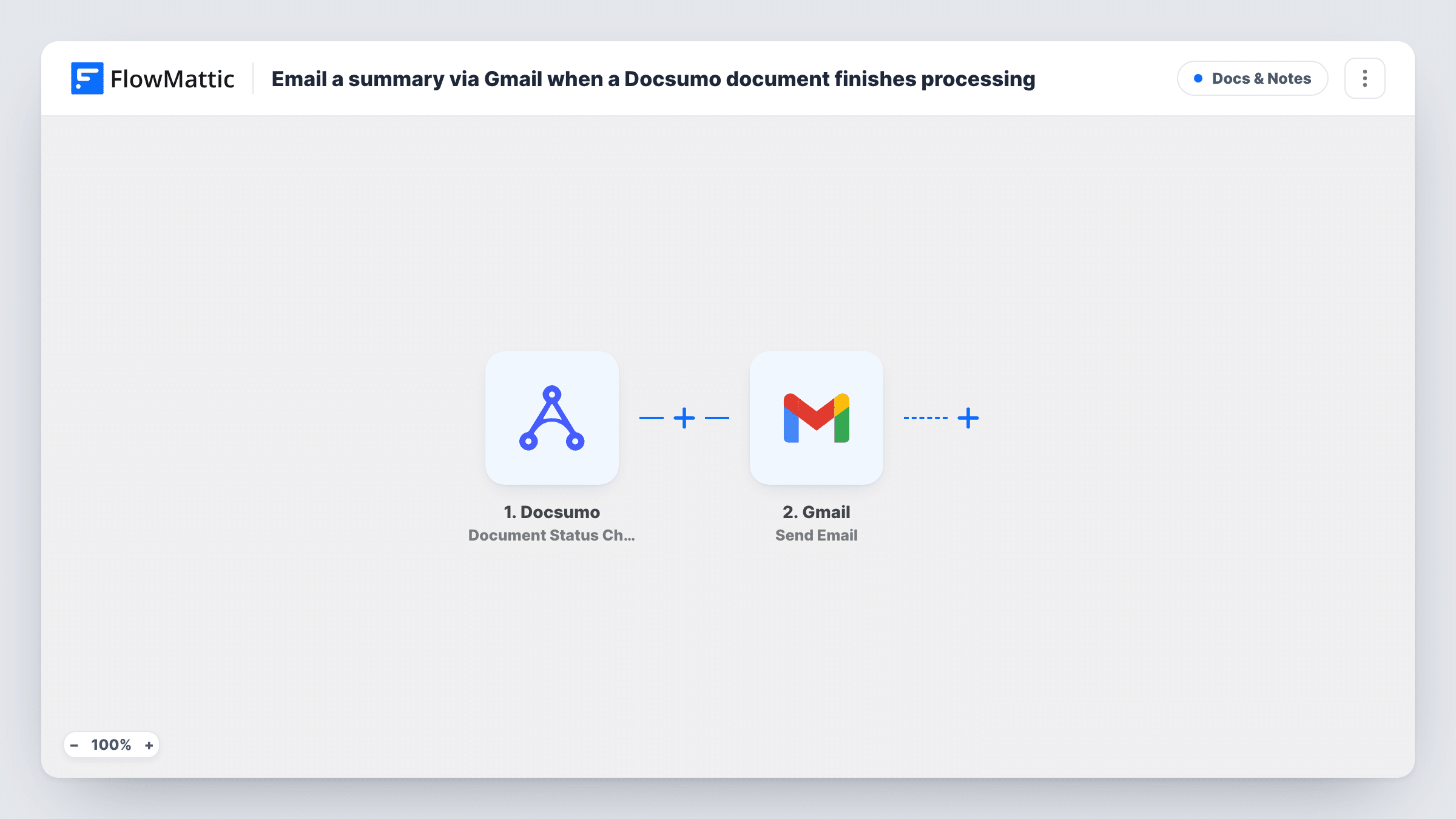
The Docsumo trigger fires when a document's status changes and hands the document's details and new status to the next step. Trigger it once with a real document during setup to see what Docsumo includes. If your Docsumo webhook settings offer a choice of status events, send only the ones worth an email.
The Gmail Send Email step then sends the message from your connected Gmail account. It has no recipient, subject or body in the template. After import, enter who should receive it, write a subject such as the document name and status, and build the body from the Docsumo fields you want in the summary.
Every status change sends one email, so a document that passes through several statuses produces several emails. If that's more than your readers want, add the Filter described in the tips before you turn the workflow on.
Finance manager hears when invoices are ready
An accounts team processes supplier invoices in Docsumo. The finance manager gets a Gmail message with the invoice name and status, then opens Docsumo to approve it.
Client updates for a document service
A small agency processes client paperwork in Docsumo and emails each client a short status note from the agency's own Gmail address.
Reviewer alert for flagged files
With a Filter on a review status, a compliance officer gets an email only when a document is waiting for a human check.
How this workflow runs
What happens at each step once the workflow is on, and what you need before you import it.
 Docsumo Document Status Change
Fires when the status of a Docsumo document changes. The document's details and its new status are passed to Gmail; run a test with a real document to see the fields.
- Gmail Send Email
Emails the Docsumo summary from your connected Gmail. Recipient, subject and body are empty in the template, so add the address you want, write the summary and map the Docsumo document fields into it.
What you need
- FlowMatticCore
- Docsumo AccountAccount
- Gmail AccountAccount
After importing, map your own data. To keep the template universal, not every step is pre-filled. Open each step in the builder and connect your accounts and fields (channels, lists, sheets, recipients) before you switch the workflow on.
Make it yours
Changes worth making after you import it.
- Put a Filter between the Docsumo trigger and the Gmail step on the status field, so only the status you care about, such as processed, sends an email. The status wording to match comes from a Docsumo test run.
- Put the document name and new status in the subject line, so the email can be scanned in an inbox without opening it.
- If Docsumo's data includes the uploader's email, map it as the recipient, so each person hears about their own document.
- Add a Google Sheets Add New Row step after the Gmail step to keep a record of every summary you sent.
Questions about this workflow
Who receives the Docsumo summary email?
Whoever you set in the Gmail step. The template leaves the recipient empty, so enter a fixed address or map one from the Docsumo data if a test run shows one.
Can I get an email only when a Docsumo document is fully processed?
Yes. Add a Filter between the Docsumo trigger and the Gmail step that continues only for that status. As imported, every status change sends an email.
Can the Gmail email include the extracted document data?
Only the fields the trigger passes on. Run a test status change, see what Docsumo sends, and map those values into the email body.
More Docs & Notes workflows
Other ready-to-import templates from the same category.




Import this workflow into your WordPress site
Download the JSON, import it from the Workflows screen and connect your accounts. Every run stays on your server, with no per-task fees.
30-day money-back guarantee Unlimited workflows and runs Self-hosted