

Email the customer via Gmail when a BlueSnap credit card charge fails
When a BlueSnap credit card charge fails, this workflow sends the customer an email from your Gmail account, so they learn about the problem and can update their card or contact you.
 BlueSnap
 Gmail
Gmail2 steps Setup ~5 min Used on 2.7k sites Free to import
What this workflow does
A declined card often goes unnoticed by the customer until a service stops or an order doesn't ship. Telling them right away gives them the chance to fix it. This workflow sends them an email from your Gmail account each time a charge fails.
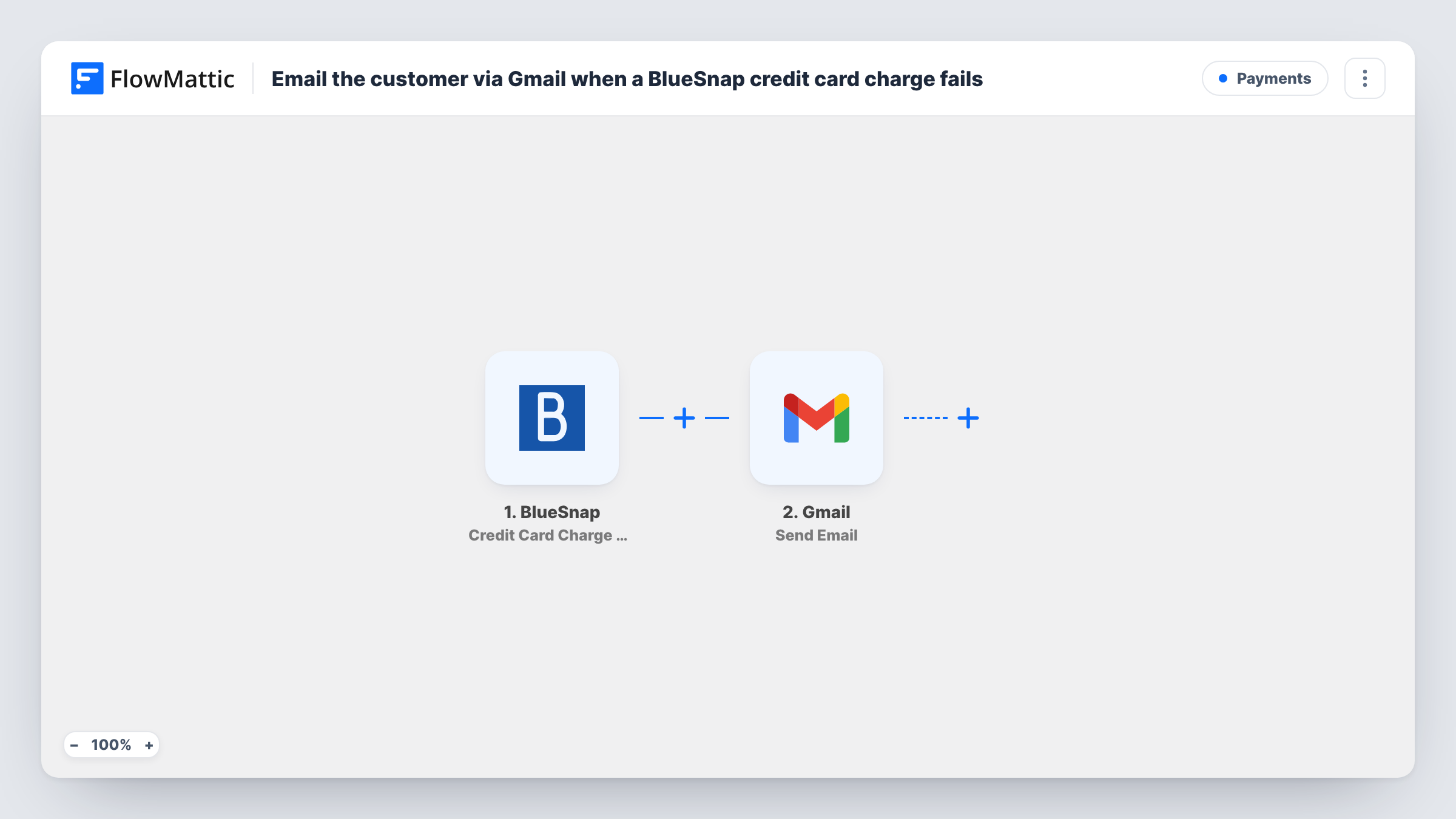
The BlueSnap trigger, Credit Card Charge Failed, fires when a credit card charge fails. FlowMattic receives the charge data, including whatever customer details BlueSnap sends. The Gmail step, Send Email, then sends an email to the recipient you map, which should be the customer's email from the BlueSnap data. You write the subject and body, and can include details such as the amount.
Each failure sends one email, so a customer whose card fails twice gets two. Check a test event to make sure BlueSnap includes the customer's address before you rely on it. Task History shows each email Gmail was asked to send.
Subscription box with monthly charges
When a member's card is declined for this month's box, they receive an email from your Gmail address asking them to update their payment details.
Software licence renewals
A customer whose renewal charge fails gets a plain email explaining that the payment didn't go through and how to try again.
Service businesses taking card payments
A client whose card charge for a booked service fails receives a note from your business inbox, so they can call or reply with another way to pay.
How this workflow runs
What happens at each step once the workflow is on, and what you need before you import it.
 BlueSnap Credit Card Charge Failed
Fires when a credit card charge fails in BlueSnap. The charge and customer data BlueSnap sends are passed on for the email.
- Gmail Send Email
Uses the Gmail app's Send Email action to write to the customer from your mailbox. Map the customer's email from the BlueSnap data as the recipient and write the subject and message.
What you need
- FlowMatticCore
- BlueSnap AccountAccount
- Gmail AccountAccount
After importing, map your own data. To keep the template universal, not every step is pre-filled. Open each step in the builder and connect your accounts and fields (channels, lists, sheets, recipients) before you switch the workflow on.
Make it yours
Changes worth making after you import it.
- Add a Filter after the trigger that continues only when the customer's email is not empty, so failures without an address stop before Gmail.
- Map the failed amount and the date into the message body, so the customer can tell which charge the email is about if they have more than one with you.
- Write the email in a calm tone and say what the customer should do next, such as reply or update their card, with a link to your own billing page.
Questions about this workflow
Which BlueSnap field gives the Gmail step the customer's address?
It depends on what BlueSnap includes with the failed charge. Run a test after import and confirm the address is there before you map it as the Gmail recipient.
Will a customer get several emails if their card keeps failing?
Yes. Each failed charge starts one run and sends one email. The template keeps no record of earlier emails, so it can't hold back a repeat.
Can the Gmail email include an attachment such as an invoice?
Not as set up here. If you need to send a file, use FlowMattic's Email step, which can attach files stored on your WordPress site.
Does the Gmail email update anything in BlueSnap?
No. It only sends the email. The failed charge and any retries are still handled by BlueSnap.
More Payments workflows
Other ready-to-import templates from the same category.






Import this workflow into your WordPress site
Download the JSON, import it from the Workflows screen and connect your accounts. Every run stays on your server, with no per-task fees.
30-day money-back guarantee Unlimited workflows and runs Self-hosted