

Get email alerts for new Dropbox files in directories
When a new file lands in a Dropbox folder you watch, this workflow sends an email with the file details, so you know about uploads from clients or colleagues without checking the folder.
 Dropbox
 Email
Email2 steps Setup ~5 min Used on 3.2k sites Free to import
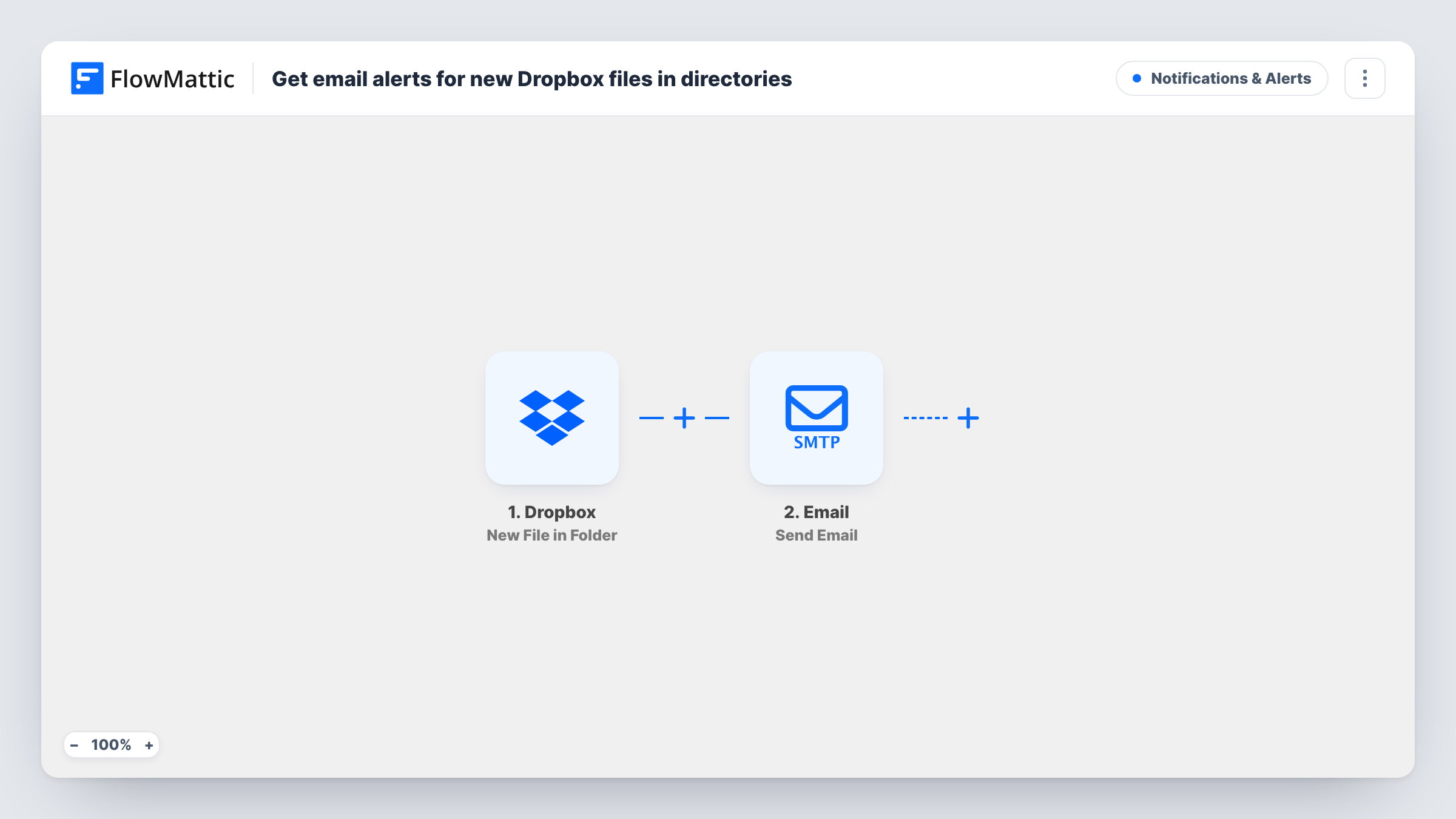
What this workflow does
Shared Dropbox folders fill up quietly. A client uploads the signed contract or a colleague drops in the final artwork, and nobody finds out until they open the folder. This workflow sends an email each time a file arrives.
The Dropbox trigger New File in Folder fires when a file is added to the folder you set and passes the file's details to FlowMattic. The Email step then sends a message using WordPress's built-in mail function or the custom SMTP server you configure. You write the subject and body and place the file details in them, such as the file name.
Each new file sends its own email. If someone uploads twenty files at once, you get twenty emails, so point the trigger at a folder where single uploads are the norm. Every run is listed in Task History, which shows the details Dropbox passed on.
Client upload folder for an accountant
Clients put receipts and statements in a shared Dropbox folder. You receive an email for each file, so you can start on the paperwork the day it arrives.
Design hand-off between teams
Designers save finished assets to a delivery folder, and the developer gets an email with the file name as each one is ready.
Scanned documents from an office scanner
A scanner saves to Dropbox. The office manager gets an email for every new scan, which helps when signed forms are expected back.
How this workflow runs
What happens at each step once the workflow is on, and what you need before you import it.
 Dropbox New File in Folder
Watches the Dropbox folder you pick and fires when a file is added to it. Details about the new file are passed to the email step.
 Email Send Email
Sends an email through WordPress mail or your own SMTP settings. Set the recipient, then write a subject and message that include the Dropbox file details you want to see.
What you need
- FlowMatticCore
- Dropbox AccountAccount
After importing, map your own data. To keep the template universal, not every step is pre-filled. Open each step in the builder and connect your accounts and fields (channels, lists, sheets, recipients) before you switch the workflow on.
Make it yours
Changes worth making after you import it.
- Add a Filter after the Dropbox trigger that continues only when the file name ends in .pdf, so you hear about documents but not every image.
- Want alerts for a second folder? Duplicate the workflow and point the copy's trigger at the other folder, with its own recipient if needed.
- Swap the Email step for a Slack or Discord message if your team would rather see new Dropbox files in a chat channel.
Questions about this workflow
Can one workflow watch several Dropbox folders?
The trigger watches the folder you set in it. To cover another folder, duplicate the workflow and choose that folder in the copy.
Do I get one email per Dropbox file or a summary?
One email per file. The workflow runs once for each new file and does not group uploads into a digest.
Do I need an SMTP service to send the alert?
Not necessarily. The Email step can use WordPress's built-in mail function or a custom SMTP server. If your site's mail is unreliable, set up SMTP for better delivery.
Does the email attach the Dropbox file?
As imported, the email carries the details you map into the text. Check the Email step after import and run a test to see what it can include.
More Notifications & Alerts workflows
Other ready-to-import templates from the same category.






Import this workflow into your WordPress site
Download the JSON, import it from the Workflows screen and connect your accounts. Every run stays on your server, with no per-task fees.
30-day money-back guarantee Unlimited workflows and runs Self-hosted