

When MeetGeek analyzes a meeting, get its highlights and create a ClickUp task
Once MeetGeek has analyzed a meeting, FlowMattic pulls the meeting’s highlights and creates a ClickUp task with them, so follow-ups from each call land in your project list instead of staying in a recording.
 MeetGeek
 ClickUp
3 steps Setup ~5 min Used on 2.5k sites Productivity Free to import
What this workflow does
The useful part of a meeting is often a handful of moments: a decision, a request, a deadline. MeetGeek picks those out as highlights, but they only lead to action when someone turns them into work. This workflow does that by creating a ClickUp task for each analyzed meeting.
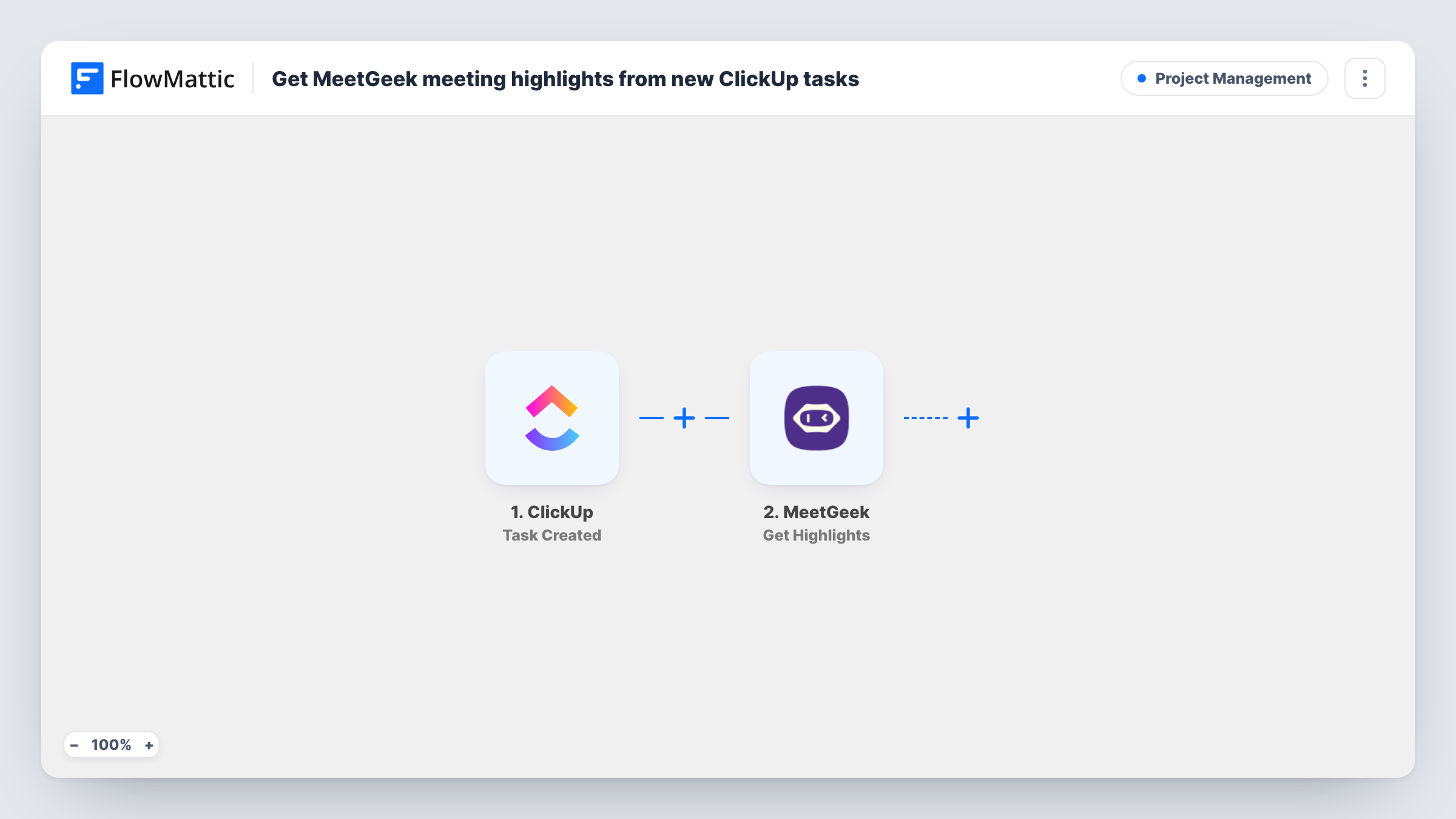
The MeetGeek Meeting Analyzed trigger fires when MeetGeek finishes analyzing a meeting successfully. The Get Highlights step then requests the highlights for that meeting, so map the meeting from the trigger into it. Finally, ClickUp creates a new task.
Neither the MeetGeek action nor the ClickUp action is mapped yet. After import you connect MeetGeek and ClickUp, choose where the task goes, and map the meeting title into the task name and the highlights into the description. A test run shows how MeetGeek formats the highlights, which helps you decide how to lay out the task.
The flow makes one task per meeting, with all highlights together. It doesn't split them into separate tasks or assign anyone unless you set that up in the ClickUp step. Every analyzed meeting creates a task, so internal calls you record appear too.
Client call follow-ups for an agency
After each recorded client call, the account manager finds a ClickUp task with the meeting's highlights and works through the requests mentioned.
Product feedback from customer interviews
A product team records user interviews in MeetGeek, and each one becomes a ClickUp task holding the highlights for the next planning session.
Action items from weekly team meetings
A team lead reviews the task created after the weekly sync and assigns the points raised to the right people in ClickUp.
How this workflow runs
What happens at each step once the workflow is on, and what you need before you import it.
 MeetGeek Meeting Analyzed
Fires when MeetGeek analyzes a meeting successfully. The meeting's details are passed on so the next step can request its highlights.
- MeetGeek Get Highlights
Retrieves the highlights of the analyzed meeting from MeetGeek. Map the meeting from the trigger into this step after import, then run a test to see the highlights it returns.
- ClickUp Create Task
Adds the follow-up task to ClickUp. The step ships unmapped: pick the place for the task and map the meeting title and the highlights from step 2 into the task.
What you need
- FlowMatticCore
- MeetGeek AccountAccount
- ClickUp AccountAccount
After importing, map your own data. To keep the template universal, not every step is pre-filled. Open each step in the builder and connect your accounts and fields (channels, lists, sheets, recipients) before you switch the workflow on.
Make it yours
Changes worth making after you import it.
- Add MeetGeek's Get Summary step between Get Highlights and the ClickUp step, and put the summary at the top of the task description for context.
- For one ClickUp task per highlight, put an Iterator over the highlights between the Get Highlights step and the ClickUp step, if MeetGeek returns them as a list.
- If only some meetings need a task, put a Filter between the Meeting Analyzed trigger and the Get Highlights step on a meeting detail such as the title, set to match your own meetings.
Questions about this workflow
Does each MeetGeek highlight become its own ClickUp task?
Not as imported. The workflow creates one task per meeting. An Iterator over the highlights between the Get Highlights step and the ClickUp step would create one task per highlight, provided MeetGeek returns them as a list.
Will the MeetGeek follow-up task have an assignee in ClickUp?
Only if you set it up in the Create Task step. The template doesn't map an assignee, so check the step's options after import and run a test.
What happens with meetings MeetGeek couldn't analyze?
They don't create a task. The Meeting Analyzed trigger fires only on a successful analysis. FlowMattic's MeetGeek integration has a separate Meeting Analysis Failed trigger.
Will meetings recorded before I import this get ClickUp tasks?
No. Only meetings analyzed while the workflow is active start a run.
More Project Management workflows
Other ready-to-import templates from the same category.




Import this workflow into your WordPress site
Download the JSON, import it from the Workflows screen and connect your accounts. Every run stays on your server, with no per-task fees.
30-day money-back guarantee Unlimited workflows and runs Self-hosted