

Get notified on Discord when a user subscribes to a product
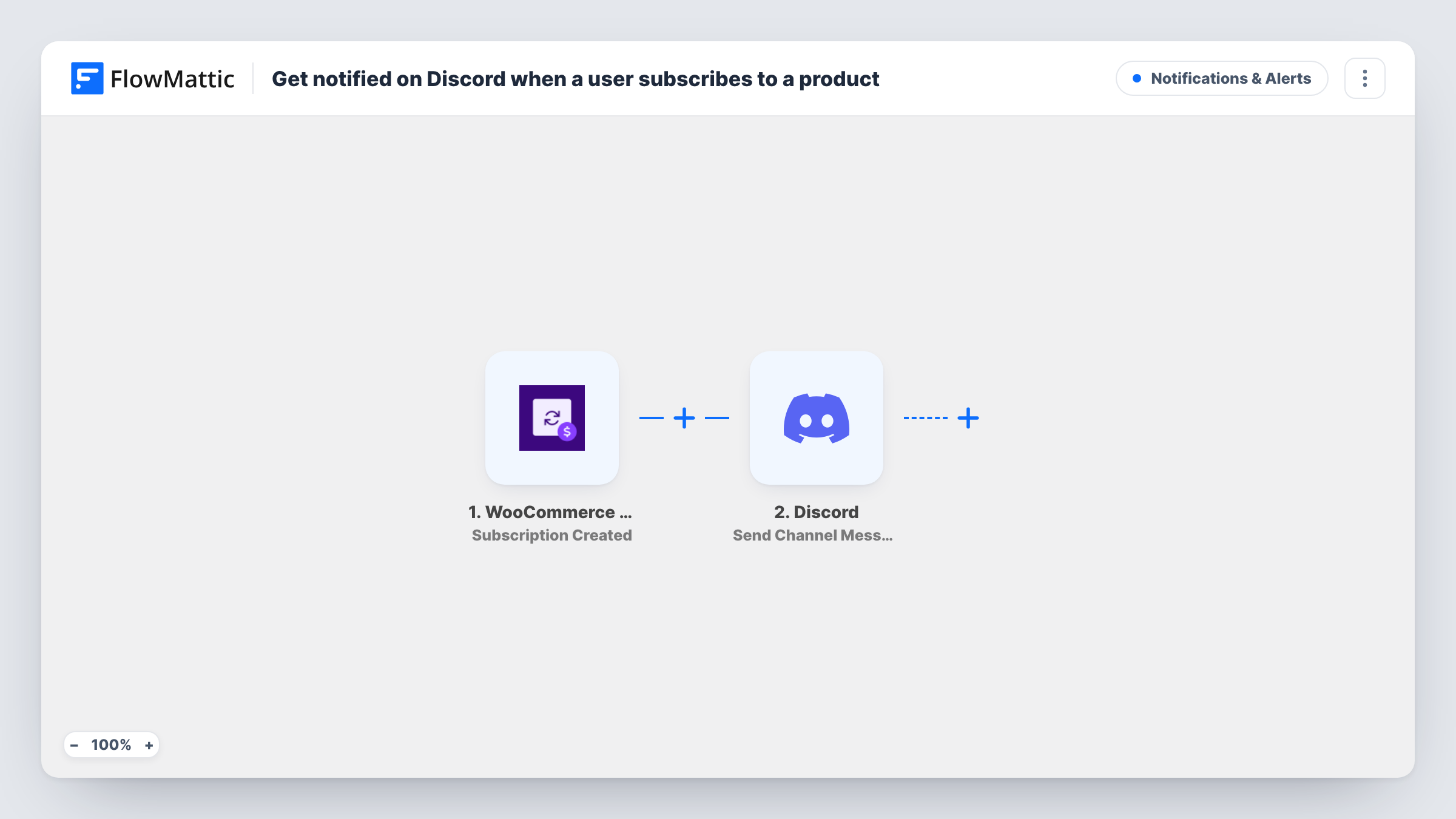
When a new WooCommerce subscription is created on your store, this workflow posts a message to the Discord channel you choose, with the subscription details you map in.
 WooCommerce Subscriptions
 Discord
2 steps Setup ~5 min Used on 3.1k sites Free to import
What this workflow does
Store owners selling subscriptions like to know when a new one starts, and many teams already chat in Discord. Checking the WooCommerce admin for new subscriptions takes time. This workflow sends a Discord message as each subscription is created.
The WooCommerce Subscriptions trigger fires when a new subscription is created on your site. FlowMattic passes the subscription data to Discord, where Send Channel Message posts to the channel you pick. You write the message and map in details such as the product or the customer's name.
Creation is the moment the trigger watches, so a subscription can reach Discord before its first payment has gone through, depending on how your checkout runs. Every new subscription posts a message, since the template has no Filter. You can review every run, and the message it posted, in Task History.
Small team sales channel
A coffee subscription shop posts each new subscription in a Discord sales channel, so the people packing boxes see new customers as they come in.
Membership community
A creator who sells monthly access through WooCommerce Subscriptions gets a message in their private Discord channel for each new subscriber.
Software licence renewals
A plugin developer watches new subscriptions to their annual licence in a Discord channel shared with their support contractor.
How this workflow runs
What happens at each step once the workflow is on, and what you need before you import it.
 WooCommerce Subscriptions Subscription Created
Fires when a new subscription is created in WooCommerce Subscriptions on your store. The subscription details are passed on so you can map them into the Discord message.
- Discord Send Channel Message
Sends your message to a Discord channel of your choice. Write the text and map in the subscription details you want your team to see.
What you need
- FlowMatticCore
- WooCommerce Subscriptions PluginPlugin
- Discord AccountAccount
After importing, map your own data. To keep the template universal, not every step is pre-filled. Open each step in the builder and connect your accounts and fields (channels, lists, sheets, recipients) before you switch the workflow on.
Make it yours
Changes worth making after you import it.
- Want announcements only once a subscription is live? Swap the trigger for WooCommerce Subscriptions' Subscription Activated event and keep the same Discord step.
- Use a Router with routes for different products, each with its own Discord step, to post each product's subscriptions in a separate channel.
- Create a test subscription on a staging copy or with a test payment method, then check Task History to see which fields you can map.
Questions about this workflow
Are WooCommerce subscription renewals posted to Discord as well?
No. The trigger fires when a subscription is created. Renewal payments are separate events and don't run this workflow.
Will customer details appear in the Discord channel?
Only the details you map into the message. Leave out email addresses and other personal data if the channel is shared widely.
Do I need WooCommerce Subscriptions installed?
Yes. The trigger comes from the WooCommerce Subscriptions extension, which must be active on the same WordPress site as FlowMattic.
Can the subscription alert go to a Discord DM instead of a channel?
This template posts to a channel. Discord also has a Send Direct Message action in FlowMattic, which you can use instead of, or alongside, the channel step.
More Notifications & Alerts workflows
Other ready-to-import templates from the same category.





Import this workflow into your WordPress site
Download the JSON, import it from the Workflows screen and connect your accounts. Every run stays on your server, with no per-task fees.
30-day money-back guarantee Unlimited workflows and runs Self-hosted