

Book a Zoho Bookings appointment from new Typeform submissions
Each new Typeform submission books an appointment in Zoho Bookings, using the answers you map, so people who fill in your booking form land on your schedule without anyone retyping their details.
 Typeform
 Zoho Bookings
2 steps Setup ~5 min Used on 1.6k sites Free to import
What this workflow does
A Typeform is a pleasant way to ask people when they want to meet and what they need, but the answers still have to reach your calendar. This workflow takes each response and turns it into a booking in Zoho Bookings, so the form becomes the front door to your schedule.
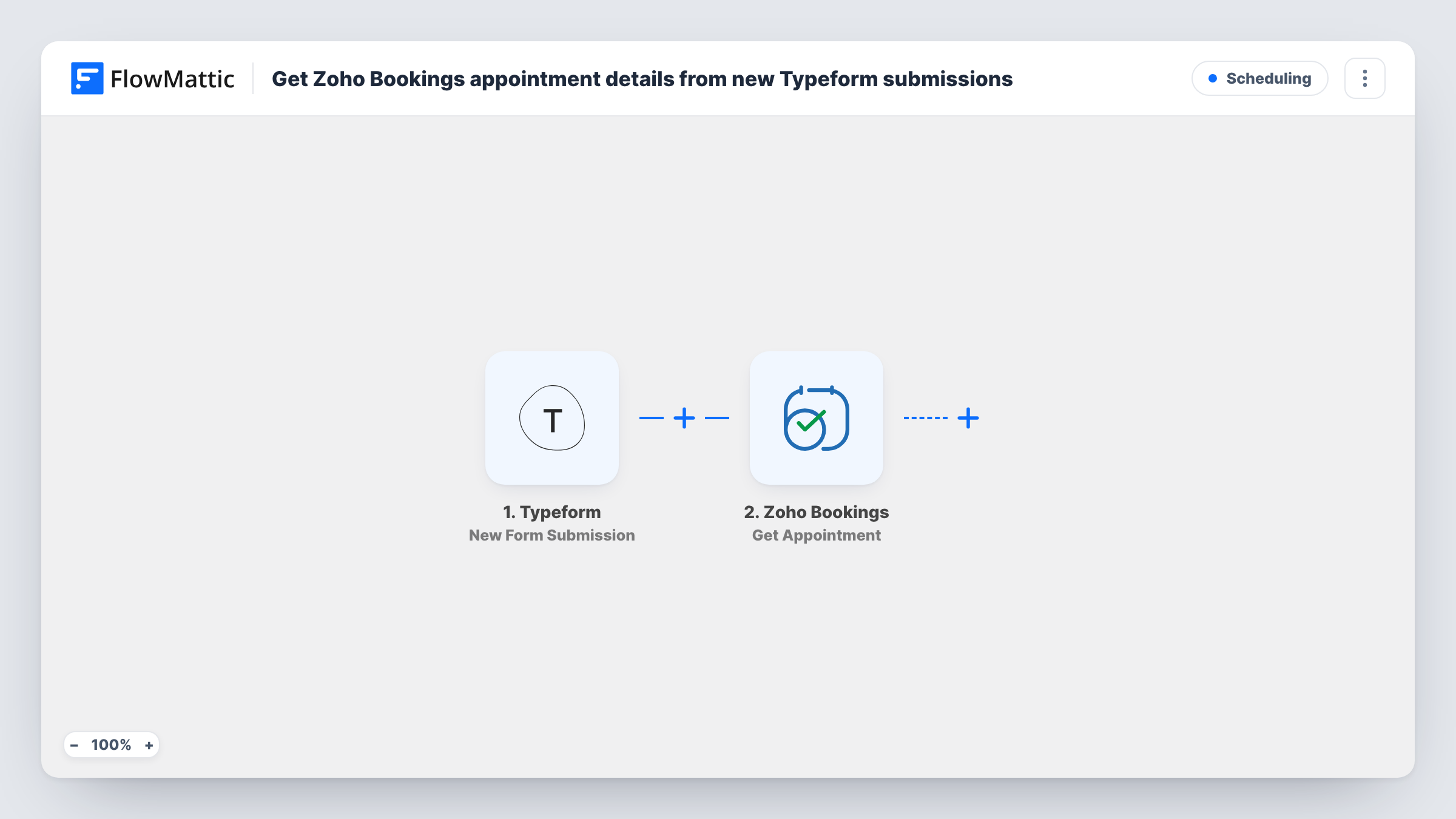
The Typeform trigger starts a run whenever someone submits the form you connect, and passes their answers on. The Zoho Bookings step then books a new appointment with that data. The step ships unmapped: after import you connect your Zoho account, set up the booking and map the Typeform answers, such as the person's name, email and preferred time, into it.
Design the form with Zoho in mind. Ask for the date and time in a format Zoho Bookings can read, and keep the question for the service consistent so it maps cleanly. A test submission shows what Typeform sends and what Zoho Bookings returns.
Every submission starts a run, so a slot someone picks may already be taken, or the time may fall outside your working hours. Zoho Bookings can return an error in those cases. Task History shows each run and the response from Zoho.
Consultation requests from a branded form
A coach runs a Typeform intake with a few questions about goals, and each response becomes a Zoho Bookings appointment for a discovery call.
Service bookings after a quote form
A cleaning company asks for the address, the type of clean and a preferred slot in Typeform, then has the visit booked in Zoho Bookings for the crew.
Demo sign-ups for a software team
Prospects pick a demo time at the end of a product questionnaire, and the sales team sees the booking appear in Zoho Bookings with the prospect's contact details.
How this workflow runs
What happens at each step once the workflow is on, and what you need before you import it.
 Typeform New Form Submission
Starts the workflow each time someone submits the Typeform you connect. Every answer in the response, such as name, email and the time they asked for, is available to map into the booking.
- Zoho Bookings Book Appointment
Creates the booking in Zoho Bookings from the Typeform response. Nothing is mapped in the template, so connect your Zoho account and map the Typeform answers into the booking. Run a test submission to see which details Zoho Bookings needs.
What you need
- FlowMatticCore
- Typeform AccountAccount
- Zoho Bookings AccountAccount
After importing, map your own data. To keep the template universal, not every step is pre-filled. Open each step in the builder and connect your accounts and fields (channels, lists, sheets, recipients) before you switch the workflow on.
Make it yours
Changes worth making after you import it.
- Ask for the date and time with Typeform's date question plus a fixed list of time slots, so the value you map into Zoho Bookings always has the same shape.
- Add a Zoho Bookings Get Availability step between the Typeform trigger and the Book Appointment step to check open slots for the service before you book.
- If only some respondents should get an appointment, put a Filter between the Typeform trigger and the Zoho Bookings step on the answer that decides it, such as a yes/no question about booking a call.
- Make the email question required in Typeform, so every booking carries a way to reach the person.
Questions about this workflow
Which Typeform answers end up in the Zoho Bookings appointment?
Only the ones you map. The Book Appointment step ships empty, so after import you match your form's questions to what the booking needs. A test submission shows each answer Typeform sends.
What happens if the time someone picks in Typeform is already booked?
The workflow still sends the request, and Zoho Bookings decides whether it can book that slot. It may return an error. Task History shows the response for each submission.
Do I need a Zoho Bookings service set up before I import this?
Yes. Zoho Bookings books appointments for services and staff you have already created there, so set those up first. Then run a test submission and check in Zoho that the booking used the right service.
Will older Typeform responses be booked when I turn this on?
No. Only submissions that arrive after the workflow is active start a run. Book earlier responses by hand in Zoho Bookings.
More Scheduling workflows
Other ready-to-import templates from the same category.






Import this workflow into your WordPress site
Download the JSON, import it from the Workflows screen and connect your accounts. Every run stays on your server, with no per-task fees.
30-day money-back guarantee Unlimited workflows and runs Self-hosted