

Log new Apptoto appointments in a Google Sheets spreadsheet
Every new appointment created in Apptoto is added as a row in Google Sheets, building a booking log your team can sort by date, filter by staff member and use for weekly reporting.
 Apptoto
 Google Sheets
2 steps Setup ~5 min Used on 2.6k sites Free to import
What this workflow does
Apptoto handles reminders and confirmations for appointments that already sit in your calendar. When you want to look back over the bookings, though, a calendar view is a poor report. Counting last month's sessions or comparing staff schedules is far easier in a spreadsheet with one booking per row.
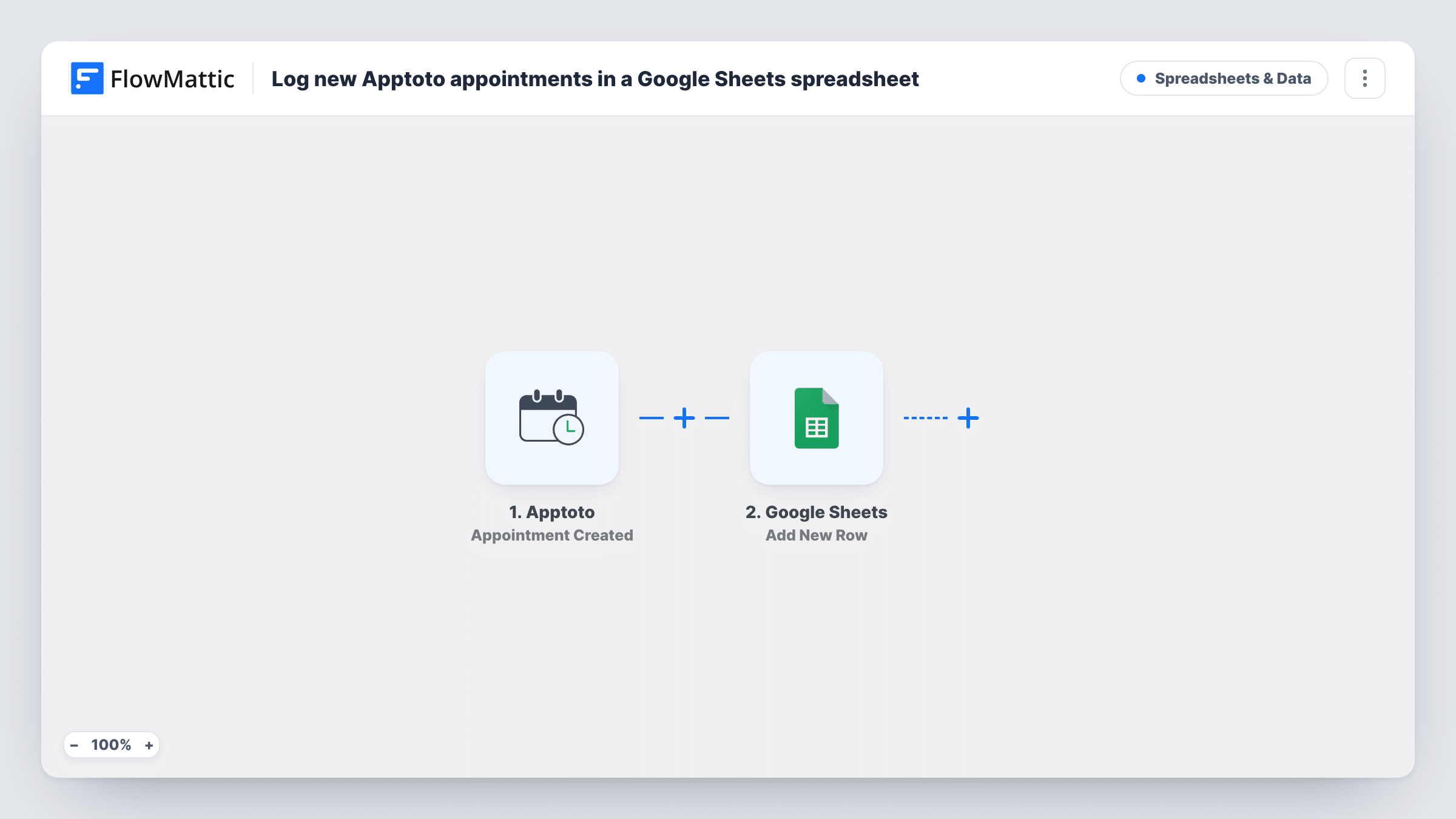
The Apptoto trigger fires when a new appointment is created, and FlowMattic collects the appointment data that Apptoto sends. The Google Sheets step then appends a row to the spreadsheet and tab you choose, with each column filled from the values you map.
The log records appointments as they are first created. If a booking is later moved or cancelled, the row stays as it was, because the template uses the Appointment Created trigger only. Apptoto has separate Modified and Deleted triggers if you want those changes in a sheet too. Task History in FlowMattic lists each run and the values sent to Google Sheets.
Monthly session counts for a therapy practice
At month end the practice manager filters the sheet by date and counts sessions per therapist, without exporting anything from the calendar.
Booking log for a salon owner
Every new appointment adds a row the owner can sort by stylist or service to see which days fill up first.
Sharing schedules with a bookkeeper
A tutor shares the spreadsheet with their bookkeeper, who uses the appointment rows to check invoices against sessions booked.
How this workflow runs
What happens at each step once the workflow is on, and what you need before you import it.
 Apptoto Appointment Created
Fires when a new appointment is created in Apptoto. The appointment data is handed to the Google Sheets step; create a test appointment after import so the values are captured for mapping.
- Google Sheets Add New Row
Appends one row per new Apptoto appointment to the spreadsheet tab you select. Connect your Google account and map appointment values to the columns in your header row.
What you need
- FlowMatticCore
- Apptoto AccountAccount
- Google Sheets AccountAccount
After importing, map your own data. To keep the template universal, not every step is pre-filled. Open each step in the builder and connect your accounts and fields (channels, lists, sheets, recipients) before you switch the workflow on.
Make it yours
Changes worth making after you import it.
- Build a second workflow on Apptoto's Appointment Deleted trigger that adds rows to a separate Cancellations tab, so you can see removed bookings next to the original log.
- Add a Filter after the trigger if only some appointments belong in this sheet, for example those for one calendar or staff member, using a value from the appointment data.
- Map the appointment's start time into its own column, so you can sort and filter the log by the date of the session rather than the date it was booked.
Questions about this workflow
Does the Google Sheets row change when an Apptoto appointment is rescheduled?
No. The workflow only adds rows for newly created appointments. Rescheduling fires Apptoto's Appointment Modified trigger, which this template doesn't use.
Which appointment details can I log from Apptoto?
Whatever Apptoto sends with the new appointment. Create a test appointment, then open the Google Sheets step to see the captured values and pick your columns.
Are my existing Apptoto appointments added to the sheet?
No. Rows are added for appointments created after the workflow is turned on. Earlier bookings would need to be entered or imported separately.
Can I log Apptoto confirmations as well as new bookings?
Yes, with a separate workflow on Apptoto's Participant Confirmed trigger writing to its own tab. This template handles new appointments only.
More Spreadsheets & Data workflows
Other ready-to-import templates from the same category.




Import this workflow into your WordPress site
Download the JSON, import it from the Workflows screen and connect your accounts. Every run stays on your server, with no per-task fees.
30-day money-back guarantee Unlimited workflows and runs Self-hosted