

Log new Zoom meetings in Airtable
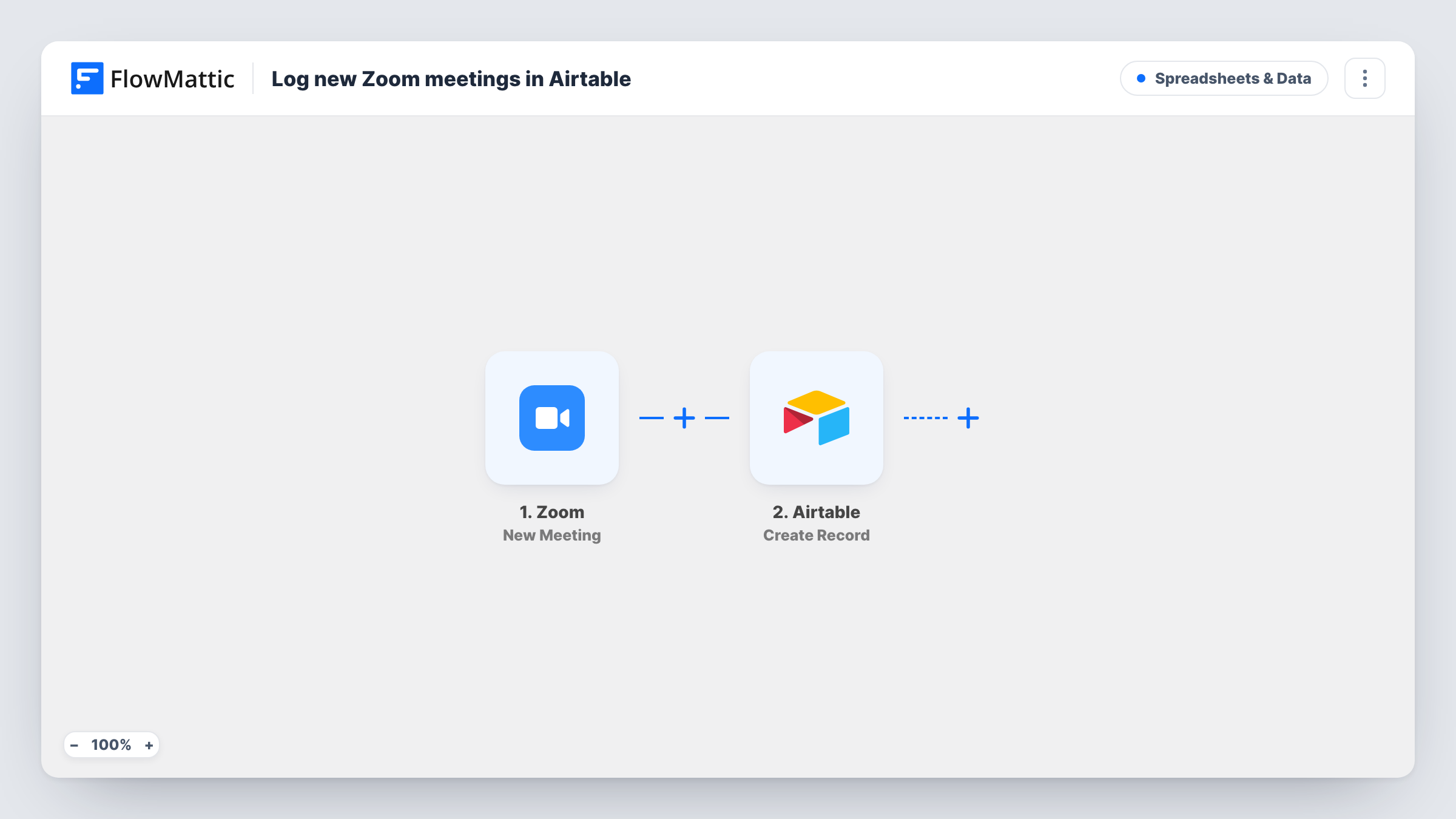
Each time a new Zoom meeting is created, this workflow adds a record to an Airtable table with the meeting details you map, building a running log of the meetings your account schedules.
 Zoom
 Airtable
2 steps Setup ~5 min Used on 552 sites Free to import
What this workflow does
Zoom keeps a list of upcoming meetings, but it is not a place to tag, sort or report on them alongside the rest of your work. If you plan sessions, classes or client calls in Airtable, typing each meeting in by hand gets skipped on busy weeks. This workflow writes the record for you as soon as the meeting exists.
The Zoom trigger, New Meeting, fires when a meeting is created in the Zoom account you connect. The meeting data Zoom sends with the event, such as its topic and start time, is passed to the next step for mapping.
The second step runs Create Record in Airtable. You choose the base and table, then match each Airtable field to a piece of meeting data. One record is created per new meeting. The workflow does not change the record later, so a meeting that is rescheduled or deleted in Zoom keeps its original record. You can review each logged meeting run in Task History.
Coaching or tutoring session log
You book sessions in Zoom and track clients in Airtable. Each new meeting becomes a record you can link to the client and mark as paid or done.
Webinar and workshop calendar
A small events team schedules sessions in Zoom. The Airtable table becomes a shared calendar view of every meeting created, with room for notes and owners.
Agency client call history
Account managers create client calls in Zoom. The Airtable log lets you count calls per client each month without exporting anything from Zoom.
How this workflow runs
What happens at each step once the workflow is on, and what you need before you import it.
 Zoom New Meeting
Fires when a new meeting is created in your connected Zoom account. The meeting details Zoom sends with the event become available to map into Airtable.
- Airtable Create Record
Adds one Airtable record per Zoom meeting to the base and table you pick. Connect your Airtable account and map the Zoom meeting details, such as topic and start time, to your table's fields.
What you need
- FlowMatticCore
- Zoom AccountAccount
- Airtable AccountAccount
After importing, map your own data. To keep the template universal, not every step is pre-filled. Open each step in the builder and connect your accounts and fields (channels, lists, sheets, recipients) before you switch the workflow on.
Make it yours
Changes worth making after you import it.
- Create a test meeting in Zoom after import. FlowMattic captures the event, so you can see every meeting detail Zoom sends before you map the Airtable fields.
- Add a Filter after the trigger that continues only when the meeting topic contains a word such as Client, so personal or internal meetings stay out of the table.
- Add a Slack or email step after Airtable if your team also wants a message each time a new meeting is logged.
Questions about this workflow
Which Zoom meetings create an Airtable record?
Every meeting created in the Zoom account you connect fires the New Meeting trigger, so each one gets a record. To log only certain meetings, put a Filter after the trigger.
Does the Airtable record update when a Zoom meeting is rescheduled?
No. The workflow only creates a record when the meeting is first created. Changes or cancellations in Zoom are not copied to the existing record as imported.
Will meetings I created before importing be added to Airtable?
No. Only meetings created after the workflow is turned on fire the trigger. Older meetings would need to be added to the table another way.
Should the Airtable meetings table exist before I import?
Yes. Create the base and table with the fields you want, such as topic and start time, before you map the Create Record step.
More Spreadsheets & Data workflows
Other ready-to-import templates from the same category.




Import this workflow into your WordPress site
Download the JSON, import it from the Workflows screen and connect your accounts. Every run stays on your server, with no per-task fees.
30-day money-back guarantee Unlimited workflows and runs Self-hosted