

Notify the support team on Telegram about every outbound DIDWW call event
Post a Telegram message to your support team for each outbound call made through your DIDWW number, so everyone can see call activity as it happens without logging in to DIDWW.
 DIDWW
 Telegram
2 steps Setup ~5 min Used on 1.4k sites Free to import
What this workflow does
When agents call customers back from a shared DIDWW number, the rest of the team rarely knows who has been called. A short message in a Telegram chat gives everyone the same view. This workflow sends that message for every outbound call.
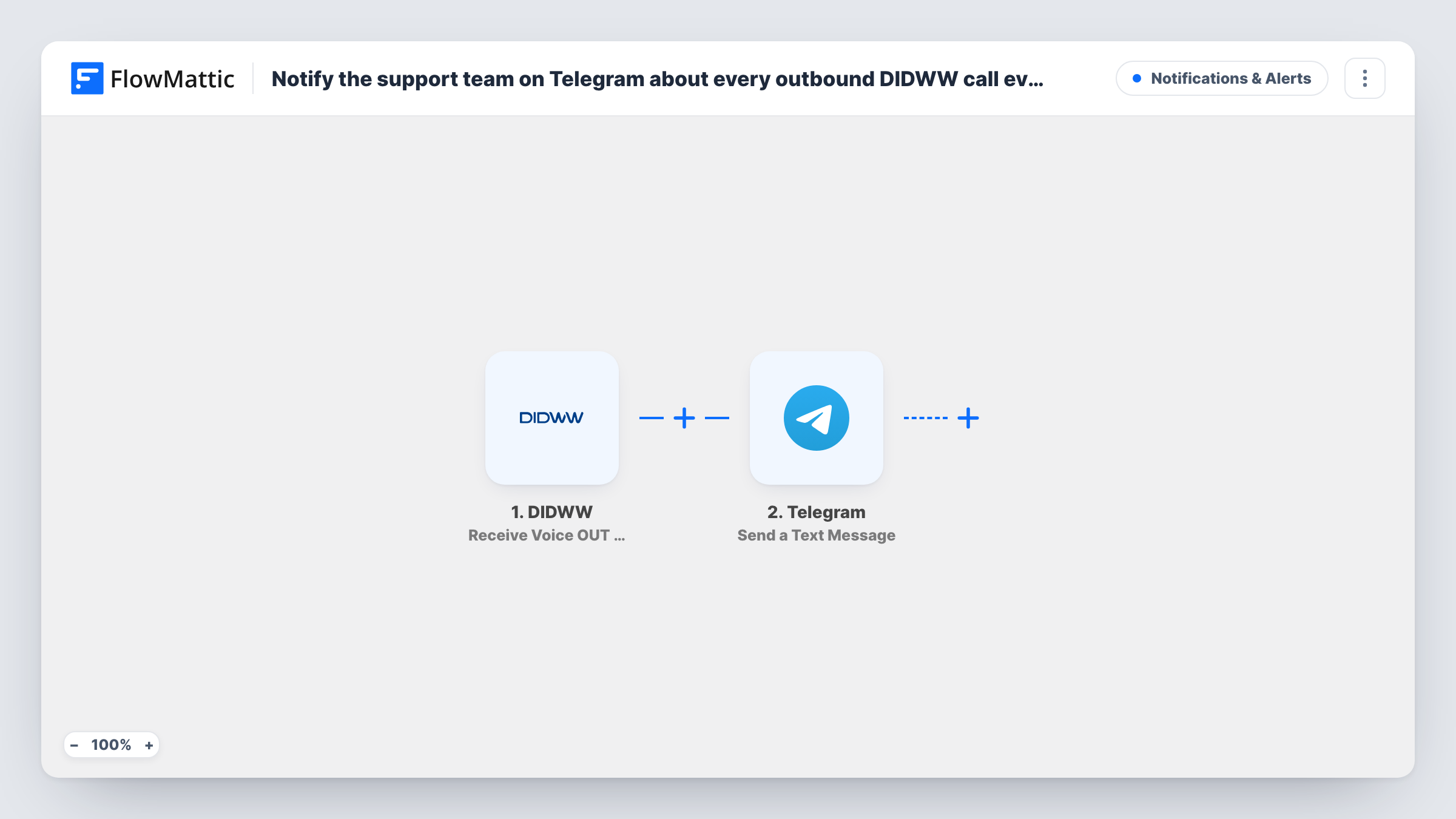
The DIDWW trigger is Receive Voice OUT Call Event, which fires when a call is made through your DIDWW number. The event data comes into FlowMattic. The Telegram step then runs Send a Text Message, and you build the text from the call details you map, such as the number dialled.
There's no condition in the template, so every outbound call event produces a message. On a busy line that can be a lot of messages; a Filter can thin them out. Telegram's step supports markup, so you can format the message to make it easy to scan. Task History logs each run with the DIDWW data and Telegram's reply.
Support team call-back log
Agents return customer calls from the DIDWW number. Each call posts to the team's Telegram group, so nobody calls the same customer twice in an hour.
Supervisor oversight of a small call desk
A team lead follows outbound calls in a Telegram chat during the shift and can see when the desk is busy or quiet.
Field staff calling clients
Technicians call clients from a shared DIDWW number before visits. The office sees each call in Telegram without asking for updates.
How this workflow runs
What happens at each step once the workflow is on, and what you need before you import it.
 DIDWW Receive Voice OUT Call Event
Fires when an outbound call is made through your DIDWW number. The call event data is passed to the Telegram step; place a test call to see which details it holds.
- Telegram Send a Text Message
Sends a text message to the Telegram chat you set, using markup if you want formatting. Connect your Telegram bot and map DIDWW call details into the message text.
What you need
- FlowMatticCore
- DIDWW AccountAccount
- Telegram AccountAccount
After importing, map your own data. To keep the template universal, not every step is pre-filled. Open each step in the builder and connect your accounts and fields (channels, lists, sheets, recipients) before you switch the workflow on.
Make it yours
Changes worth making after you import it.
- Place one outbound test call after import so FlowMattic records a real DIDWW event, then build the Telegram message from the fields you see in that run.
- If only some calls matter, add a Filter after the trigger on a field in the DIDWW event, such as the dialled number, so only those calls post to Telegram.
- If the DIDWW event includes a timestamp, put it in the message, reformatted with a Date/Time Formatter step if needed, so the Telegram chat reads like a call log.
Questions about this workflow
Does every outbound DIDWW call send a Telegram message?
Yes, as imported. Each outbound call event starts a run and the Telegram step sends one message. A Filter on the call data cuts that down.
Can DIDWW call alerts post in a Telegram group?
The message goes to the chat you set in the Telegram step. To post in a group, add your bot to that group first so it's allowed to send messages there.
What call details can the Telegram message include?
Whatever the DIDWW outbound call event carries. Check a test run in Task History to see the fields before you write the message.
Will inbound DIDWW calls trigger this workflow too?
No. This template uses the outbound call trigger. FlowMattic also has a DIDWW trigger for inbound calls, Receive Voice IN Call Event, if you want those posted as well.
More Notifications & Alerts workflows
Other ready-to-import templates from the same category.




Import this workflow into your WordPress site
Download the JSON, import it from the Workflows screen and connect your accounts. Every run stays on your server, with no per-task fees.
30-day money-back guarantee Unlimited workflows and runs Self-hosted