

Post a Discord message when Fluxguard flags a page change
When Fluxguard detects a change on a page you monitor, this workflow posts a message to a Discord channel you choose, so your team sees the change where it already talks.
 Fluxguard
 Discord
2 steps Setup ~5 min Used on 3.5k sites Free to import
What this workflow does
Teams that live in Discord often miss alerts that arrive anywhere else. If you track web pages with Fluxguard, this workflow puts each detected change in front of the people who care, inside the Discord channel they already read.
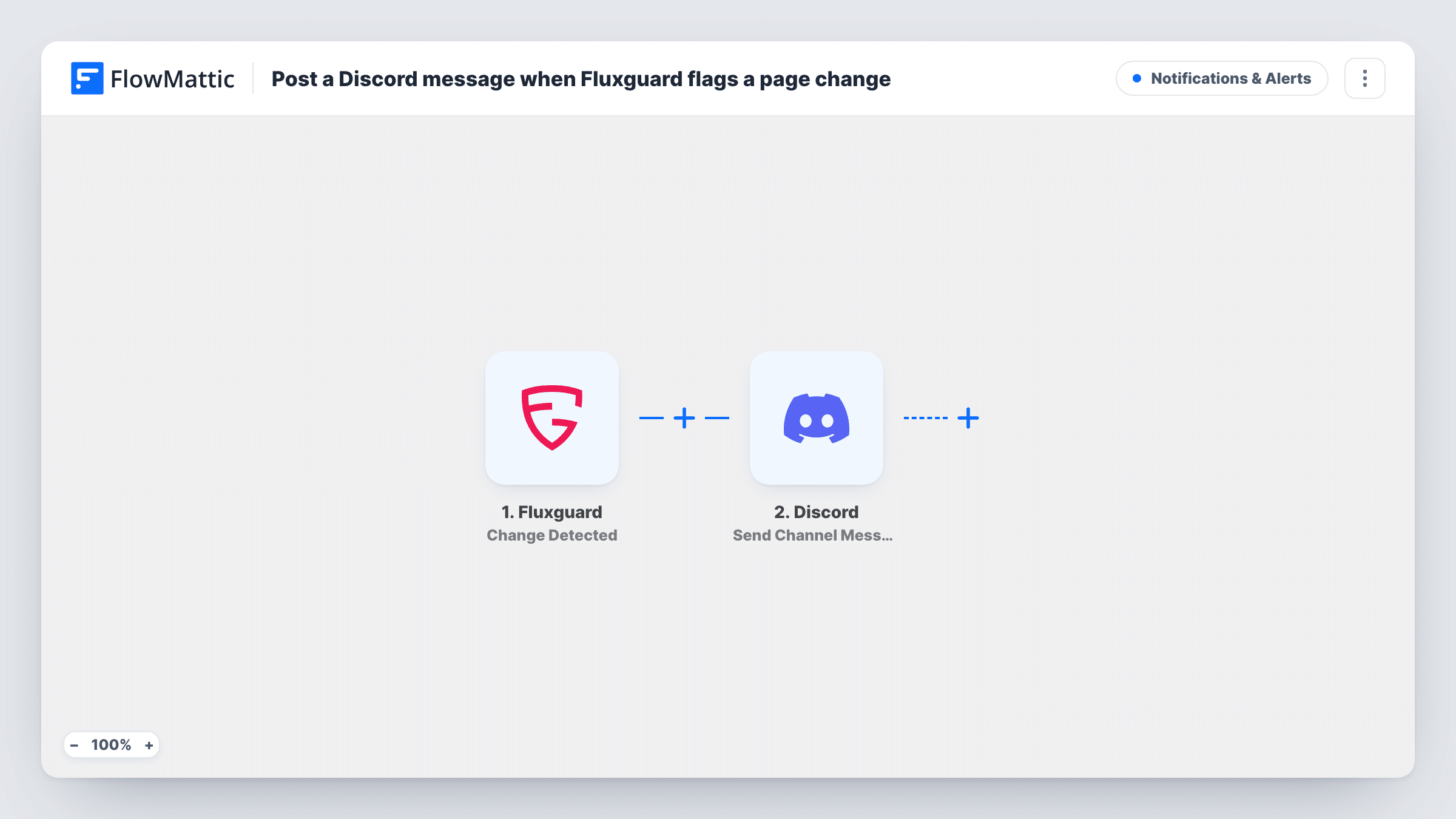
The Fluxguard trigger runs whenever Fluxguard detects a change to one of your monitored web pages. FlowMattic takes the change details Fluxguard sends and passes them to the Discord Send Channel Message action. That step posts a new message to the channel you pick, built from the text and Fluxguard values you map into it.
Nothing filters the alerts, so each change Fluxguard reports becomes one Discord message. A page that changes several times a day posts several times. Task History keeps a record of each run, with the data received and the response from Discord.
Community server watching a game's patch notes
Fluxguard monitors the official patch notes page. Each change posts to your #updates channel so members see it without refreshing the page.
Dev team tracking a vendor's status or changelog page
When a vendor edits its changelog, a message in your engineering channel prompts someone to read it before the change reaches production.
Marketing team watching competitor landing pages
Changes to a rival's landing page show up in a private team server, where you discuss the new offer in the thread under the alert.
How this workflow runs
What happens at each step once the workflow is on, and what you need before you import it.
 Fluxguard Change Detected
Runs when Fluxguard detects a change on a web page you monitor. The details Fluxguard sends about the change are captured for mapping. A test change shows you which values Fluxguard includes.
- Discord Send Channel Message
Sends one new post into a Discord channel of your choice. Connect Discord, pick the channel, and write the message with the Fluxguard values you want included, such as the page that changed.
What you need
- FlowMatticCore
- Fluxguard AccountAccount
- Discord AccountAccount
After importing, map your own data. To keep the template universal, not every step is pre-filled. Open each step in the builder and connect your accounts and fields (channels, lists, sheets, recipients) before you switch the workflow on.
Make it yours
Changes worth making after you import it.
- Add a Filter after the Fluxguard trigger so only changes on certain pages post to Discord, using a value from the change data such as the page URL.
- Use a Router with routes for different page groups, each ending in its own Send Channel Message step, so competitor changes and your own site changes go to separate channels.
- Make a test change in Fluxguard after import and check Task History, then build the Discord message from the values you see there.
Questions about this workflow
Which Discord channel does the Fluxguard alert go to?
You set the channel yourself when you configure the Discord step after import. The template does not set a channel, so you pick it when you connect Discord.
Will Discord get a message for every Fluxguard change?
Yes. Each detected change starts a run and each run posts one message. Add a Filter after the trigger to limit which changes post.
Can the Discord message include what changed on the page?
It can include any value Fluxguard sends with the change. Run a test after import to see those values, then map the ones you want into the message.
Does this workflow change anything in Fluxguard?
No. It only receives the changes Fluxguard reports and posts them to Discord. Your Fluxguard monitoring settings stay as they are.
More Notifications & Alerts workflows
Other ready-to-import templates from the same category.




Import this workflow into your WordPress site
Download the JSON, import it from the Workflows screen and connect your accounts. Every run stays on your server, with no per-task fees.
30-day money-back guarantee Unlimited workflows and runs Self-hosted