

Send a Slack alert to the sales team for every new Sarv lead
When Sarv captures a new lead, this workflow posts a message to the Slack channel your sales team works in, with the lead’s details mapped in so a rep can pick it up without opening Sarv.
 Sarv
 Slack
2 steps Setup ~5 min Used on 752 sites Free to import
What this workflow does
Leads captured in Sarv, the cloud telephony platform, are only useful once a salesperson knows about them. If reps have to check Sarv to find out, new leads sit unseen between those checks. This workflow puts each one in front of the team in Slack.
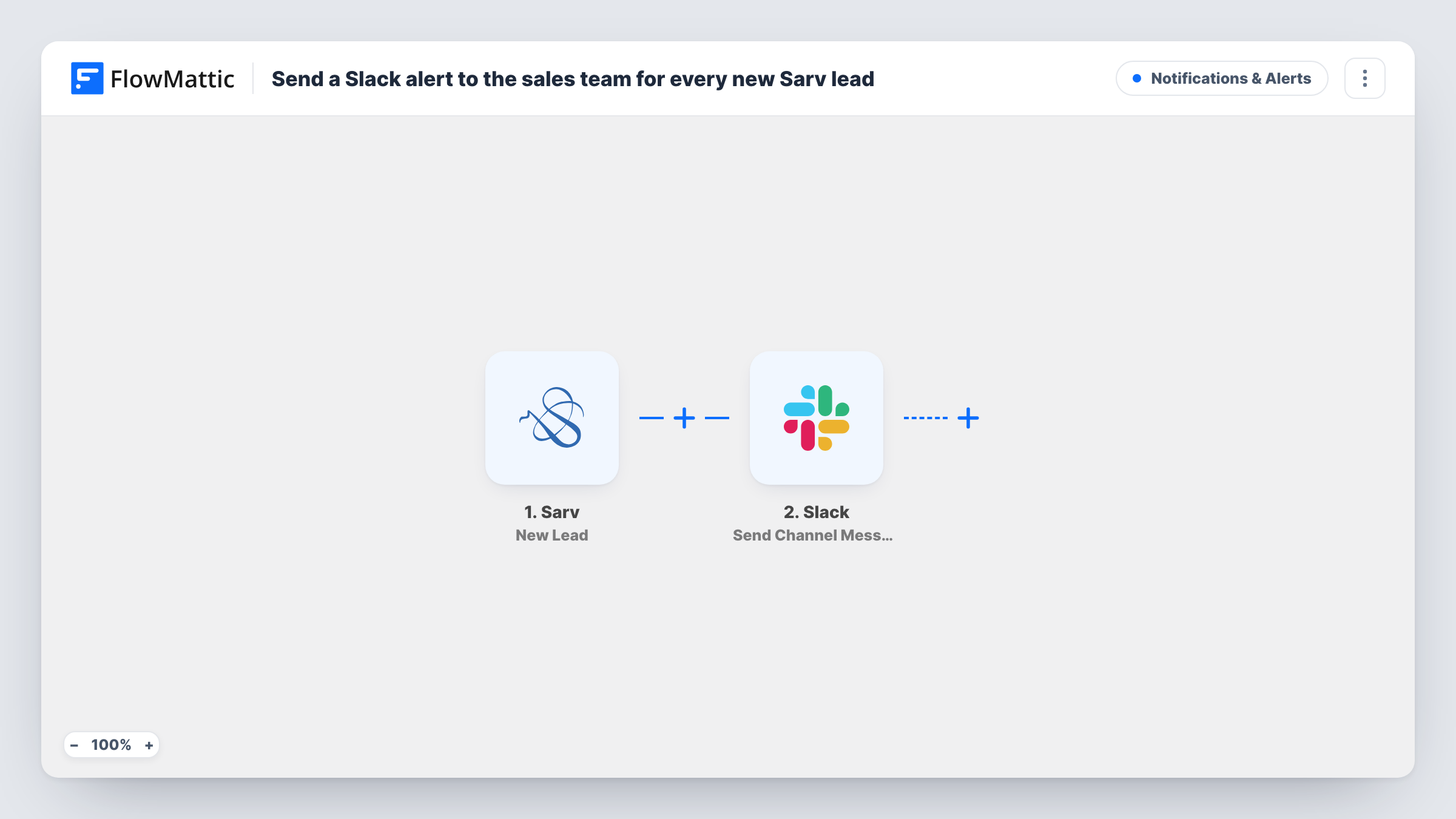
The Sarv New Lead trigger fires when a new lead is captured. FlowMattic takes the lead data from Sarv and passes it to the Slack Send Channel Message action, which posts a message to the channel you choose. You write that message and place lead values in it, so the post shows whatever a rep needs to make the first call.
There is no Filter in the template, so every lead Sarv captures produces one Slack post. Nothing is written back to Sarv, and the lead stays there untouched. If you want different channels for different kinds of leads, or only some leads posted, the tips below show how. Each run is logged in Task History with the data sent to Slack.
Shared lead channel for inside sales
A #new-leads channel gets a post for every lead Sarv captures, and the first rep free replies in the thread to claim it.
Manager visibility
A sales manager follows the channel to see how many leads come in through Sarv each day without running a report.
Reps who work away from the desk
Salespeople out on visits see each new Sarv lead in the Slack app on their phone and can decide who follows up before they are back.
How this workflow runs
What happens at each step once the workflow is on, and what you need before you import it.
 Sarv New Lead
Fires when Sarv captures a new lead. The lead's data from Sarv is handed to the next step so you can map it into the Slack message.
- Slack Send Channel Message
Sends a post into one Slack channel of your choosing. Write the text and insert values from the Sarv lead. Run a test lead to see which values Sarv sends and how the post looks.
What you need
- FlowMatticCore
- Sarv AccountAccount
- Slack AccountAccount
After importing, map your own data. To keep the template universal, not every step is pre-filled. Open each step in the builder and connect your accounts and fields (channels, lists, sheets, recipients) before you switch the workflow on.
Make it yours
Changes worth making after you import it.
- Mention a user group in the message text, such as your sales group's handle, so the right people get a Slack notification, not just a new post in the channel.
- Add a Filter after the Sarv trigger to post only leads that meet a condition you choose, using any value the lead carries.
- Swap the single Slack step for a Router with distinct conditions per route, each ending in its own Send Channel Message step, to send different kinds of leads to different channels.
Questions about this workflow
Which Sarv lead details can the Slack post include?
Any value the New Lead trigger receives from Sarv. Capture a test lead after import, then open the Slack step to see those values and place them in the message.
Does a rep need a Sarv login to act on the Slack alert?
Not to read it. The post carries the lead details you map into it. Updating the lead itself is still done in Sarv.
Will leads captured in Sarv before I import this appear in Slack?
No. Only leads Sarv captures once this workflow is switched on start a run, so older leads are not posted.
Can the Sarv lead go to a private Slack channel?
Slack only lets the connected account post in private channels it belongs to. Invite it to the channel first, then send one test lead to confirm the post appears.
More Notifications & Alerts workflows
Other ready-to-import templates from the same category.





Import this workflow into your WordPress site
Download the JSON, import it from the Workflows screen and connect your accounts. Every run stays on your server, with no per-task fees.
30-day money-back guarantee Unlimited workflows and runs Self-hosted