

Post a Discord notification for every new NeetoCal booking rejected
Whenever a booking is rejected in NeetoCal, this workflow posts a message in the Discord channel you choose, so your team sees declined bookings without checking the scheduling dashboard.
 NeetoCal
 Discord
2 steps Setup ~5 min Used on 379 sites Free to import
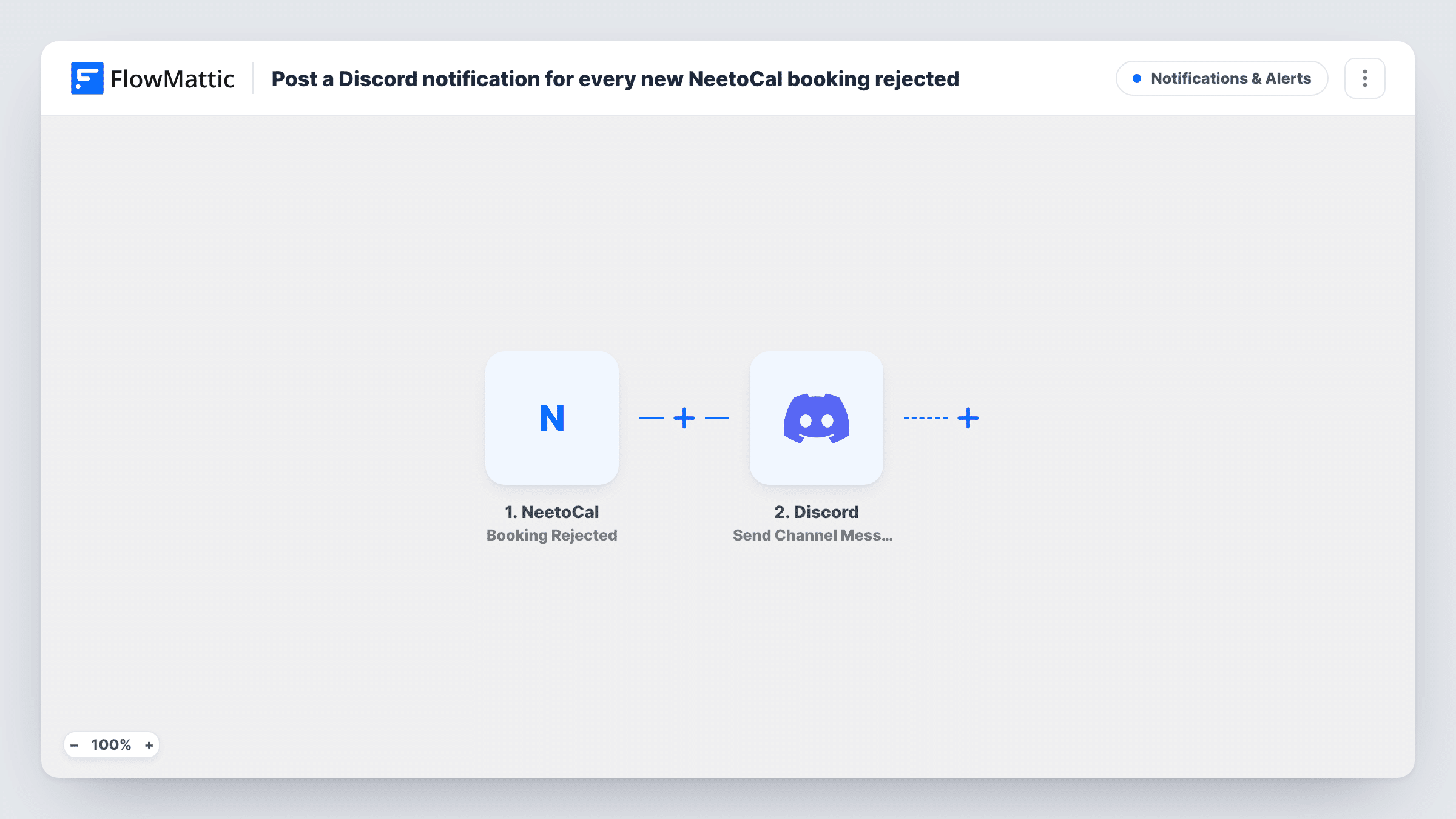
What this workflow does
A rejected booking is easy to miss. The host declines it in NeetoCal, and the rest of the team never hears about it, even when someone ought to follow up or offer another slot. This workflow puts each rejection in front of your team on Discord.
The NeetoCal trigger fires when a booking is rejected and passes the booking's data to FlowMattic. The second step uses the Send Channel Message action in Discord to post into a channel. You write the message and drop in values from the booking, such as who booked, the meeting type and the requested time, if NeetoCal includes them.
Only rejections start a run. New, rescheduled or cancelled bookings are separate NeetoCal triggers and are not part of this template. Every rejection is posted, since there is no Filter. Task History keeps a record of each run and of Discord's response, which helps when a message didn't appear.
Sales team offering another slot
When a host turns down a demo request, the sales channel sees it and someone can reach out with a different time instead of losing the prospect.
Agency watching consultation requests
An agency that approves each consultation by hand gets a Discord post for every rejection, so account leads can check the decision was right.
Spotting a pattern of declined bookings
A dedicated Discord channel collects all rejections, which makes it easy to notice if one meeting type or one host declines far more than the rest.
How this workflow runs
What happens at each step once the workflow is on, and what you need before you import it.
 NeetoCal Booking Rejected
Fires each time a booking is rejected in NeetoCal. The booking's details are passed on so you can include them in the Discord message. Reject a test booking to capture a sample.
- Discord Send Channel Message
Sends a post into a Discord channel of your choosing. Write the text and insert booking values from the trigger, so the post says who booked and what was declined. Connect your Discord account on import.
What you need
- FlowMatticCore
- NeetoCal AccountAccount
- Discord AccountAccount
After importing, map your own data. To keep the template universal, not every step is pre-filled. Open each step in the builder and connect your accounts and fields (channels, lists, sheets, recipients) before you switch the workflow on.
Make it yours
Changes worth making after you import it.
- Add a Filter after the NeetoCal trigger if only certain meeting types matter, for example continuing only when the meeting name contains Demo.
- Post to a channel that only your team can see. Booking details can include names and email addresses that shouldn't be in a public server channel.
- Clone the workflow and switch the trigger to Booking Cancelled if you also want a Discord post when someone cancels a booking they already made.
Questions about this workflow
Which NeetoCal events post to Discord?
Only rejected bookings. The trigger is NeetoCal's Booking Rejected event, so new, rescheduled or cancelled bookings don't start the workflow.
Does the person who booked see the Discord message?
Only if they are a member of the Discord channel you post to. The workflow doesn't contact them. NeetoCal handles any notice they receive about the rejection.
Can the Discord post mention a teammate?
You can type a Discord mention into the message text. Check with a test run that it shows as a mention in your server, since how mentions appear depends on Discord's formatting.
Will rejections from before I turn this on be posted?
No. Only bookings rejected while the workflow is active trigger a Discord message.
More Notifications & Alerts workflows
Other ready-to-import templates from the same category.




Import this workflow into your WordPress site
Download the JSON, import it from the Workflows screen and connect your accounts. Every run stays on your server, with no per-task fees.
30-day money-back guarantee Unlimited workflows and runs Self-hosted