

Post completed Fluent Bookings to a Slack channel
When a booking is marked completed in Fluent Booking on your WordPress site, this workflow posts a message to a Slack channel, so your team sees which sessions have actually taken place.
 Fluent Booking
 Slack
2 steps Setup ~5 min Used on 3.3k sites Free to import
What this workflow does
A confirmed booking tells you a meeting is planned. A completed one tells you it happened. That second moment is often when someone needs to act: send notes, raise an invoice or log the session. This workflow puts each completed Fluent Booking in front of the team in Slack.
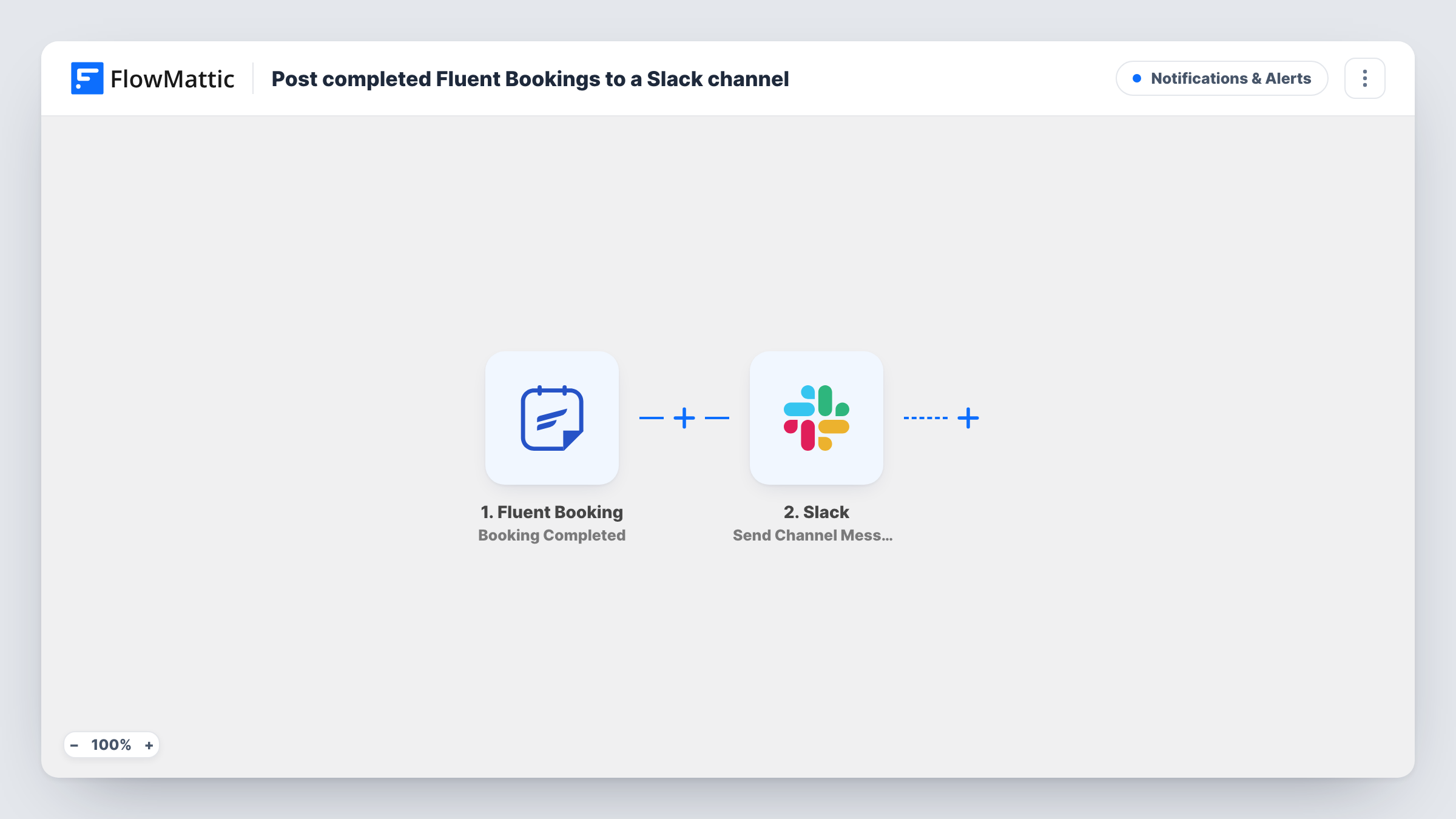
The Fluent Booking trigger fires when a booking is completed on the same WordPress site as FlowMattic. The booking's details are passed to Slack, which posts a new message to the channel you choose. You write that message and pick which booking details appear in it.
New, cancelled and rescheduled bookings do not post anything, because each has its own Fluent Booking trigger. Every completed booking runs the workflow once. Task History in FlowMattic keeps the record of each run and what Slack returned.
Billing after each session
A coach's bookkeeper watches a Slack channel and raises an invoice whenever a completed session is posted.
Sending notes after sales calls
Account managers see each completed discovery call in Slack, a prompt to send the follow-up notes while the call is fresh.
Tracking delivered consultations
A small agency keeps a running Slack log of completed client consultations, which helps when checking hours against a retainer.
How this workflow runs
What happens at each step once the workflow is on, and what you need before you import it.
 Fluent Booking Booking Completed
Fires when a booking is marked completed in Fluent Booking on this WordPress site. The booking's details become available to map into the Slack post.
- Slack Send Channel Message
Sends a Slack message about the finished session to a channel of your choice. Write the text, add the completed booking's details you want the team to see, and connect your Slack workspace.
What you need
- FlowMatticCore
- Fluent Booking PluginPlugin
- Slack AccountAccount
After importing, map your own data. To keep the template universal, not every step is pre-filled. Open each step in the builder and connect your accounts and fields (channels, lists, sheets, recipients) before you switch the workflow on.
Make it yours
Changes worth making after you import it.
- Complete a test booking after import so FlowMattic captures the Fluent Booking fields, then map the guest's name and the meeting time into the message.
- Add a Filter after the trigger to post only completed bookings for one event type, if the booking data names it. A test booking shows what is there.
- Want a written record as well? Add a Google Sheets Add New Row step after Slack so every completed booking is also logged in a spreadsheet.
Questions about this workflow
When does Fluent Booking count a booking as completed?
The trigger fires when the booking's status becomes completed on your site. Book and complete a test meeting to see when that happens with your calendar settings.
Will new Fluent Bookings also post to Slack?
No. This workflow reacts only to completed bookings. Use Fluent Booking's Booking Confirmed trigger in a separate workflow for new ones.
Can I post completed bookings from another WordPress site?
This trigger works on the site where FlowMattic runs. Fluent Booking also has a Booking Completed (Remote) trigger for bookings sent by webhook from another site.
Where in Slack do completed Fluent Booking notices appear?
The one you choose in the Slack step after import. The Slack account you connect must be able to post there.
More Notifications & Alerts workflows
Other ready-to-import templates from the same category.




Import this workflow into your WordPress site
Download the JSON, import it from the Workflows screen and connect your accounts. Every run stays on your server, with no per-task fees.
30-day money-back guarantee Unlimited workflows and runs Self-hosted