

Schedule Zoho Campaigns campaigns for newly published Tutor LMS courses
When a new Tutor LMS course is published on your WordPress site, Zoho Campaigns schedules the campaign you picked, such as a launch announcement, to send at the date and time you set.
 WordPress
 Zoho Campaigns
2 steps Setup ~5 min Used on 3.5k sites Free to import
What this workflow does
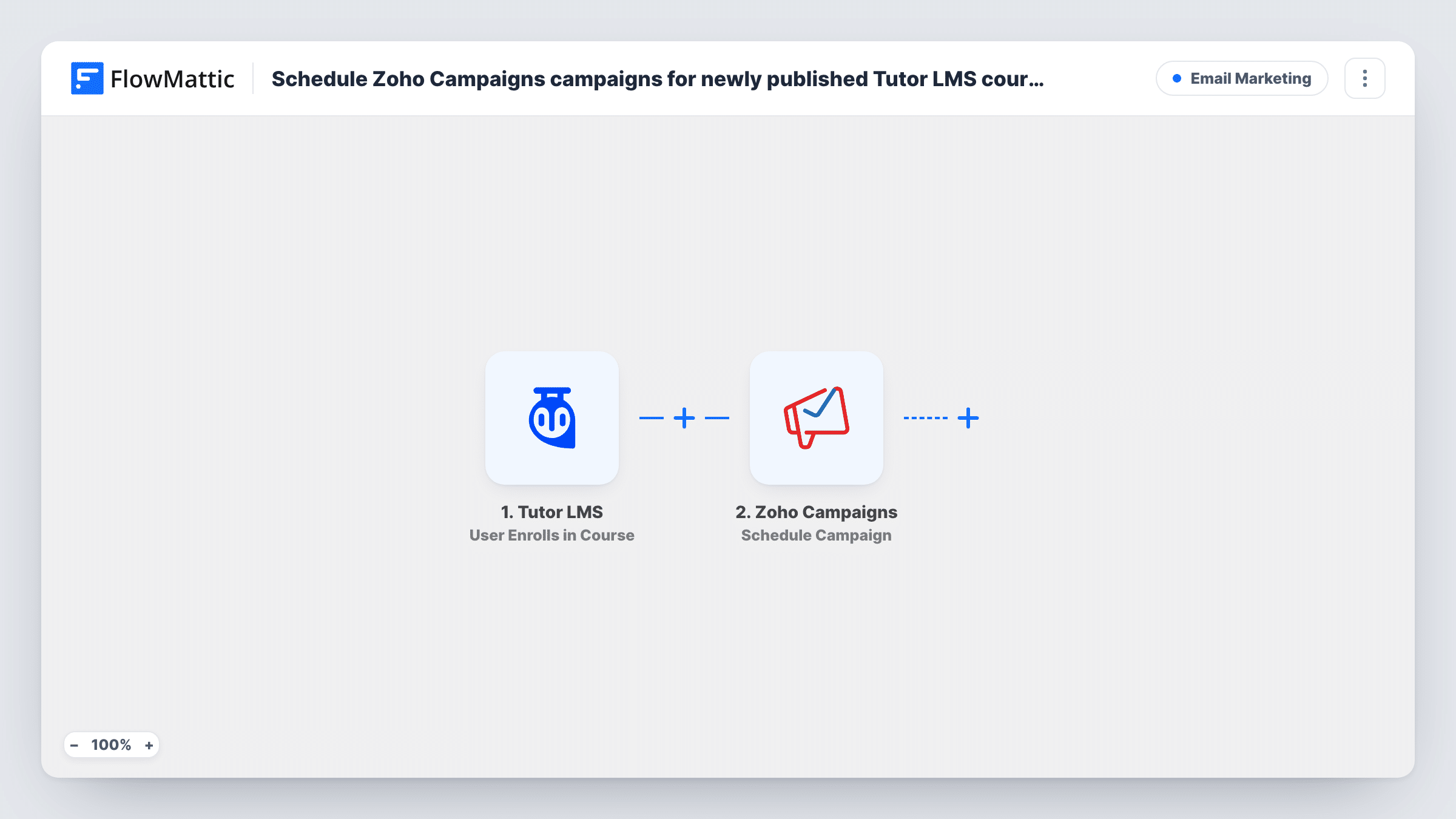
A course launch usually comes with an announcement email, and it's easy to publish the course and forget to send it. This workflow ties the two together: you prepare the campaign in Zoho Campaigns ahead of time, and publishing the course in Tutor LMS schedules it.
The trigger is the WordPress New Post event. It fires once, when a post first moves to published, and it covers custom post types such as Tutor LMS courses. As imported, the trigger has no post type set, so every new blog post or other custom post type would start a run too. Set the trigger's post type to Courses before you turn the workflow on.
The Zoho Campaigns step schedules a campaign to send at a specific date and time. It works on a campaign that already exists in your Zoho account and doesn't write the email or take content from the course. The step ships unmapped, so after import you connect Zoho, choose the campaign and set when it goes out.
Because the step points at one campaign, the next course would try to schedule that same campaign again. If you launch courses often, add Zoho's Clone Campaign action first, as the tips explain, or switch the step to a new campaign before each launch.
Launch-day announcement
An instructor drafts the launch email for a new course in Zoho Campaigns, then publishes the course in Tutor LMS, and the campaign is scheduled for the next morning.
Pre-written promotion for a planned course
A training company finishes a course weeks before launch, prepares the promotional campaign, and lets the publish date decide when it gets scheduled.
One campaign template for each launch
With a Clone Campaign step added, a school keeps one launch template in Zoho Campaigns and each new course schedules its own copy.
How this workflow runs
What happens at each step once the workflow is on, and what you need before you import it.
 WordPress New Post
Fires when a post is first published on your site. As imported it runs for any post type, so set the trigger's post type to Tutor LMS Courses. Edits to a course that is already live don't fire it.
- Zoho Campaigns Schedule Campaign
Schedules an existing Zoho Campaigns campaign to send at a specific date and time. The step ships unmapped: connect Zoho, pick the campaign and set the send time after import.
What you need
- FlowMatticCore
- Zoho Campaigns AccountAccount
After importing, map your own data. To keep the template universal, not every step is pre-filled. Open each step in the builder and connect your accounts and fields (channels, lists, sheets, recipients) before you switch the workflow on.
Make it yours
Changes worth making after you import it.
- To give each course its own email, add Zoho Campaigns' Clone Campaign action between the New Post trigger and the Schedule Campaign step, then schedule the clone it returns instead of the original.
- Leave the original campaign as a draft you never send, so it can serve as the base for every launch.
- To build the email from course data instead, put Zoho's Create Campaign action between the New Post trigger and Schedule Campaign, and map the course's post_title and permalink into it.
Questions about this workflow
Will regular blog posts schedule the Zoho campaign too?
They will until you set the trigger's post type. The New Post trigger ships with no post type, so it fires for posts and every custom post type. Pick Tutor LMS's Courses type in the trigger to limit it.
Does updating a published Tutor LMS course schedule the campaign again?
No. The trigger runs a single time per course, at the moment it is first published. Edits to a course that is already live don't start a run.
Does this write the course email for me?
No. Schedule Campaign only sets the send time for a campaign that already exists in Zoho Campaigns. Write the campaign there first, or add a Create Campaign step if you want to build it from course data.
What happens when a second course is published?
The step tries to schedule the same campaign again. Zoho Campaigns decides how to treat a campaign that is already scheduled or sent, so use a Clone Campaign step or change the chosen campaign before each launch.
More Email Marketing workflows
Other ready-to-import templates from the same category.





Import this workflow into your WordPress site
Download the JSON, import it from the Workflows screen and connect your accounts. Every run stays on your server, with no per-task fees.
30-day money-back guarantee Unlimited workflows and runs Self-hosted