

Search Zoho Recruit candidates for new interview scheduling requests in Calendly
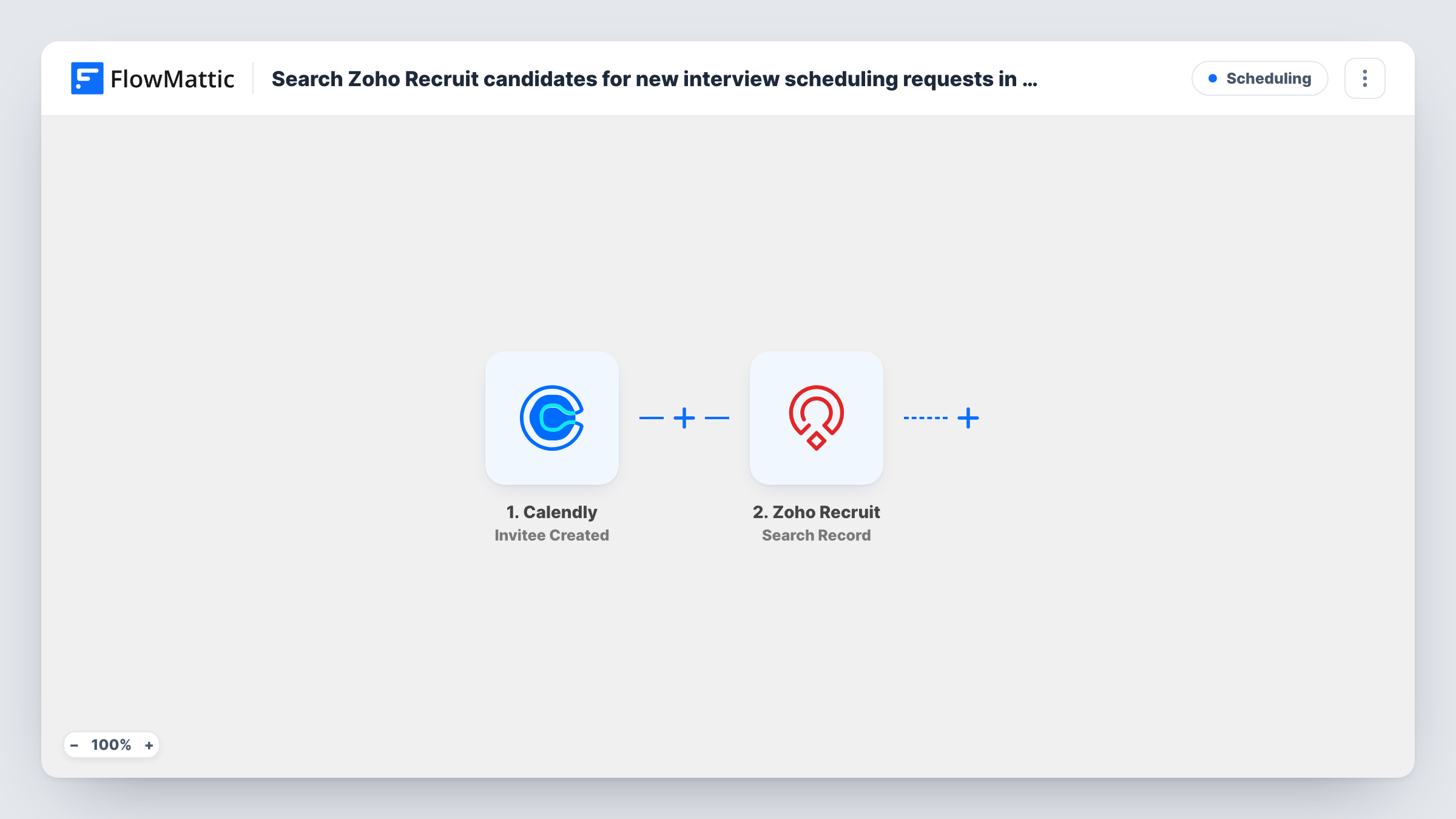
When a candidate books a time through Calendly, FlowMattic searches Zoho Recruit for the matching record, giving you the candidate’s details inside the workflow to build on with your next step.
 Calendly
 Zoho Recruit
2 steps Setup ~5 min Used on 2.9k sites Free to import
What this workflow does
Recruiters who send a Calendly link for interviews usually open Zoho Recruit next to find the person who just booked. This workflow does the lookup for you the moment the booking comes in, so the candidate record is ready inside FlowMattic for whatever you want to do with it.
A new booking on your Calendly link starts the run through the Invitee Created trigger. The invitee's details, such as name and email, become available to map. The second step runs Search Record in Zoho Recruit, which retrieves records that match the search criteria you set, for example the invitee's email address.
Search Record only reads. As imported, nothing uses the result, so no record changes and no one is notified. Its value comes from the step you add after it, such as Zoho Recruit Update Record using the ID the search returns. Every Calendly booking runs the search, so if your account has event types other than interviews, add a Filter on the event type.
Updating a candidate's stage after they book
Add Zoho Recruit Update Record after the search and map the found record's ID, so a candidate who books an interview slot moves to the stage you choose.
Checking bookings against your pipeline
A recruiter shares one Calendly link widely. The search shows, in Task History, whether each person who booked is already a candidate in Zoho Recruit.
Preparing an interview brief
Add a step that sends the found candidate's details to your team chat or email, so the interviewer sees the profile next to the booking time.
How this workflow runs
What happens at each step once the workflow is on, and what you need before you import it.
 Calendly Invitee Created
Fires when someone books a meeting through your Calendly link. The invitee's details and the booking information are passed on for mapping into the search.
- Zoho Recruit Search Record
Searches Zoho Recruit for records that match the criteria you set. Map a value from the Calendly booking, such as the invitee's email, and check a test run to see what the search returns.
What you need
- FlowMatticCore
- Calendly AccountAccount
- Zoho Recruit AccountAccount
After importing, map your own data. To keep the template universal, not every step is pre-filled. Open each step in the builder and connect your accounts and fields (channels, lists, sheets, recipients) before you switch the workflow on.
Make it yours
Changes worth making after you import it.
- Add a Filter after the trigger that continues only for your interview event type, so sales calls or other meetings booked through Calendly don't run a candidate search.
- Follow the search with Zoho Recruit Update Record and map the record ID it returns, so the candidate's record reflects the booked interview.
- Ask candidates to book with the same email they applied with. A search on email depends on it, and a different address can return no match.
Questions about this workflow
Does the workflow change anything in Zoho Recruit?
No. Search Record only retrieves matching records. Add an Update Record or Create Record step after it if you want the booking to change Zoho Recruit.
What if the person booking isn't in Zoho Recruit?
The search finds no match, and since nothing follows it as imported, the run simply ends. Add Create Record from Zoho Recruit if you want new people added.
Does every Calendly booking run the Zoho Recruit search?
Yes. Invitee Created fires for each booking on your account, not only interviews. Add a Filter on the event type to limit it to interview slots.
What about cancelled Calendly interviews?
Cancellations don't start this template. Calendly also has an Invitee Canceled trigger in FlowMattic that you can use in a second workflow.
More Scheduling workflows
Other ready-to-import templates from the same category.


Import this workflow into your WordPress site
Download the JSON, import it from the Workflows screen and connect your accounts. Every run stays on your server, with no per-task fees.
30-day money-back guarantee Unlimited workflows and runs Self-hosted