

Create Modern Event Calendar categories from new Tutor LMS courses
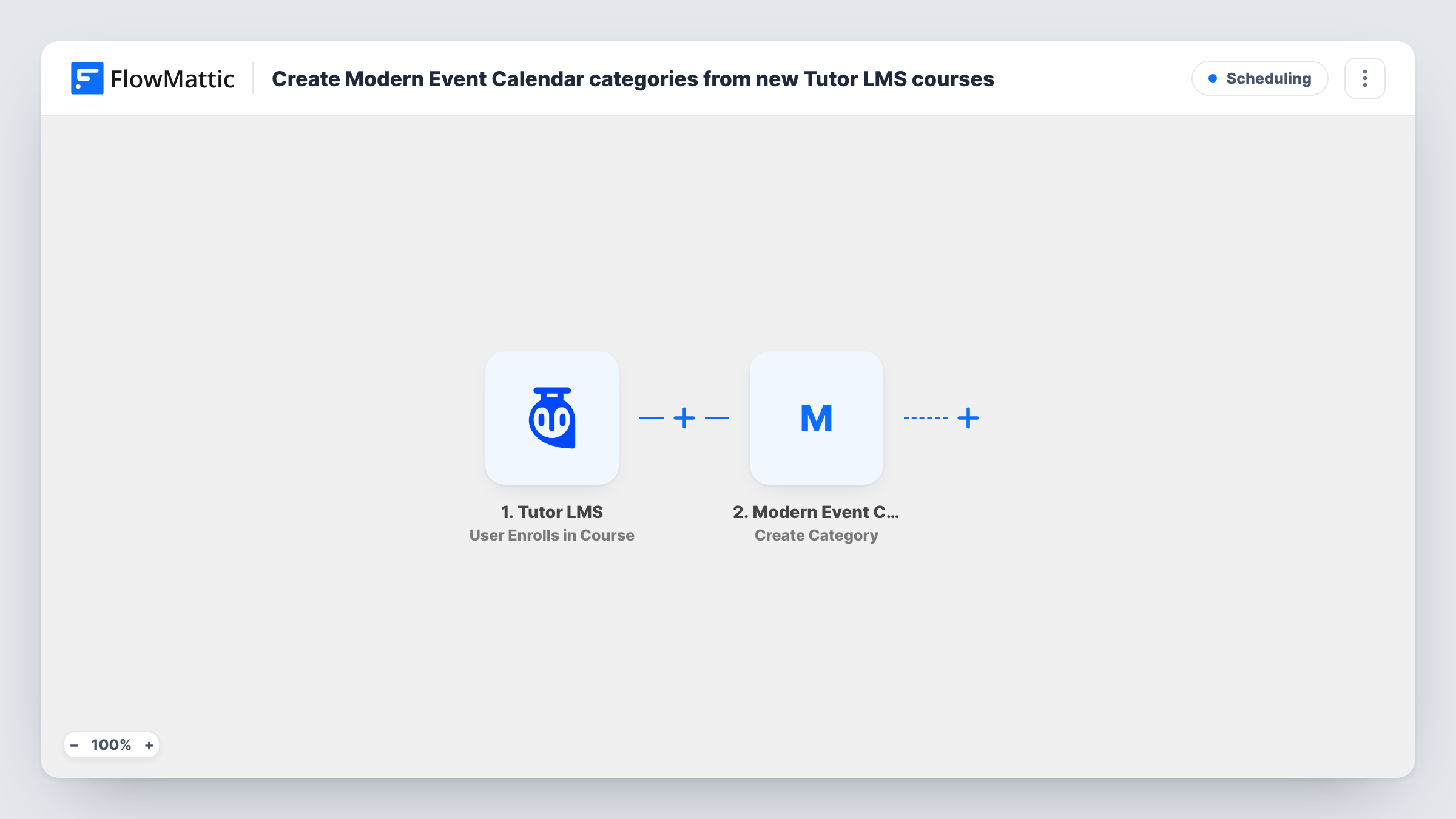
When a new Tutor LMS course is published, a Modern Event Calendar event category named after the course is created, once you set the WordPress trigger to Tutor’s course post type.
 WordPress
 Modern Event Calendar
2 steps Setup ~5 min Used on 580 sites Free to import
What this workflow does
If you run live sessions, webinars or workshops for your courses, grouping those events by course in Modern Event Calendar keeps the calendar readable. This workflow creates that grouping as you go: publish a course, and a matching event category is waiting when you schedule its first session.
Tutor LMS courses are WordPress posts of their own type, so the trigger is the WordPress New Post event. It fires once, when a post is first published, and edits to a live course don't fire it again. As imported, the trigger has no post type chosen, which means blog posts and every other custom post type would create categories too. Before you turn the workflow on, set the trigger's post type to the Tutor LMS course type.
The Modern Event Calendar step then creates a new event category. Its name is already mapped to the post title, so a course called "Beginner Watercolour" gives you a category with that same name.
WordPress may refuse a category name that already exists in the same list, so a second course with an identical title may not get its own category. Publish a test course and check Task History to see what the step returned.
Live sessions grouped by course
A coding school publishes a new Tutor LMS course and later files its weekly live Q&A events under the category created for it, so students filter the calendar by course.
Workshop calendar for a craft academy
An art academy adds in-person workshops to Modern Event Calendar under the matching course category without creating categories by hand.
Consistent naming between LMS and calendar
A training provider keeps calendar categories spelled exactly like its course titles, because each category takes its name straight from the course.
How this workflow runs
What happens at each step once the workflow is on, and what you need before you import it.
 WordPress New Post
Runs a single time per post, at the moment it first goes live. The template ships with no post type set, so it would fire for any post; set the post type to Tutor LMS courses before you activate it.
- Modern Event Calendar Create Category
Creates a new event category in Modern Event Calendar, named with the published post's title. That mapping is already in place, so the category matches the course name exactly.
What you need
- FlowMatticCore
- Modern Event Calendar PluginPlugin
After importing, map your own data. To keep the template universal, not every step is pre-filled. Open each step in the builder and connect your accounts and fields (channels, lists, sheets, recipients) before you switch the workflow on.
Make it yours
Changes worth making after you import it.
- Set the WordPress trigger's post type to the Tutor LMS course type first; leaving it blank creates a calendar category for every blog post you publish.
- Add a Create Event step from Modern Event Calendar after the category step if each new course should also get a placeholder intro session.
- Rename or merge categories in Modern Event Calendar if you later retitle a course, since editing a published course doesn't run the workflow again.
Questions about this workflow
Do existing Tutor LMS courses get calendar categories?
No. Only courses published after the workflow is active start a run. Create categories for your current courses in Modern Event Calendar by hand.
What happens when I update a published Tutor LMS course?
Nothing. The New Post trigger fires only when a post first moves to published, so later edits and title changes don't create or rename a category.
Why does this use a WordPress trigger instead of a Tutor LMS one?
FlowMattic's Tutor LMS triggers cover learner activity, such as enrolments, completions and quiz attempts, not new courses. A published course is a WordPress post, so New Post with the course type catches it.
More Scheduling workflows
Other ready-to-import templates from the same category.





Import this workflow into your WordPress site
Download the JSON, import it from the Workflows screen and connect your accounts. Every run stays on your server, with no per-task fees.
30-day money-back guarantee Unlimited workflows and runs Self-hosted