

Send a Discord message for every new Formlets submission
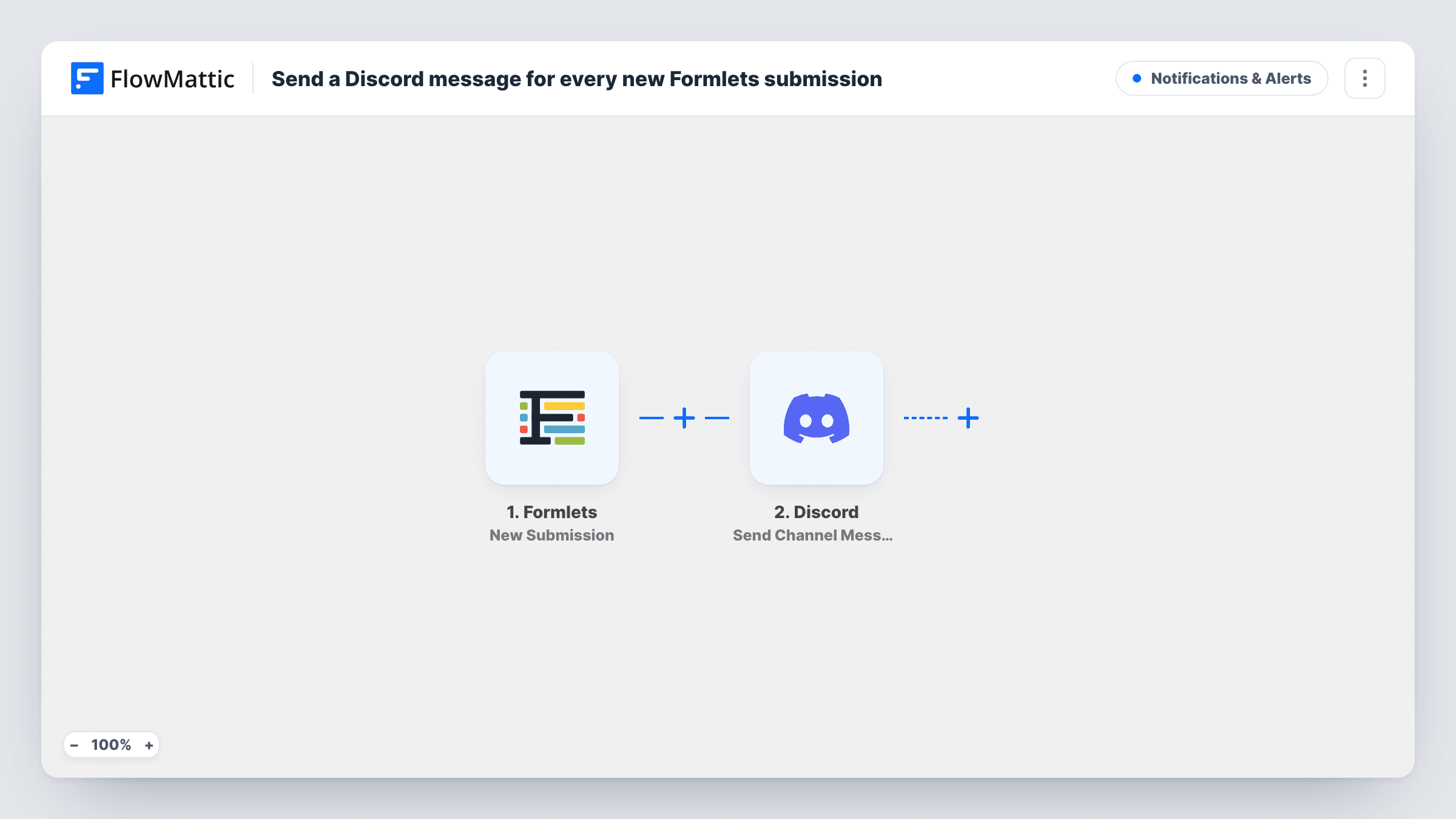
Each time someone fills in one of your Formlets forms, this workflow posts a message to a Discord channel you pick, so the people who handle responses see them where they already talk.
 Formlets
 Discord
2 steps Setup ~5 min Used on 2.3k sites Free to import
What this workflow does
Form responses tend to sit in an inbox or a dashboard that only one person checks. If your team or community lives in Discord, the quickest way to get a response seen is to put it in a channel. This workflow does that for every Formlets submission, with no copying by hand.
The Formlets trigger fires when a new submission arrives on the form you connect. FlowMattic picks up the answers from that submission and hands them to the Discord step, which posts a message to the #channel you choose. You decide what the message says and which answers it includes by mapping them into the message text.
Every submission produces one message, since nothing in between holds any back. Keep that in mind for a busy form: a channel can fill up quickly. Task History keeps a record of each run, so you can see the answers FlowMattic received and what it sent to Discord.
Volunteer sign-ups for a community server
A Formlets volunteer form posts each new name and availability into a #volunteers channel, where organisers can reply in a thread and pick people up.
Bug reports from a feedback form
Players or users report problems through a Formlets form, and each report shows up in a Discord channel your developers already watch.
Applications for a guild or club
Each application filled in on Formlets is posted to the channel your moderators use, so they can read and discuss it together.
How this workflow runs
What happens at each step once the workflow is on, and what you need before you import it.
 Formlets New Submission
Starts the workflow when the Formlets form you connect receives a new submission. The submitted answers become data you can use in the Discord message.
- Discord Send Channel Message
Sends one message into the Discord channel picked during setup. Write the message text and map the Formlets answers into it, for example the name, email and main question from the form.
What you need
- FlowMatticCore
- Formlets AccountAccount
- Discord AccountAccount
After importing, map your own data. To keep the template universal, not every step is pre-filled. Open each step in the builder and connect your accounts and fields (channels, lists, sheets, recipients) before you switch the workflow on.
Make it yours
Changes worth making after you import it.
- Put a Filter between the two steps if only some answers matter in Discord, for example continue only when a priority field equals High. Other submissions then stop at the Filter.
- Keep the message short and include only the answers people need to act on. Long free-text answers can make a busy channel hard to scan.
- Submit one test entry on your Formlets form after import, so FlowMattic captures the field names, then map them into the Discord message before you switch the workflow on.
Questions about this workflow
Will every Formlets submission show up in Discord?
Yes. As imported, the workflow has no condition between the two steps, so each new submission on the connected form produces one Discord message.
Can the Discord message include the Formlets answers?
Yes. Any answer the Formlets trigger passes on can be mapped into the message text. A test submission after import shows which answers are available.
Are past Formlets responses posted when I turn this on?
No. The trigger reacts to new submissions, so only responses that arrive after the workflow is switched on reach your Discord channel.
Can I post Formlets responses to two Discord channels?
Yes. Add a second Send Channel Message step after the first one and pick the other channel there. Each submission is then posted to both.
More Notifications & Alerts workflows
Other ready-to-import templates from the same category.

Import this workflow into your WordPress site
Download the JSON, import it from the Workflows screen and connect your accounts. Every run stays on your server, with no per-task fees.
30-day money-back guarantee Unlimited workflows and runs Self-hosted