

Send a Gmail email for each new MarketBox booking
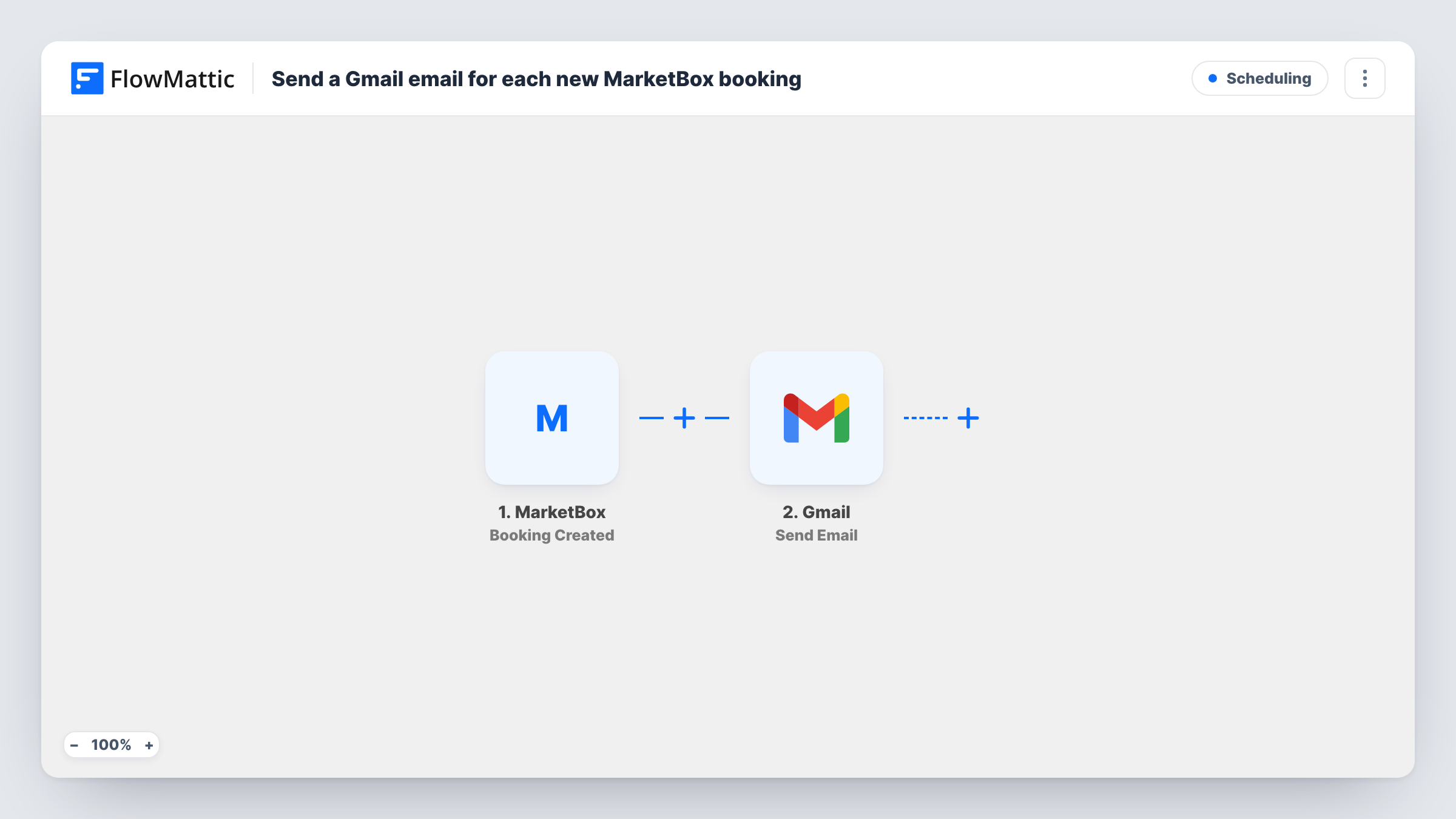
When a new booking is created in MarketBox, this workflow sends an email from your Gmail account to the address you set or map, such as the client or your team.
 MarketBox
 Gmail
2 steps Setup ~5 min Used on 2.6k sites Free to import
What this workflow does
A new booking usually means someone needs to hear about it: the client wants a personal note, or a staff member needs to prepare. Sending that email by hand for each booking is easy to forget on a busy day. This workflow sends it from Gmail as each booking is created.
The MarketBox trigger fires when a new booking is created. FlowMattic passes the booking details to Gmail, whose Send Email action sends a message from your connected account. You set the recipient, write the subject and body, and map in details from the booking.
Updated bookings do not send anything here, since MarketBox has a separate Booking Updated trigger. You get exactly one Gmail message per new MarketBox booking. Replies come back to your Gmail inbox, and Task History records each run.
Personal note to new clients
A mobile service business sends each client a Gmail message from the owner's address after they book, with what to expect on the day.
Booking alert for the assigned provider
Send each new booking's details to the provider's inbox so they can prepare before the appointment.
Booking log by email
Send every new MarketBox booking to a shared bookings address, giving the office a searchable record in Gmail.
How this workflow runs
What happens at each step once the workflow is on, and what you need before you import it.
 MarketBox Booking Created
Fires when a new booking is created in MarketBox. The booking's details are passed on for use in the Gmail message.
- Gmail Send Email
Sends a Gmail message about the booking. Choose the recipient, or map the client's email if MarketBox includes it, then write the subject and body and connect your Gmail account.
What you need
- FlowMatticCore
- MarketBox AccountAccount
- Gmail AccountAccount
After importing, map your own data. To keep the template universal, not every step is pre-filled. Open each step in the builder and connect your accounts and fields (channels, lists, sheets, recipients) before you switch the workflow on.
Make it yours
Changes worth making after you import it.
- Create a test booking after import so FlowMattic captures the MarketBox fields, then map the client's details into the email.
- Copy the workflow and use MarketBox's Booking Updated trigger to email clients when their booking changes.
- Add a second Gmail Send Email step if you want the client and your team to receive different messages for the same booking.
Questions about this workflow
Does a changed MarketBox booking send another email?
No. This workflow only runs for new bookings. Use MarketBox's Booking Updated trigger in a separate workflow for changes.
Can the Gmail message go to the client who booked in MarketBox?
Yes, if the booking data includes the client's email. Make a test booking and check what MarketBox sends before you map the recipient.
Will MarketBox also send its own booking emails?
This workflow doesn't change MarketBox's own notifications. Check your MarketBox settings if you want to avoid the client getting two similar emails.
More Scheduling workflows
Other ready-to-import templates from the same category.



Import this workflow into your WordPress site
Download the JSON, import it from the Workflows screen and connect your accounts. Every run stays on your server, with no per-task fees.
30-day money-back guarantee Unlimited workflows and runs Self-hosted