

When a new Exly booking is received, log it in Google Sheets and send the customer a confirmation via Gmail
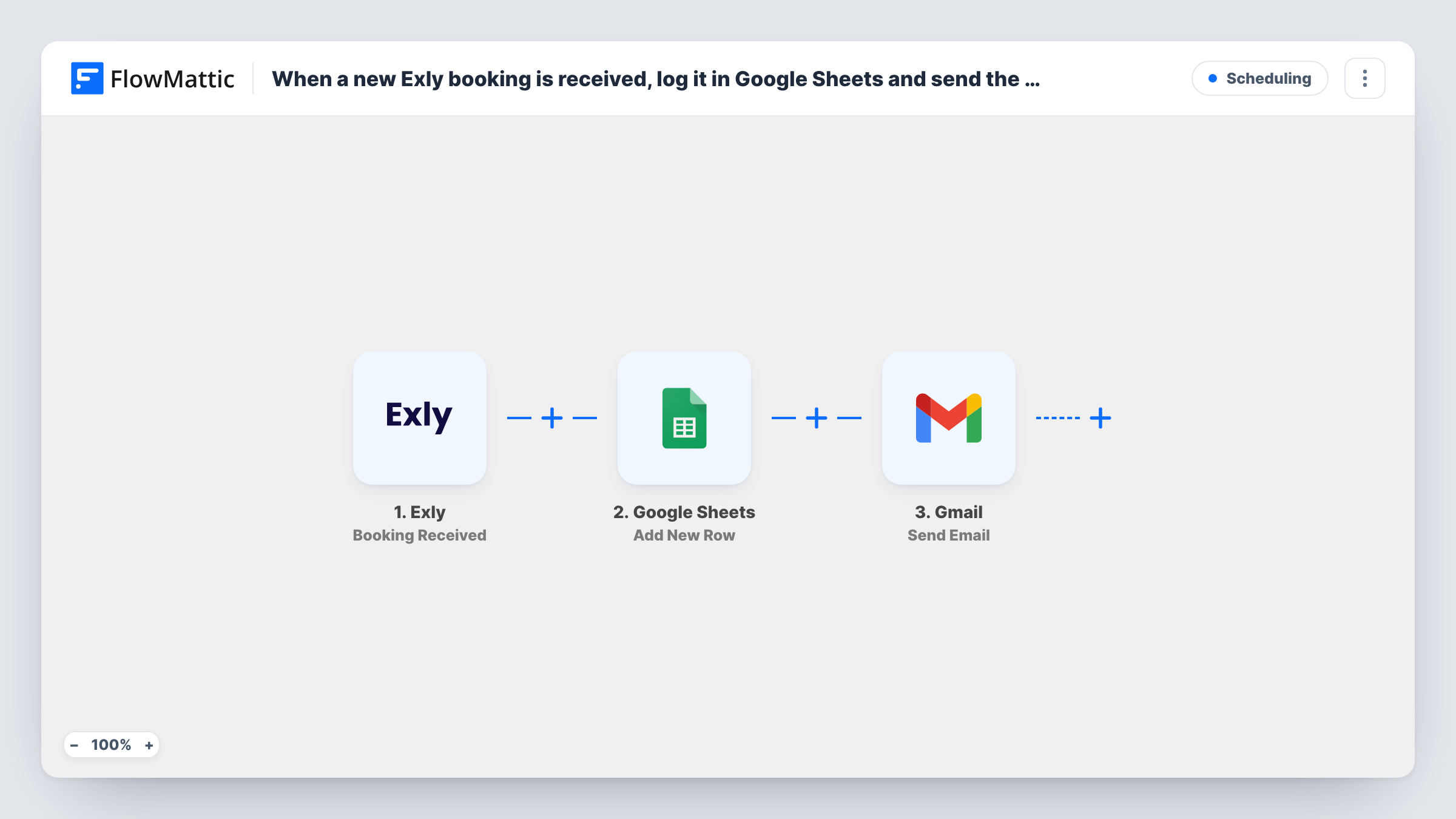
Each new Exly booking is written to a Google Sheets row and then a confirmation email goes to the customer from your Gmail account, so your booking log and your client message both happen without manual work.
 Exly
Exly
 Google Sheets
 Gmail
Gmail3 steps Setup ~5 min Used on 1.3k sites Free to import
What this workflow does
Exly takes the booking, but your own records and your personal note to the client are still separate jobs. If you track sessions in a spreadsheet and like to confirm each one from your own inbox, every booking means two bits of copying. This workflow handles both the moment the booking arrives.
The Exly trigger fires when a new booking is received. FlowMattic passes the booking details to Google Sheets, which adds them as a new row in the spreadsheet you pick. The last step uses Gmail to send an email to the customer, with the address, subject and body you build from the booking data.
Every booking runs all three steps in order. There is no condition in the template, so each booking gets a row and an email. You write the confirmation text yourself, and Task History shows what each run sent and whether a step returned an error.
Coaching calls sold through Exly
A coach logs each paid call in a sheet used for planning the week, and the client gets a short note from the coach's own Gmail address with what to prepare.
Workshop seats for a small studio
Each workshop booking becomes a row your assistant uses as the attendance list, and the attendee receives the venue details by email.
Shared booking log for a partner
A business partner without an Exly login follows bookings in a shared spreadsheet, while customers still hear from you directly.
How this workflow runs
What happens at each step once the workflow is on, and what you need before you import it.
 Exly Booking Received
Runs when Exly receives a new booking. The booking data it sends becomes available to map in the Google Sheets and Gmail steps.
- Google Sheets Add New Row
Writes the booking into a fresh row of your Exly log spreadsheet in Google Sheets. Connect your Google account, pick the sheet, and map each column to a value from the Exly booking.
- Gmail Send Email
Emails the customer from the Gmail account you connect. Map the customer's email from the booking as the recipient, then write the subject and message, inserting booking values where you want them.
What you need
- FlowMatticCore
- Exly AccountAccount
- Google Sheets AccountAccount
- Gmail AccountAccount
After importing, map your own data. To keep the template universal, not every step is pre-filled. Open each step in the builder and connect your accounts and fields (channels, lists, sheets, recipients) before you switch the workflow on.
Make it yours
Changes worth making after you import it.
- Make a test booking in Exly after import so FlowMattic captures real booking data. You can then see which fields Exly sends and map them in both later steps.
- Add a Delay before the Gmail step if you would rather the confirmation arrive a few minutes after the booking instead of right away.
- Add a column to the sheet for the date the row was written, so you can sort bookings by when they came in.
Questions about this workflow
Does Exly still send its own booking emails?
This workflow doesn't change anything in Exly. It only listens for new bookings, so whatever Exly sends on its own carries on as before, and the Gmail message arrives in addition.
Which Exly bookings reach the Google Sheet?
Every booking received after you turn the workflow on. Earlier bookings are not copied, and there is no condition in the template that leaves any booking out.
Can I send the Exly confirmation from a shared Gmail inbox?
Yes, as long as you connect that Gmail account in the Gmail step. The email goes out from whichever account you connect.
What if the Google Sheets step fails for a booking?
The run still continues to the Gmail step, so the customer gets the email. Task History shows the error on the sheet step, and you can add the missing row by hand.
More Scheduling workflows
Other ready-to-import templates from the same category.





Import this workflow into your WordPress site
Download the JSON, import it from the Workflows screen and connect your accounts. Every run stays on your server, with no per-task fees.
30-day money-back guarantee Unlimited workflows and runs Self-hosted